
BUILT SMARTER. SHIP FASTER
Build Front-End Pages Faster Without Manual Translation Work.
Stop translating designs into code by hand. Code Studio turns visual mockups into production-ready, responsive components while your team focuses on design excellence, not scaffolding.
-
Design to code in minutes.
-
Responsive automatically.
-
WCAG compliant.
-
Component consistency.


Built by Syncfusion. Trusted by 41,000+ enterprises.
25+ years of developer tools, now reimagined for the agent first era.

Enterprises

UI Components

Years in Business

Fortune 500 Companies
What is Code Studio for Front-End Teams?
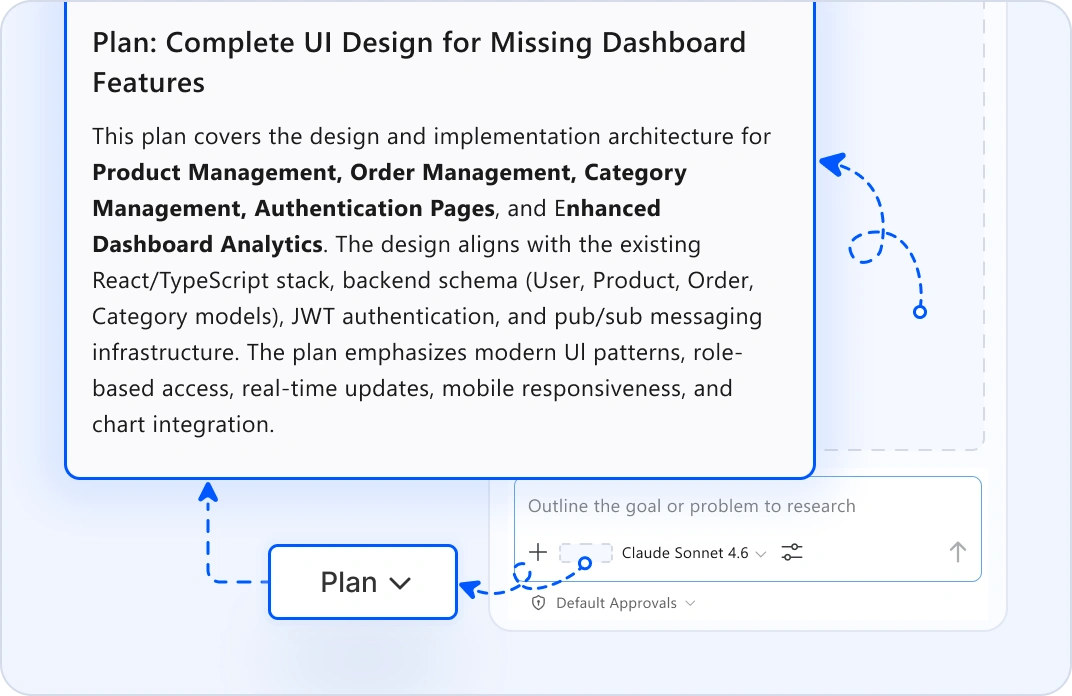
PLAN UI FROM REQUIREMENTS
Automated Design Planning
Describe your UI requirements: features, user flows, data needs. A custom AI Agent generates a design plan with the component structure, layout hierarchy, and interaction flows. Review it before design or coding starts.
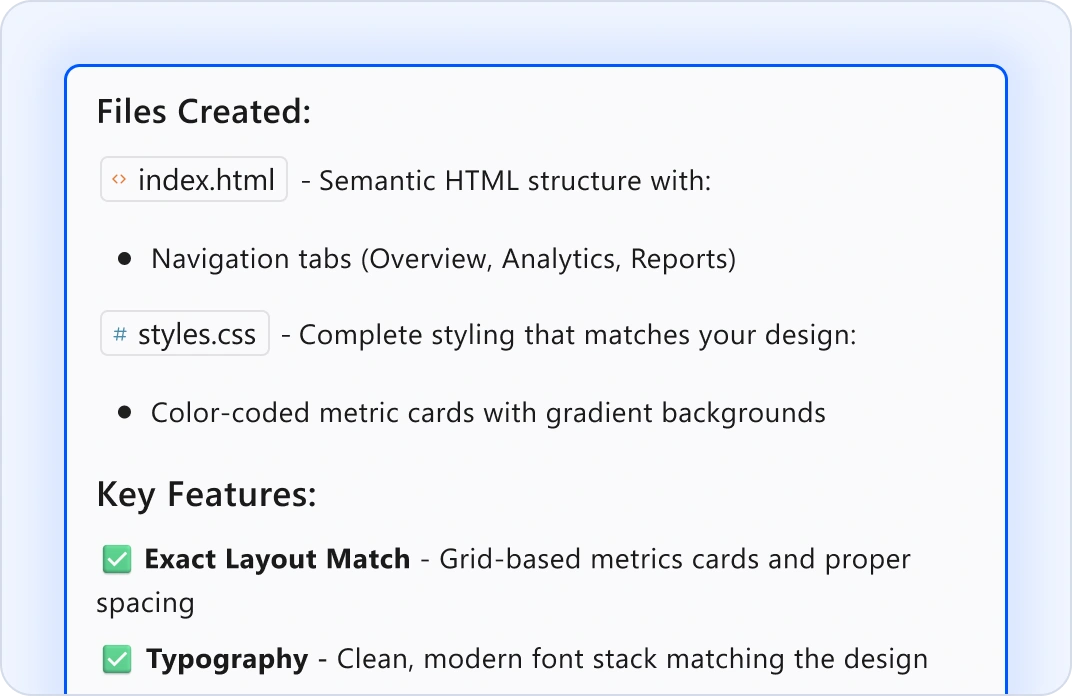
DESIGN-TO-CODE TRANSLATION
Convert Mockups Into Code
Upload Figma frames or screenshots. The Code Studio AI Agent analyzes the design and generates clean, semantic HTML and CSS that match the layout, spacing, and typography.
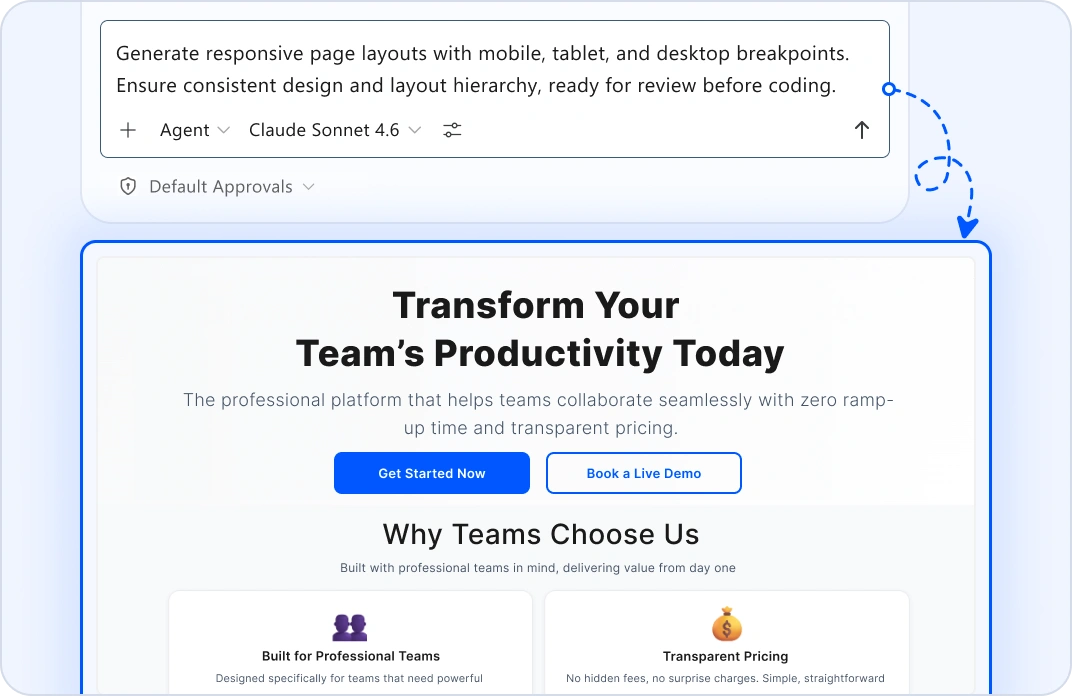
GENERATE RESPONSIVE PAGES
Automatic Responsive Scaffolding
Describe what you need. Agent mode generates complete page layouts with mobile, tablet, and desktop breakpoints ready for review.
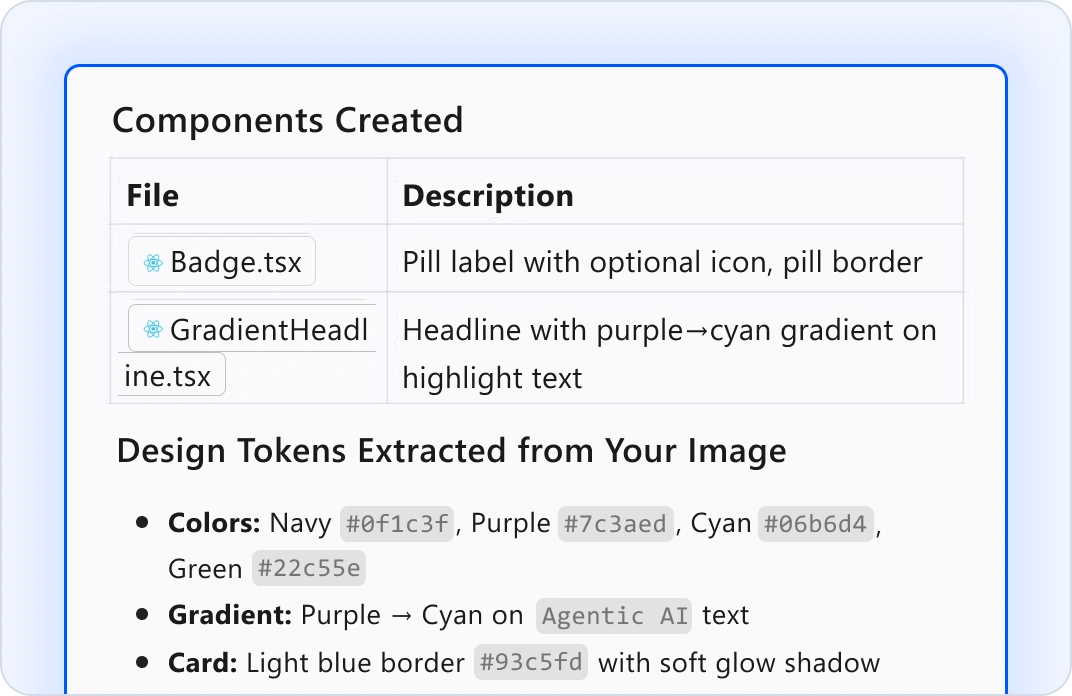
DESIGN SYSTEM CONSISTENCY
Token-Aware Components
Include your design system in context. Agent mode generates components that follow your color palettes, typography, and spacing tokens automatically.
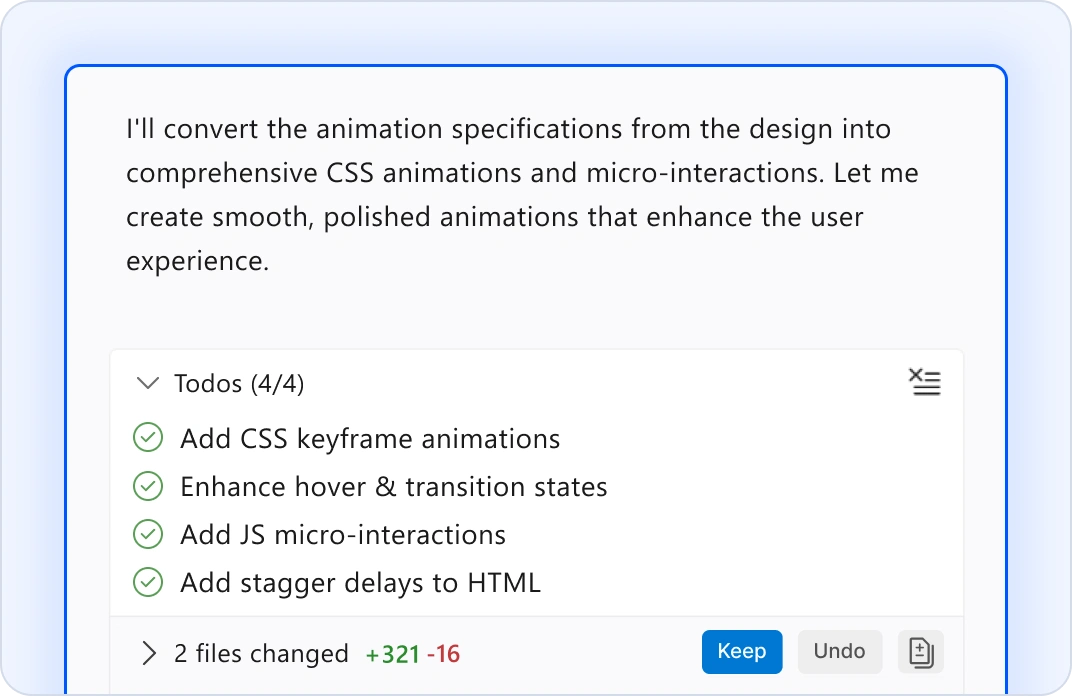
ANIMATION & INTERACTION CODE
Auto-Generate Smooth Interactions
Convert animation specs into CSS animations and interaction code. Agent will generate smooth transitions and micro-interactions that align with design intent.
PERFORMANCE AUDITS
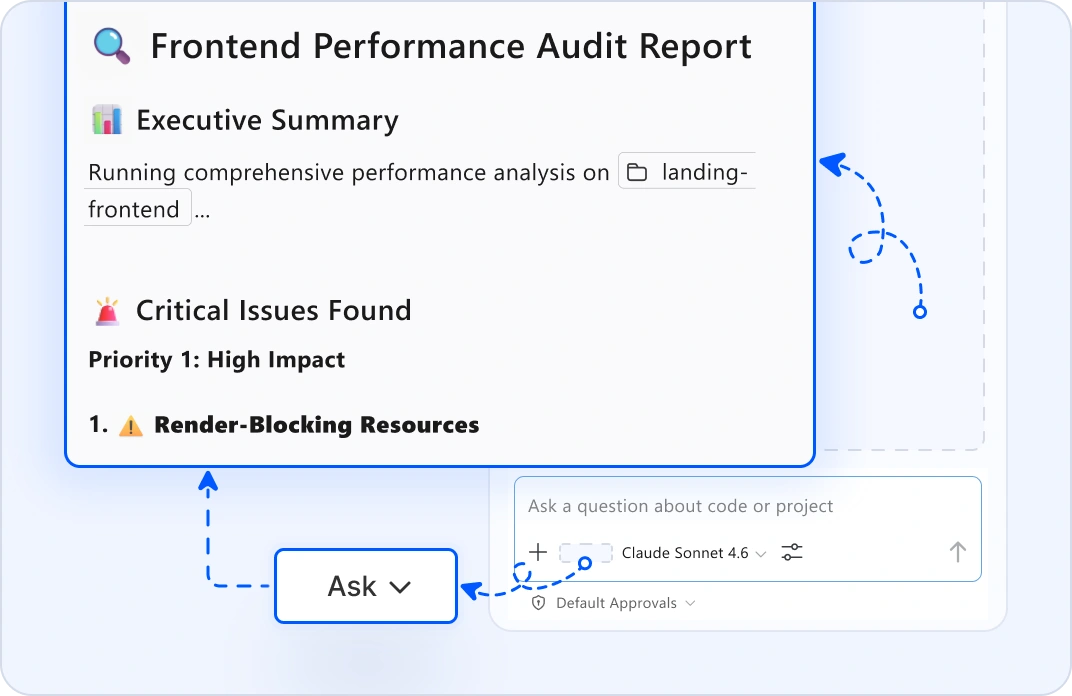
Identify Optimization Opportunities
Ask mode identifies rendering bottlenecks, bundle bloat, and optimization opportunities. Catch performance issues before they affect production.
Why Front-End Teams Choose Code Studio?
Design to code in minutes
Upload Figma frames, get production markup.
Responsive automatically
Mobile, tablet, desktop breakpoints generated.
WCAG compliant from day one
Accessibility checks built into every component.
Component consistency
Design system rules enforced automatically.
Stay in control
Every generated component is reviewable and refinable.
GOT QUESTIONS?
Everything else front-end teams need to know about Code Studio.
Edit mode analyzes mockups, Figma frames, or screenshots. It maps the visual layout, identifies components, and extracts design tokens such as colors, typography, spacing. Ask mode helps explain what's needed. The more context you provide, the better the output.
Yes. Include your design system tokens, component library, and style guide in the context. Agent mode generates new components that follow your established patterns automatically. Every component respects your spacing scales, color palettes, and typography rules.
You review it before applying it. Edit mode lets you refine colors, spacing, and layout inline. Use ask mode for specific adjustments, like "make the padding tighter" or "use a darker blue." You're always in control. The agent proposes but you decide.
Yes. Plan mode analyzes your existing pages and suggests refactoring paths. Edit mode helps modernize components incrementally. Ask mode explains what code does, so you understand it before changing it. You can modernize safely without big rewrites.
Your design files and mockups never leave your machine. Code Studio doesn't use your designs to train models. All processing happens locally or through encrypted connections to your own LLM. Your design work remains completely private.
Yes. Agent mode generates mobile, tablet, and desktop breakpoints with correct media queries. Ask mode audits responsive behavior across breakpoints. Edit mode suggests responsive improvements. Your layouts are mobile-first from day one.
Code Studio scans for WCAG violations: missing alt-text, poor color contrast, nonsemantic markup, missing labels. Ask mode explains accessibility issues. Edit mode suggests fixes. Your components are accessible automatically.
Store your design tokens and component patterns in a shared location and include them in the context. Agent mode generates new pages that follow the same patterns. Design system rules are enforced automatically across all generated code.
Code Studio supports React, Vue, Angular, and vanilla HTML/CSS. Define custom instructions in Markdown for your specific framework patterns, component structure, or build setup. Agent mode follows them automatically.
Yes. Ask mode analyzes page-rendering performance, identifies layout thrashing, and suggests optimizations. Edit mode can refactor CSS for better performance. Plan mode flags performance risks before implementation.
No. Upload screenshots, paste Figma links, or describe the design in natural language. Edit mode works with all three. But integrations with Figma make design-to-code even faster with direct frame extraction.
The Syncfusion team is here for you. Email [email protected] or use the help panel inside Code Studio. We respond fast because we know front-end work is deadline-driven.
Edit mode is interactive, you describe changes and refine incrementally. Agent mode is autonomous, it runs multifile updates like refactoring or modernizing without constant guidance. Use edit mode for polish and refinement. Use agent mode for large-scale component updates.
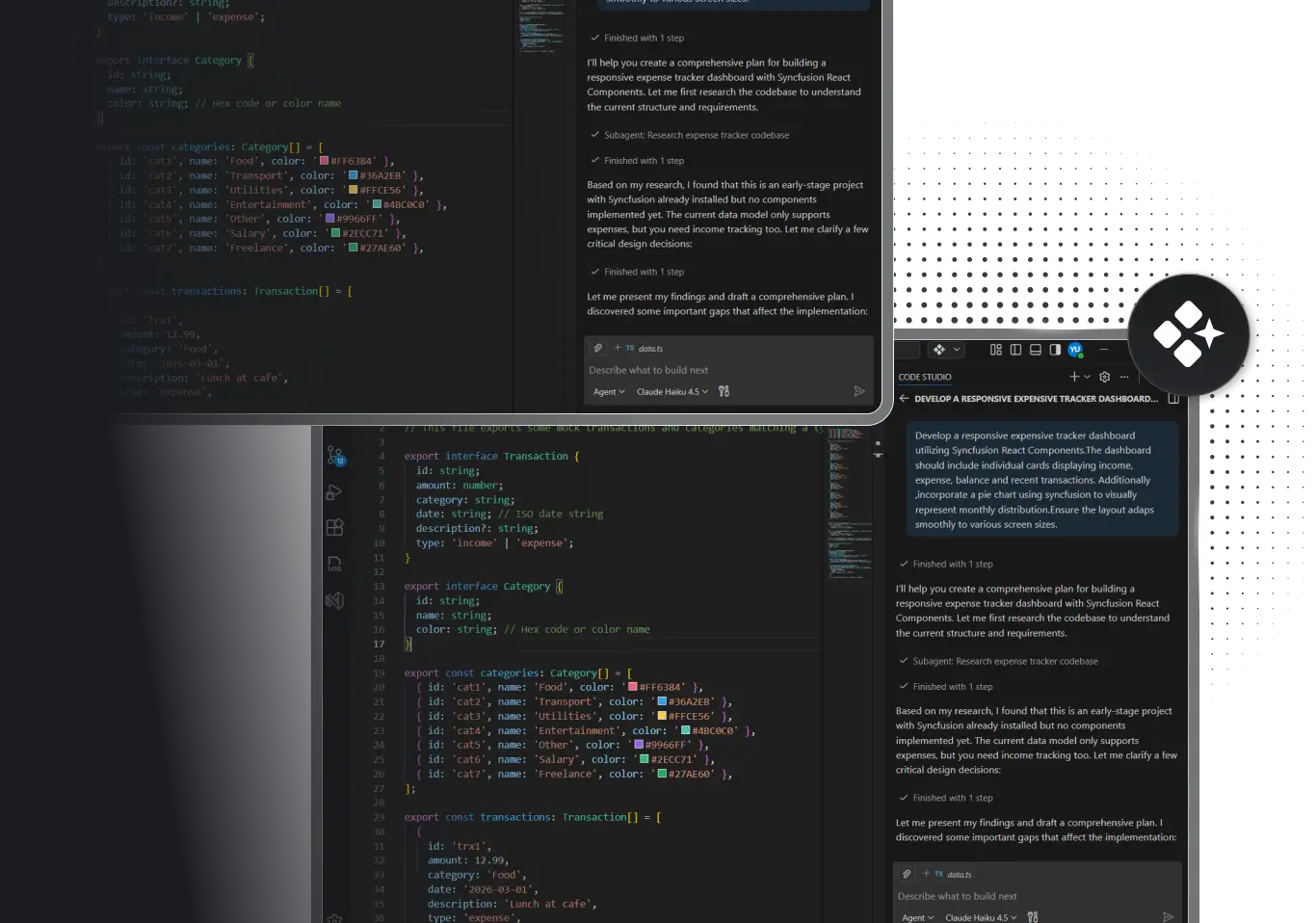
Stop translating designs manually today
- Proven
- Scalable
- Enterprise-grade
Stop translating designs manually today
Turn mockups into code without the manual work.
-
Proven
-
Scalable
-
Enterprise-grade