How To Pre Select A Checkbox Inside A Winforms Grid Cell?


celltype
checkbox
checked-state
gridcontrol
unchecked-state
winforms
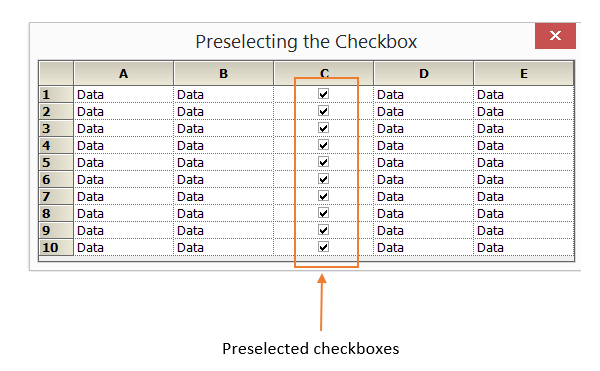
In WinForms GridControl, to pre-select (check) a checkbox in a grid cell, set the cell’s CellValue property to the appropriate value. The checked or unchecked state of the checkbox depends on the values assigned to the CheckBoxOptions.CheckedValue and CheckBoxOptions.UncheckedValue properties. These properties define which underlying values correspond to the checked and unchecked states of the checkbox in the grid cell.
C#
this.gridControl1[i, 3].CellType = "CheckBox";

//Set Checked and Unchecked values
this.gridControl1[i, 3].CheckBoxOptions.CheckedValue = "true";
this.gridControl1[i, 3].CheckBoxOptions.UncheckedValue = "false";

//Set the cell value type to Boolean
this.gridControl1[i, 3].CellValueType = typeof(bool);

//Set the default value to checked
this.gridControl1[i, 3].CellValue = true;
VB
Me.GridControl1(i, 3).CellType = "CheckBox"

' Set Checked and Unchecked values
Me.GridControl1(i, 3).CheckBoxOptions.CheckedValue = "true"
Me.GridControl1(i, 3).CheckBoxOptions.UncheckedValue = "false"

' Set the cell value type to Boolean
Me.GridControl1(i, 3).CellValueType = GetType(Boolean)

' Set the default value to checked
Me.GridControl1(i, 3).CellValue = True