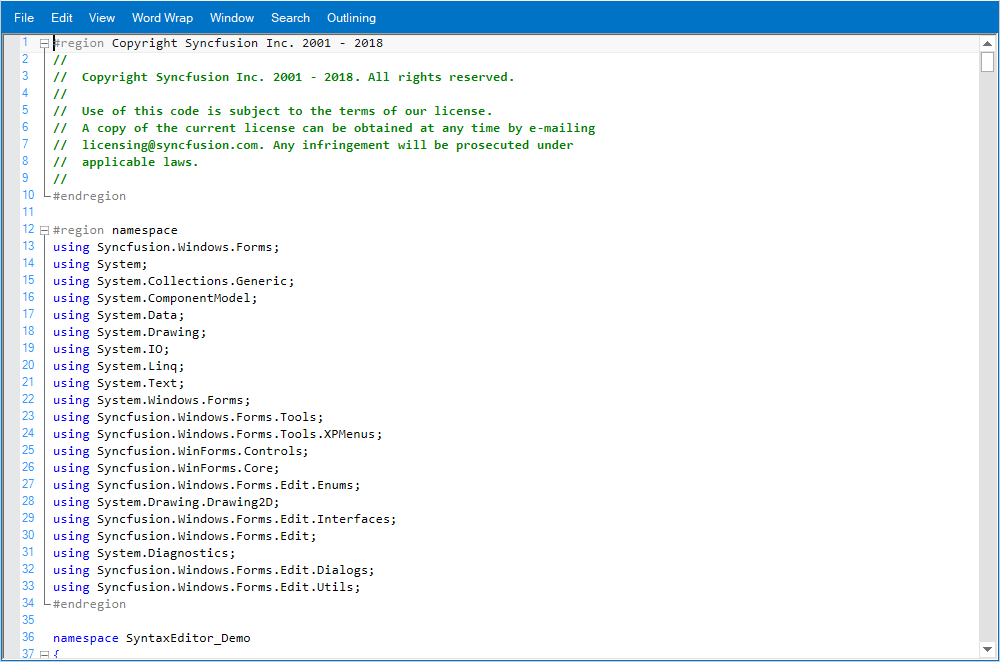
Winforms Syntax Editor Getting Started


The EditControl in Syncfusion's WinForms suite is a robust and feature-rich text editor control designed to build interactive and intelligent code editing applications. It offers a wide range of functionalities that make it ideal for developers looking to implement a Visual Studio-like experience in their Windows Forms applications. With support for:
- Syntax highlighting
- Text indentation
- IntelliSense
- Code block management (expand/collapse)
The EditControl enables users to write and manage code efficiently. It also allows for custom language configurations, making it adaptable to various programming languages and use cases. Whether you're building an IDE, a script editor, or a configuration file editor, this control provides the flexibility and power needed for professional-grade text editing.
Key Features
- Rich syntax highlighting for multiple languages
- Smart indentation and formatting support
- IntelliSense-like suggestions for enhanced productivity
- Expand/collapse functionality for code blocks
- Customizable language definitions and parsing rules
- Seamless integration with other Syncfusion controls
Reference
To learn more about the SyntaxEditor, visit the official Syncfusion page: Syncfusion SyntaxEditor Overview
For detailed implementation guidance, refer to the user guide: SyntaxEditor Documentation
Output