
Programmatic Navigation In DOCX Editor, Spreadsheet Editor, Presentation, And PDF Viewer


This sample demonstrates programmatic search, highlighting, and navigation capabilities across Syncfusion DOCX Editor, Presentation, Spreadsheet Editor, and PDF Viewer using a React frontend and Python backend.
Components Used
The application utilizes the following Syncfusion components:
- DOCX Editor
- PDF Viewer
- Spreadsheet Editor
- Presentation Viewer
Word Document
Requirement 1: Highlight and Navigate
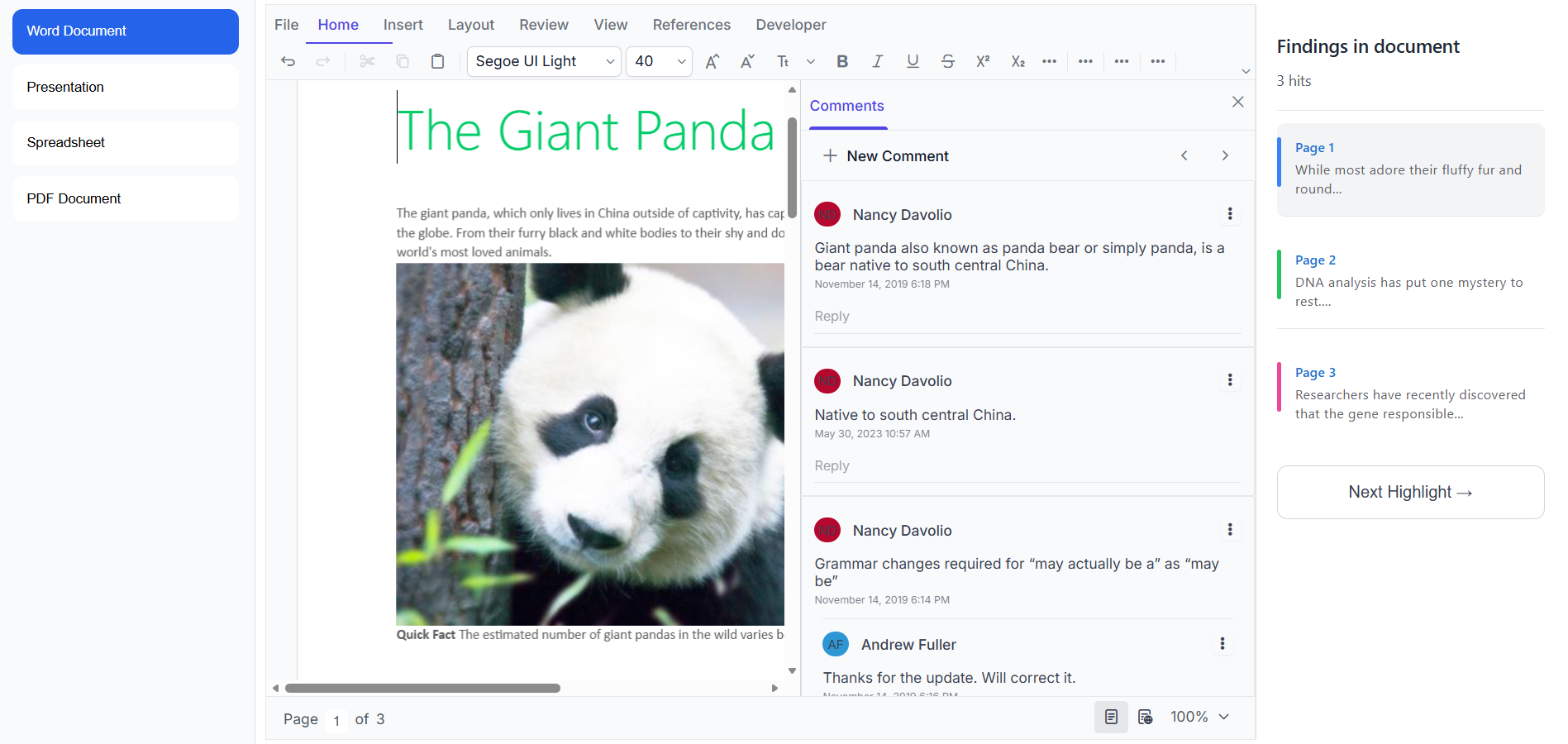
This sample demonstrates how to identify multiple paragraphs in a document, highlight them dynamically, and navigate between them without modifying the original document.
Features
- Highlight multiple paragraphs simultaneously.
- Display highlighted findings in a side panel.
- Navigate directly to highlighted content using bookmarks.
- Sequential navigation using the Next Highlight button.
Requirement 2: Highlight and Link Text
This sample demonstrates how to create clickable highlighted text that navigates to another location within the same document.
Features
- Custom context menu integration.
- Create hyperlinks using bookmarks.
- Highlight linked text for visual identification.
- Navigate instantly to bookmarked content.
Presentation
Requirement
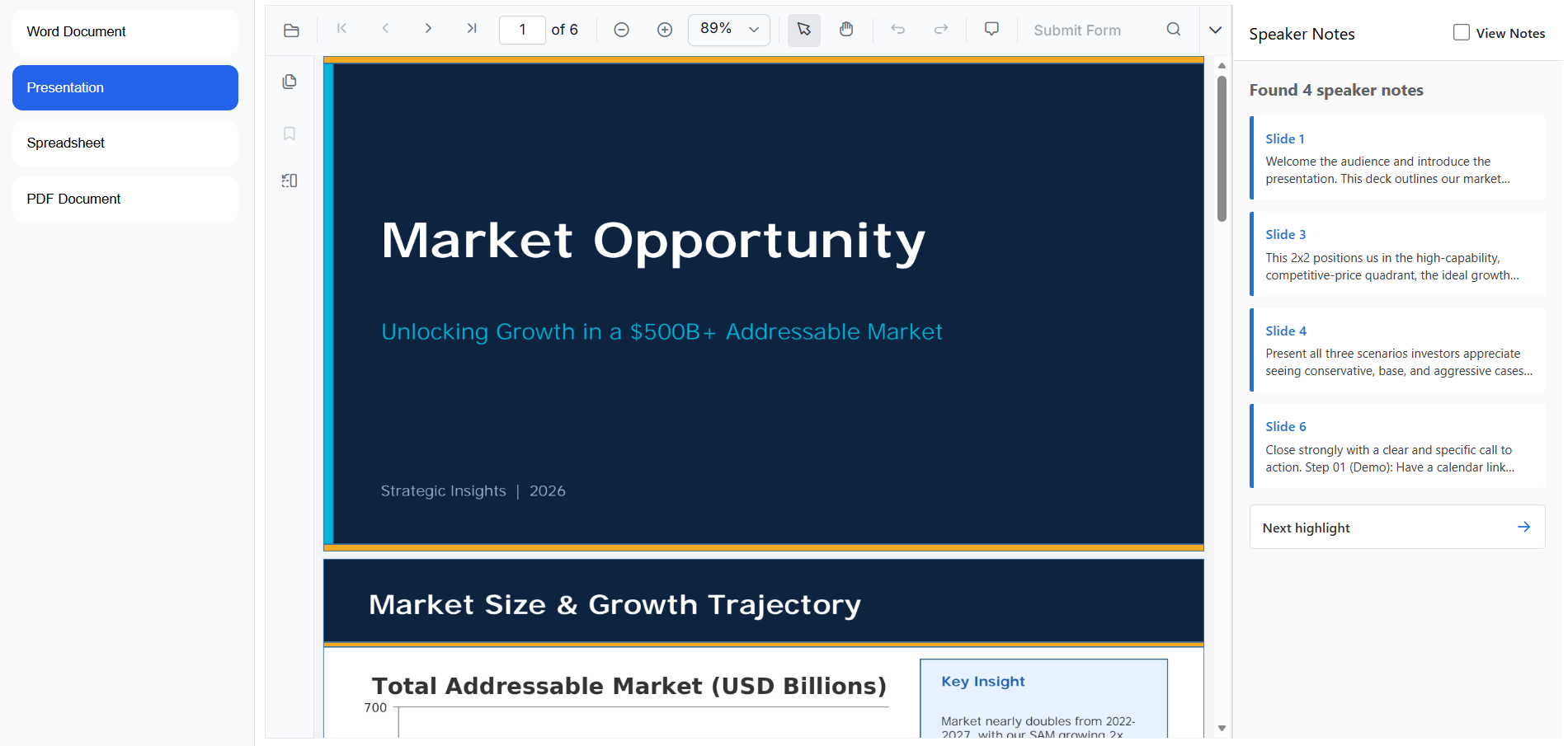
Extract speaker notes from all slides and provide programmatic navigation to specific slides.
Features
- Speaker notes extraction.
- PPTX to PDF conversion.
- Slide-to-note mapping.
- Direct slide navigation.
- Sequential navigation using Next Highlight.
- Optional View Notes mode.
Spreadsheet
Requirement
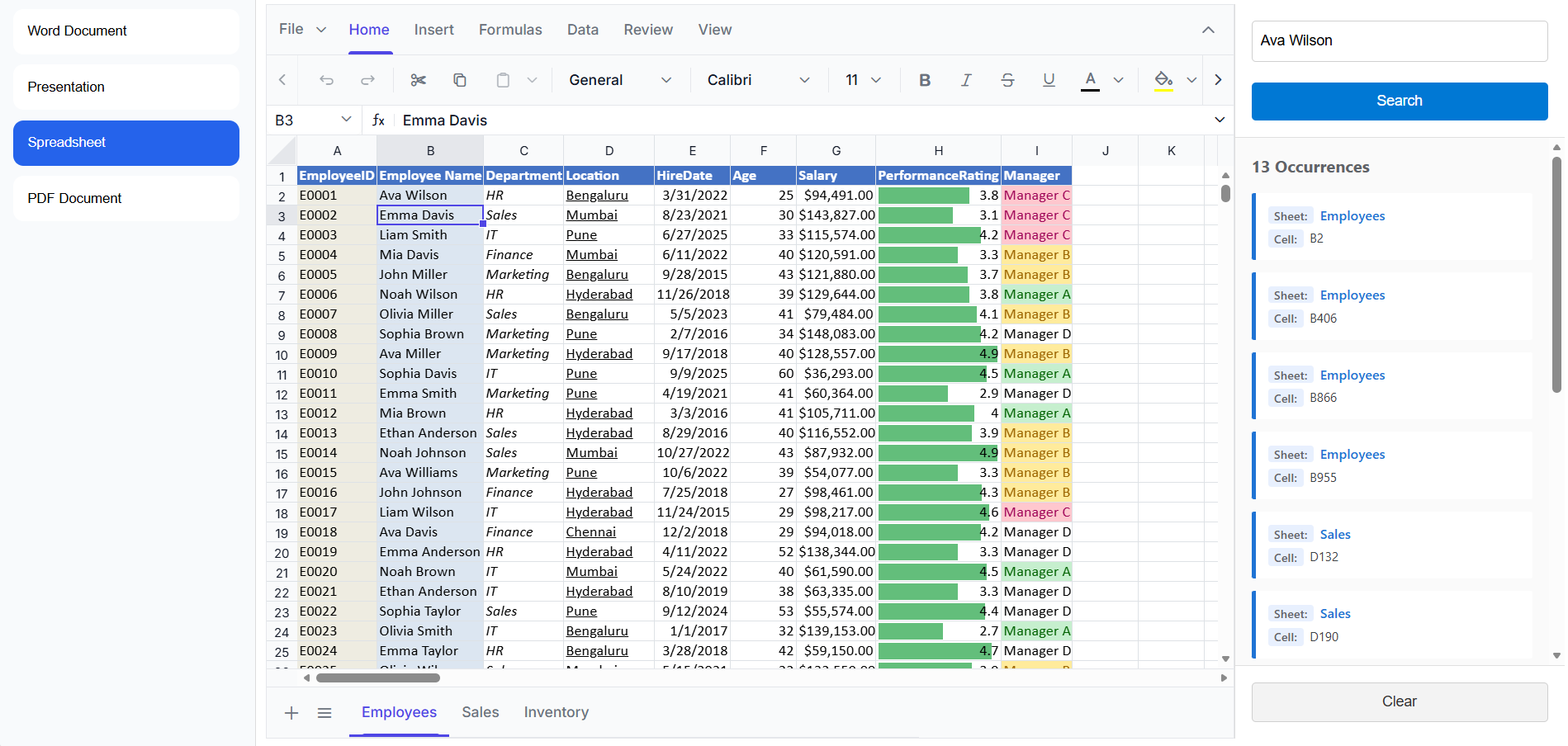
Search workbook content and navigate directly to matching cells.
Features
- Workbook-wide search.
- Display all matching results.
- Show worksheet name and cell address.
- Navigate directly to selected cells.
PDF Document
Requirement
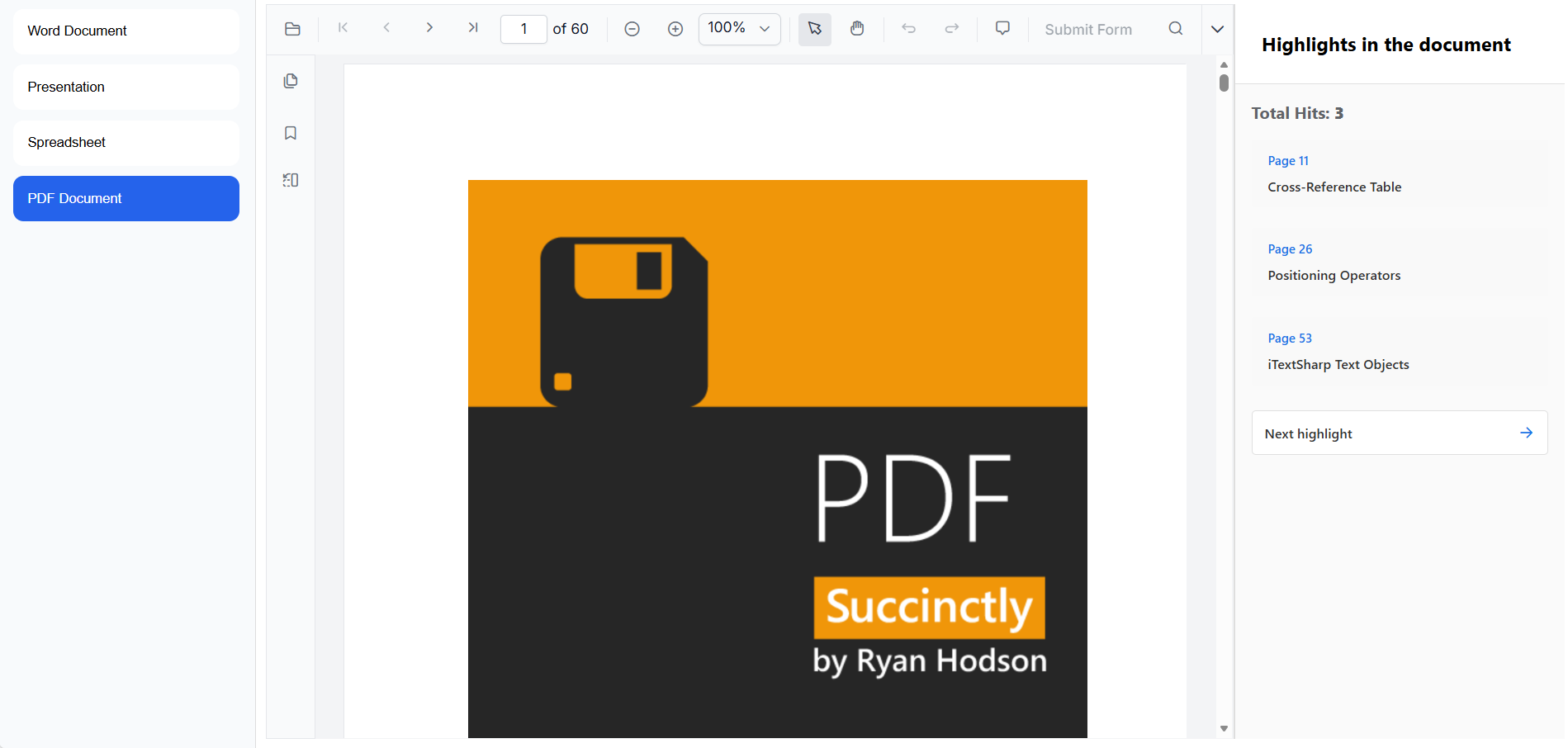
Highlight multiple passages and navigate between them without modifying the original PDF document.
Features
- Search predefined content.
- Highlight all matching occurrences.
- Display search results in a side panel.
- Direct navigation to selected findings.
- Sequential navigation using Next Highlight.
Running the Sample
Server-Side Setup (Python Web Service)
Navigate to the .NET Wrapper Project
cd .NET Standard Wrapper Library
Build and Publish the .NET Standard Wrapper Library
dotnet build -c Release
dotnet publish -c Release
Navigate to the Python Web Service
cd ../python-web-service
Install Dependencies
pip install -r requirements.txt
Start the Python Service
python app.py

or

py app.py
Service URL:
http://127.0.0.1:5000/
Client-Side Setup
Navigate to the React Application
cd frontend
Install Dependencies
npm install
Configure Service URLs
Document Editor
serviceUrl = "http://127.0.0.1:5000/"
Spreadsheet
openUrl = "http://127.0.0.1:5000/OpenExcel"
saveUrl = "http://127.0.0.1:5000/SaveExcel"
Presentation
url = "http://127.0.0.1:5000/PPTLoadFile"
Run the Application
npm run dev
Open the application using the URL displayed in the terminal.
Screenshots
Word Documents
Presentation Viewer
Spreadsheet Viewer
PDF Viewer
License
This is a commercial product and requires a paid license for possession or use. Syncfusion's licensed software, including this component, is subject to the terms and conditions of Syncfusion's EULA. You can purchase a license here or start a free 30-day trial here.
About Syncfusion®
Founded in 2001 and headquartered in Research Triangle Park, N.C., Syncfusion® has more than 29,000 customers and more than 1 million users, including large financial institutions, Fortune 500 companies, and global IT consultancies.
Today, we provide 1700+ components and frameworks for web (Blazor, ASP.NET Core, ASP.NET MVC, ASP.NET WebForms, JavaScript, Angular, React, Vue, and Flutter), mobile (Xamarin, Flutter, UWP, and JavaScript, .NET MAUI) and desktop development (WinForms, WPF, WinUI, Flutter, UWP, and .NET MAUI) a. We provide ready-to-deploy enterprise software for dashboards, reports, data integration, and big data processing. Many customers have saved millions in licensing fees by deploying our software.

