
How To Integrate Mysql With Syncfusion Scheduler Application Using PHP.


calendar
ej2-schedule
php-calendar
schedule
scheduler
This repository contains a sample full-stack application demonstrating how to synchronize events between MySQL and the Syncfusion Scheduler component using PHP.
Prerequisites
- MySQL(>= 8.0.41.0)
- XAMPPSERVER(>= 8.2.12)
- A MySQL Database with Username , Password and DataBase (Download at https://dev.mysql.com/downloads/installer/)
- XAMPPSERVER For PHP using apachae server(Download at https://www.apachefriends.org/download.html)
Setup
Cloning the Repository
- Clone the repository to your local machine:
MySQL Configuration
- Create Username , Password and DataBase in MySQL
- In
server.phpfile update the username, password, and dbname as per the database configuration. - The SQL query required for creating the necessary table is being located in the
scheduledb.sqlfile within the DB folder. - In your Database it automatically create a table with the necessary fields
Start Xampp Server
- After the successful installation of the XAMPP server, launch the application and start the Apache server.
- Move the
Javascript-Scheduler-CRUD-PHP-MySQLrepository files in the XAMPP server's root directory, specifically atC:\xampp\htdocs. - Upon completion, Launch a web browser and navigate to
localhost, you will be able to see the server running. - Next, Navigate to
localhost/Javascript-Scheduler-CRUD-PHP-MySQLin your web browser. You will now be able to access the running Syncfusion scheduler application. - Now, you can perform the CRUD operations it will be reflected on MySQL Database.
Running the application
Start XAMPP services
- Open XAMPP Control Panel
- Start Apache
Place project files
- Copy the project folder
Javascript-Scheduler-CRUD-PHP-MySQLinto:C:\xampp\htdocs\
- Copy the project folder
Open in browser
Go to:
http://localhost/Then open the app:
http://localhost/Javascript-Scheduler-CRUD-PHP-MySQL
- You can perform CRUD operation on the scheduler that will be reflected in the MySQL database table.
Output Preview
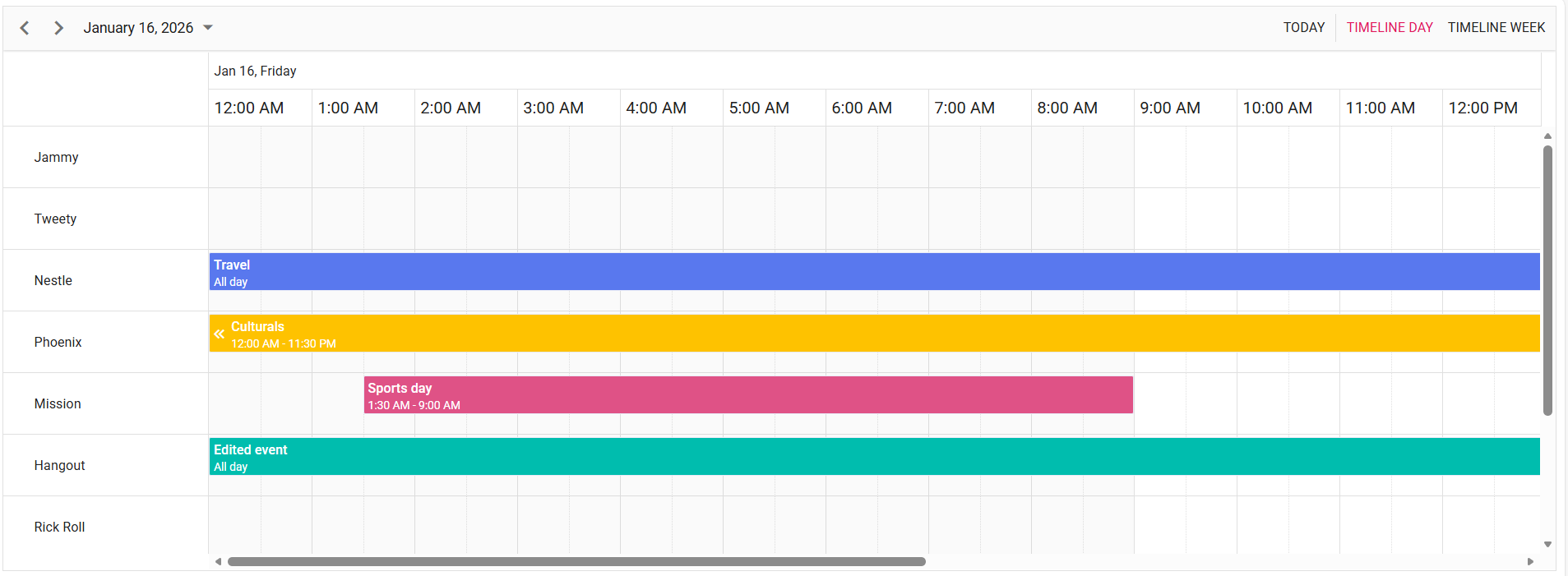 Image illustrating the Syncfusion Scheduler Component
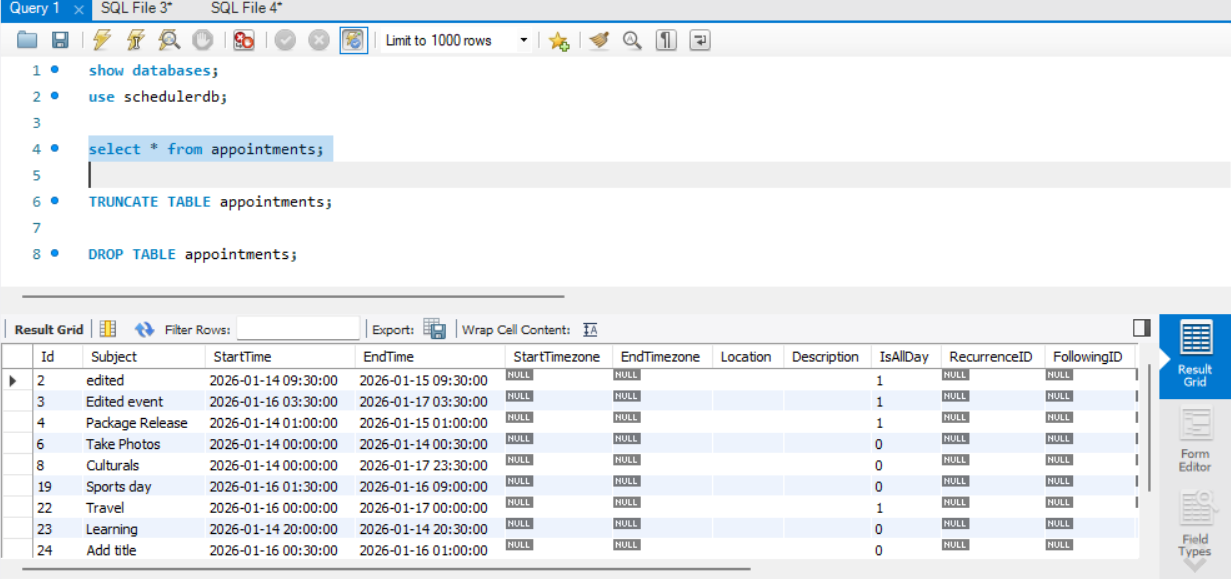 Image illustrating the events of Syncfusion Scheduler in MySQL
Troubleshooting
- Page Not Found:Check the file path correctly in the browser search bar
- Apache Server port stopped in XAMPPSERVER: Change the Port no in config file and mentioned the port no in url and crudurl in index.php.
- Refused to Connect with server: Check the url and crudurl in index.php.

