
How To Update The Summaryrow When It Is Not In View In WPF Datagrid (Sfdatagrid)?


datagrid
recordpropertychanged
summary-row
summary-update
wpf
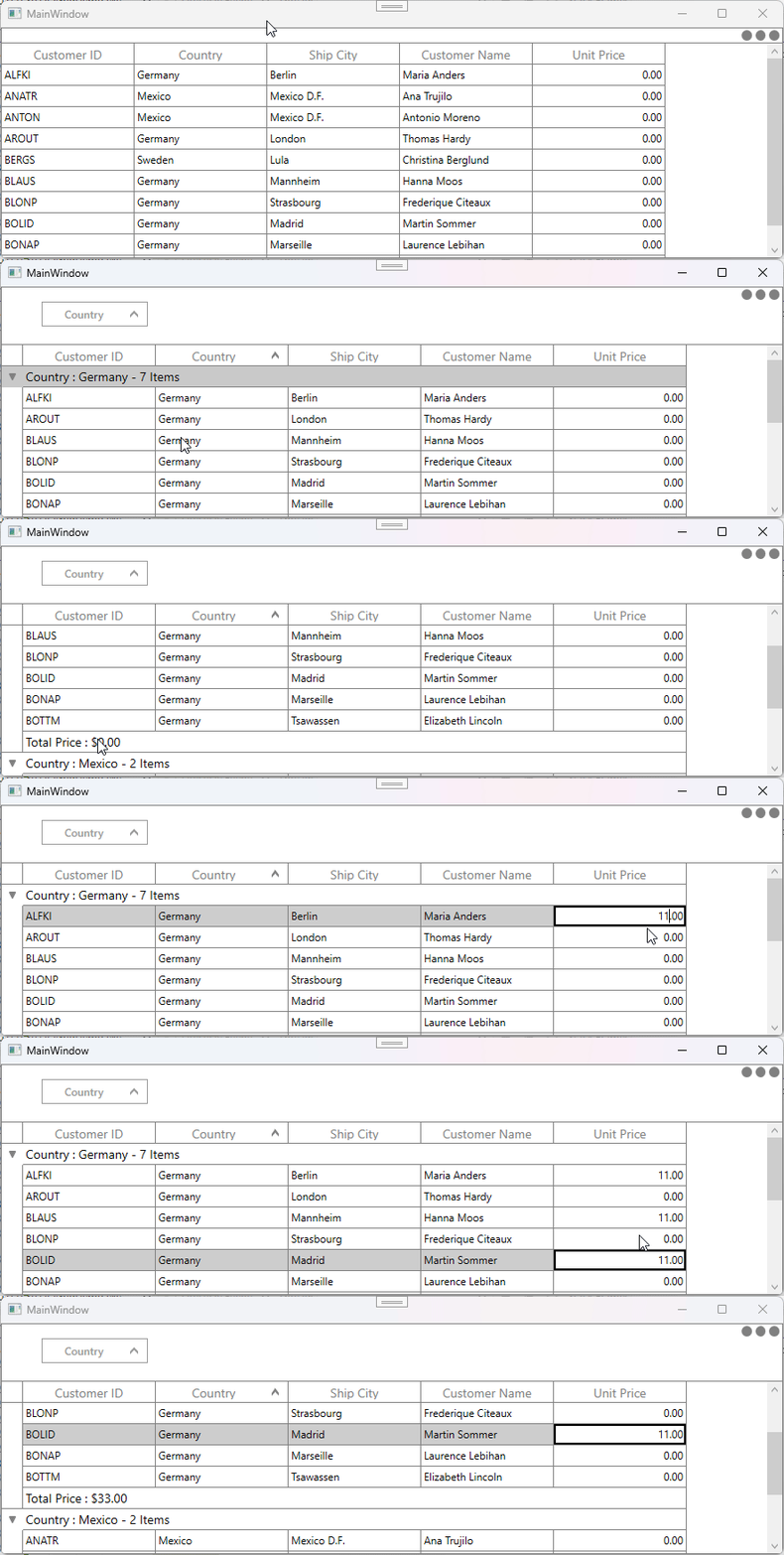
In WPF SfDataGrid, when the summary row is not in view, it is not internally processed to update its values due to an architectural limitation. To overcome this, you can use the SfDataGrid.View.RecordPropertyChanged event. When a cell value changes, you can determine the row type and pass the summary row index to the UpdateDataRow method within the RecordPropertyChanged event handler. This ensures that the summary row values are updated correctly.
C#
 sfDataGrid.Loaded += SfDataGrid_Loaded;

 private void SfDataGrid_Loaded(object sender, RoutedEventArgs e)
 {
     if (sfDataGrid.View != null)
         sfDataGrid.View.RecordPropertyChanged += View_RecordPropertyChanged;
 }

 private void View_RecordPropertyChanged(object sender, System.ComponentModel.PropertyChangedEventArgs e)
 {
     if (sfDataGrid.View != null && sfDataGrid.View.SummaryRows.Count > 0)
     {
         var groupSummaryRows = this.sfDataGrid.RowGenerator.Items.Where(item => (item.RowType == RowType.SummaryCoveredRow || item.RowType == RowType.SummaryRow));
         foreach (SpannedDataRow row in groupSummaryRows)
             sfDataGrid.UpdateDataRow(row.RowIndex);
     }
 }
Note: Based on the summary you are using, you can check the row type in the RecordPropertyChanged event handler.
Take a moment to peruse the WPF DataGrid - Summaries documentation, to learn more about summaries and it types with example.

