
How To Show Sum Of Selected Cellvalues In Captionsummaryrow During Cellselection In WPF Sfdatagrid


captionsummaryrow
cellselection
datagrid
summaries
summary
wpf
In WPF DataGrid (SfDataGrid), displaying the sum of selected cell values in the CaptionSummaryRow can be achieved by customizing the GridCaptionSummaryCellRenderer and overriding the OnUpdateEditBinding method to update the element’s content accordingly.
Within this method, you can calculate the sum of the selected cell values and assign the computed value to the element’s content for the corresponding group. By default, the CaptionSummaryRow appears empty, and the custom sum value is displayed once the cells are selected.
C#
    sfgrid.CellRenderers.Remove("CaptionSummary");
    sfgrid.CellRenderers.Add("CaptionSummary", new CustomCaptionSummaryCellRenderer());

    public class CustomCaptionSummaryCellRenderer : GridCaptionSummaryCellRenderer
    {
        public double SelectedSum { get; private set; }

        public override void OnUpdateEditBinding(DataColumnBase dataColumn, GridCaptionSummaryCell element, object dataContext)
        {
            SelectedSum = 0;
            element.Content = "";
            var selectedCells = DataGrid.GetSelectedCells();

            if (selectedCells == null || selectedCells.Count == 0)
                return;

            foreach (var cell in selectedCells)
            {
                var nodeEntry = cell.GetType().GetProperty("NodeEntry", BindingFlags.Instance | BindingFlags.NonPublic).GetValue(cell);
                if (nodeEntry != null)
                {
                    var parentGroup = (nodeEntry as RecordEntry)?.Parent as Group;
                    var captionGroup = dataContext as Group;
                    if (cell is GridCellInfo cellInfo && cellInfo.RowData != null && parentGroup != null && captionGroup != null)
                    {
                        if (cellInfo.Column != null &&
                            string.Equals(cellInfo.Column.MappingName, dataColumn.GridColumn.MappingName, StringComparison.Ordinal) &&
                            parentGroup == captionGroup)
                        {
                            var propInfo = cellInfo.RowData.GetType().GetProperty(dataColumn.GridColumn.MappingName);
                            if (propInfo == null)
                                continue;

                            var raw = propInfo.GetValue(cellInfo.RowData);
                            if (raw == null)
                                continue;

                            try
                            {
                                var val = Convert.ToDouble(raw, System.Globalization.CultureInfo.InvariantCulture);
                                SelectedSum += val;
                                element.Content = "Custom: $" + SelectedSum;
                            }
                            catch
                            {

                            }
                        }
                    }
                }
            }
        }
    }
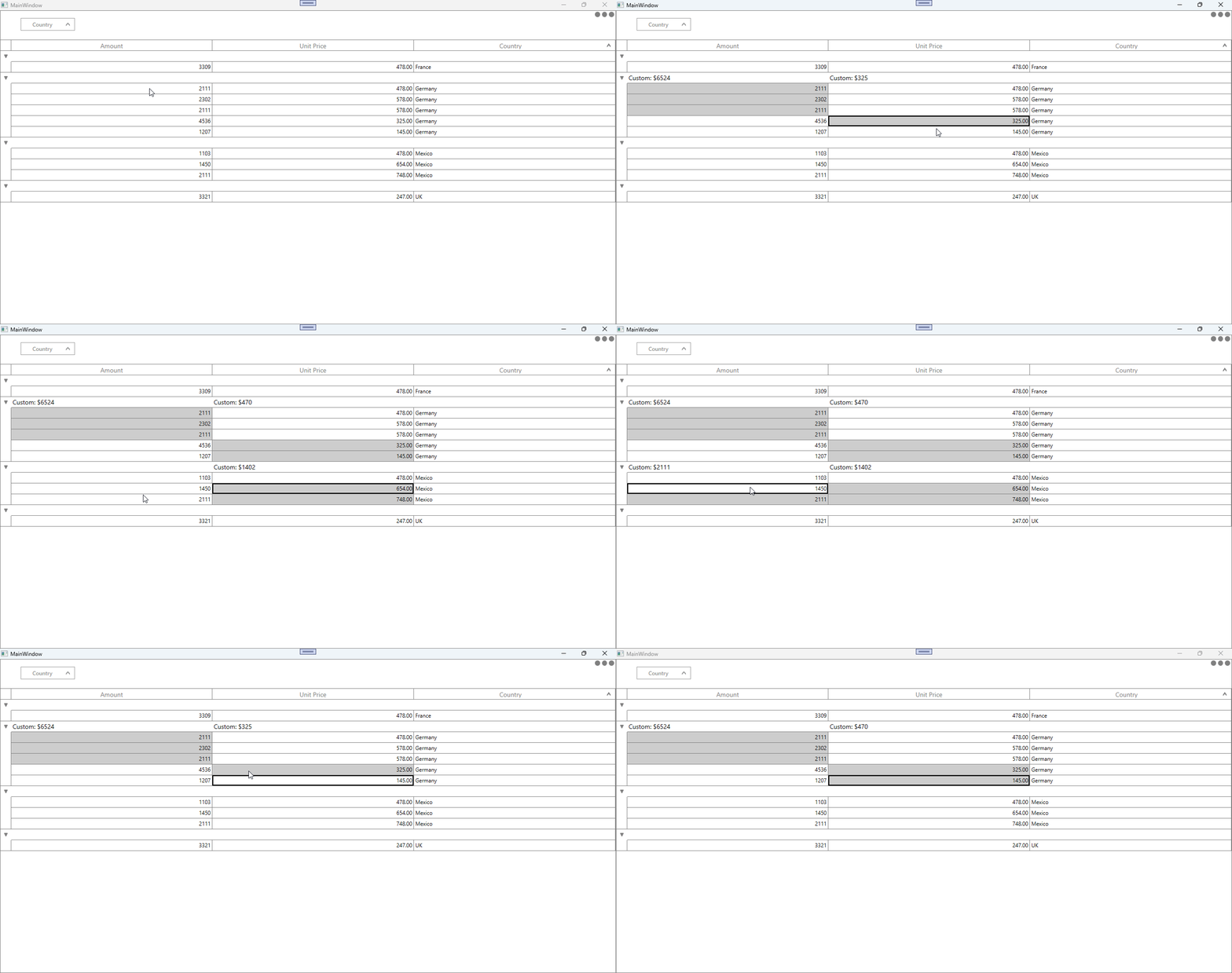
Take a moment to peruse the WPF DataGrid - Summaries documentation, to learn more about summaries with examples.

