
How To Set The Default Display Text For Gridcomboboxcolumn In Winforms Datagrid?


column
comboboxcolumn
customization
datagrid
displaytext
winforms
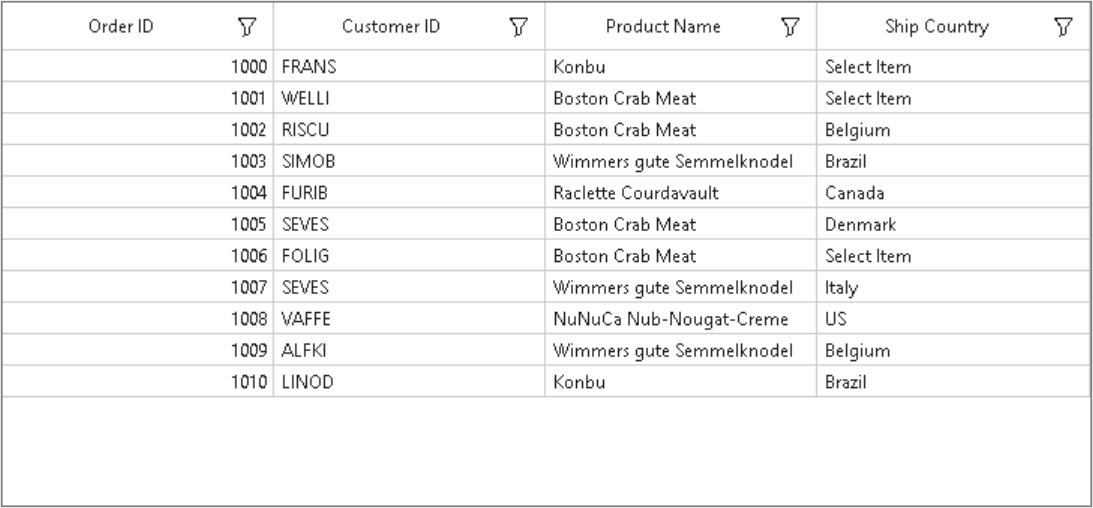
This sample illustrates how to set the default display text for GridComboBoxColumn in WinForms DataGrid (SfDataGrid).
In DataGrid, GridComboBoxColumn does not have direct support to display default text on it when there is no selected Item. You can change default text using SfDataGrid.DrawCell event.
this.sfDataGrid.DrawCell += SfDataGrid_DrawCell;

private void SfDataGrid_DrawCell(object sender, Syncfusion.WinForms.DataGrid.Events.DrawCellEventArgs e)
{
    if(e.Column.MappingName == "ShipCountry" && string.IsNullOrEmpty(e.DisplayText))
    {
        e.DisplayText = "Select Item";
    }
}
Requirements to run the demo
Visual Studio 2015 and above versions

