
How To Refresh WPF Gantt Schedule


gantt
gantt-schedule
refresh-gantt-schedule
wpf
How to refresh WPF Gantt schedule
This article explains how to refresh/redraw the Gantt schedule in WPF Gantt control. It has been achieved by invoking the RedrawSchedule internal method with the help of Reflection.
Here, considers the use case to expand the size of scheduler hearder cell per the value changed by Slider.
[XAML]
  …
        <gantt:GanttControl x:Name="Gantt"
                            ItemsSource="{Binding TaskDetails}"
                            CustomScheduleSource="{Binding CustomScheduleSource}"
                            ScheduleType="CustomDateTime"
                            VisualStyle="Metro">
        </gantt:GanttControl>

         …

            <Slider Grid.Row="1"
                    Minimum="20"
                    Maximum="100"
                    Value="20"
                    ValueChanged="Slider_ValueChanged" />

         …
[C#]
    …

        private void Slider_ValueChanged(object sender, RoutedPropertyChangedEventArgs<double> e)
        {
            (this.DataContext as ViewModel).CustomScheduleSource[1].PixelsPerUnit = (sender as Slider).Value;
            this.RefreshSchedule();
        }

        private void RefreshSchedule()
        {

            FieldInfo propertyInfo = typeof(GanttControl).GetField(
                                                              "GanttSchedule",
                                                              BindingFlags.Instance | BindingFlags.NonPublic | BindingFlags.Public);

            GanttSchedule ganttSchedule = (GanttSchedule)propertyInfo.GetValue(this.Gantt);
            if (ganttSchedule != null)
            {
                MethodInfo RedrawSchedule = ganttSchedule.GetType().GetMethod("RedrawSchedule", BindingFlags.Instance | BindingFlags.NonPublic);
                RedrawSchedule.Invoke(ganttSchedule, new object[] { });
            }
        }
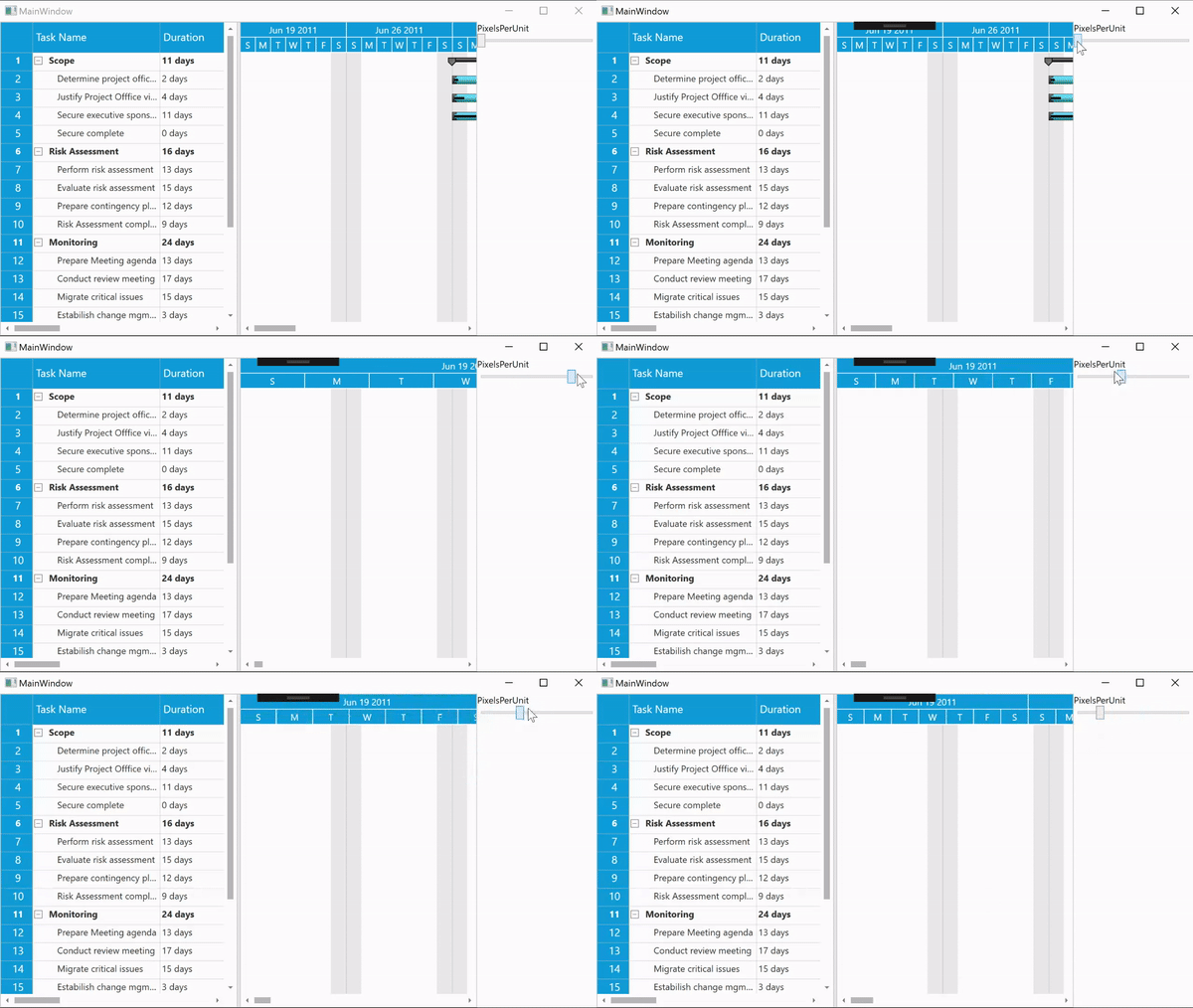
See also
How to add custom tooltip to Gantt
How to define your own schedule for Gantt to track the progress of projects

