
How To Display Numeric Values In Indian Lakh Format In Winforms Sfdatagrid


columns
datagrid
formatting
lakhformat
numericcolumn
winforms
In Winforms DataGrid (SfDatagrid), the Indian-style lakh formatting for GridNumericColumn can be achieved by configuring the NumberGroupSizes and NumberGroupSeparator properties in the NumberFormatInfo. Set the NumberGroupSeparator property to a comma (,) to separate digit groups, and configure NumberGroupSizes as {3, 2} to reflect the Indian numbering format (e.g., 12,34,56,789). If numeric grouping is not required for certain columns, set NumberGroupSizes to an empty array { }, which disables grouping.
C#
 //Lakh formatting
 var inrFormat = Application.CurrentCulture.NumberFormat.Clone() as NumberFormatInfo;
 inrFormat.NumberDecimalDigits = 0;
 inrFormat.NumberGroupSeparator = ",";
 inrFormat.NumberGroupSizes = new[] { 3, 2 };
 column2.NumberFormatInfo = inrFormat;
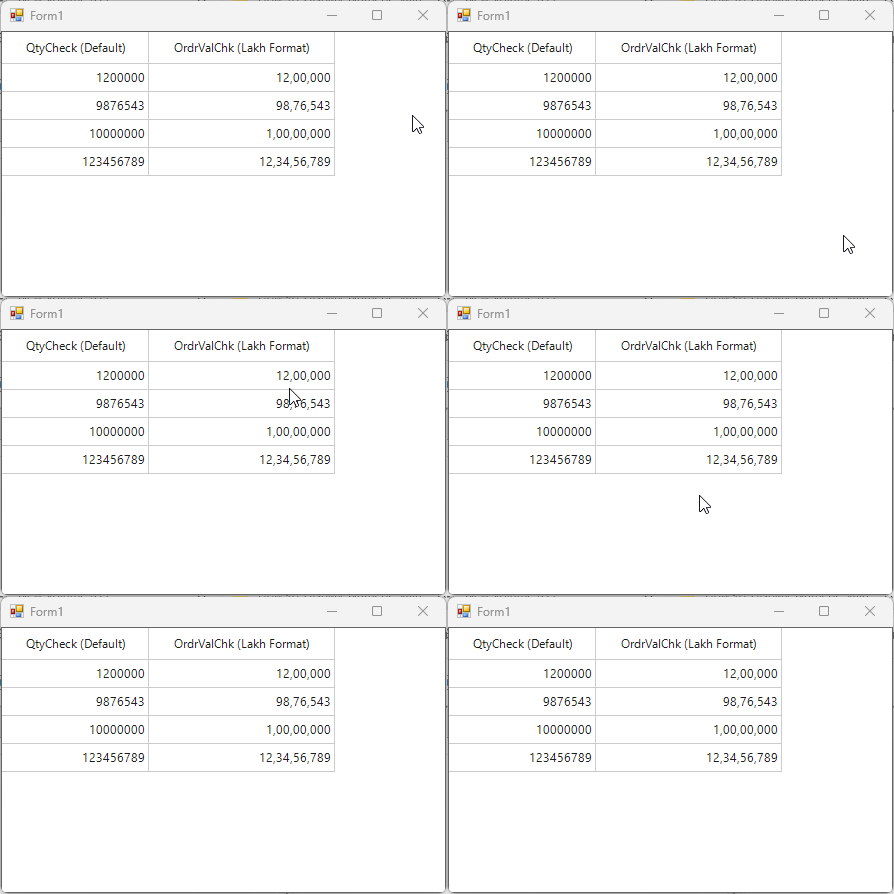
Take a moment to peruse the WinForms DataGrid - Data Formatting documentation, to learn more about data formatting with examples.

