
How To Customize The Progressbarcolumn Text In Winforms Datagrid?


column
customization
styling
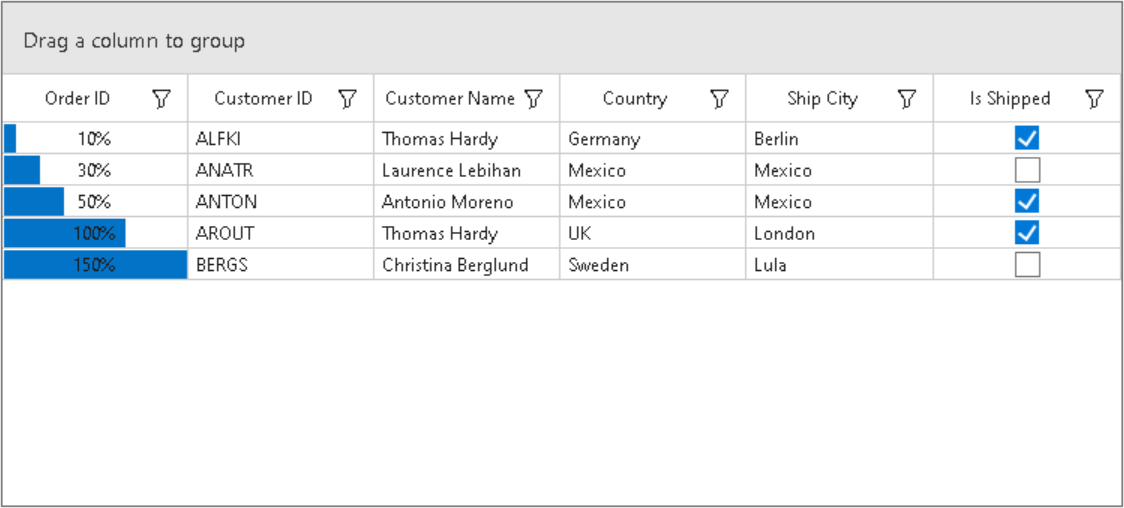
This sample illustrates how to customize the ProgressBarColumn text in WinForms DataGrid (SfDataGrid).
By default, the DataGrid GridProgressBarColumn have maximum value as 100, you can change the this by overriding the OnRender method in GridProgressBarColumnCellRenderer class.
this.sfDataGrid.CellRenderers.Remove("ProgressBar");
this.sfDataGrid.CellRenderers.Add("ProgressBar", new GridProgressBarColumnExt(new ProgressBarAdv()));

public class GridProgressBarColumnExt : GridProgressBarCellRenderer
{
    ProgressBarAdv ProgressBar;

    public GridProgressBarColumnExt(ProgressBarAdv progressBar) : base(progressBar)
    {
        ProgressBar = progressBar;
    }

    protected override void OnRender(Graphics paint, Rectangle cellRect, string cellValue, CellStyleInfo style, DataColumnBase column, RowColumnIndex rowColumnIndex)
    {
        ProgressBar.CustomText = cellValue + "%";
        ProgressBar.TextStyle = ProgressBarTextStyles.Custom;
        decimal decimalvalue = decimal.Parse(cellValue);
        var intvalue = decimal.ToInt32(decimalvalue);
        cellValue = intvalue.ToString();
        base.OnRender(paint, cellRect, cellValue, style, column, rowColumnIndex);
    }
}
Requirements to run the demo
Visual Studio 2015 and above versions

