
How To Apply Alternate Column Style In WPF Datagrid Based On Enum Value?


appearance
conditionalformatting
datagrid
styling
wpf
About the sample
This example illustrates how to apply alternate column style based on enum value in WPF DataGrid (SfDataGrid).
By default, DataGrid does not provide the support to apply alternate column style based on Enum value. You can apply alternative column style based on the Enum value can be used by customizing the converter to the GridCell background property in DataGrid.
XAML
<Window.Resources>
       <local:DataGridCellContentToColorConverter x:Key="DataGridCellToColor"/>

        <Style x:Key="cellStyle" TargetType="syncfusion:GridCell">
            <Style.Triggers>
                <DataTrigger Binding="{Binding Path=IsChecked, ElementName=StyleCheckBox,Mode=TwoWay}" Value="True">
                    <Setter Property="Background" >
                       <Setter.Value>
                         <MultiBinding Converter="{StaticResource DataGridCellToColor}">
                           <MultiBinding.Bindings>
                             <Binding RelativeSource="{RelativeSource Mode=Self}"/>
                             <Binding Path ="ColumnBase.ColumnIndex"  RelativeSource="{RelativeSource Self}"/>
                             <Binding Path ="ColumnBase.RowIndex"  RelativeSource="{RelativeSource Self}"/>
                             <Binding ElementName="syncgrid"/>
                           </MultiBinding.Bindings>
                         </MultiBinding>
                       </Setter.Value>
                   </Setter>
                </DataTrigger>
            </Style.Triggers>
        </Style>
</Window.Resources>
C
public class DataGridCellContentToColorConverter : IMultiValueConverter
{
    public object Convert(object[] values, Type targetType, object parameter, CultureInfo culture)
    {
        //get the GridCell proeprty
        var cell = values[0] as GridCell;

        //get the columnIndex value
        var columnIndex = (int)values[1];

        //get the rowIndex value
        var rowIndex = (int)values[2];

        //get the SfDataGrid
        var dataGrid = values[3] as SfDataGrid;

        //Returns start column index of the VisibleColumn.
        var startIndex = dataGrid.ResolveToStartColumnIndex();
        columnIndex = columnIndex - startIndex;

        // Get the resolved current record index
        var recordIndex = dataGrid.ResolveToRecordIndex(rowIndex);

        object data = null;
        if (values[0] != null && values[1] != null)
        {
            //check if datagrid grouped or not
            if (dataGrid.View.TopLevelGroup != null)
            {
                // Get the current row record while grouping
                var record = dataGrid.View.TopLevelGroup.DisplayElements[recordIndex];

                if (!record.IsRecords) //skips caption summary, group summary rows
                    return DependencyProperty.UnsetValue;

                var dataCell = (record as RecordEntry).Data;

                data = (dataCell as DataRowView).Row.ItemArray[columnIndex];
            }
            else
            {
                data = (cell.DataContext as DataRowView).Row.ItemArray[columnIndex];
            }

            //type case to get the comparison enum value
            var employeeComparison = (data as Employee).ComparisonState;

            if (employeeComparison == ComparisonStateEnum.DIFFERENT)
            {
                return new SolidColorBrush(Colors.Red);
            }
            else if (employeeComparison == ComparisonStateEnum.EQUAL)
            {
                return new SolidColorBrush(Colors.Blue);
            }
            else
                return DependencyProperty.UnsetValue;
        }
        return DependencyProperty.UnsetValue;

    }

    public object[] ConvertBack(object value, Type[] targetTypes, object parameter, CultureInfo culture)
    {
        throw new NotImplementedException();
    }
}
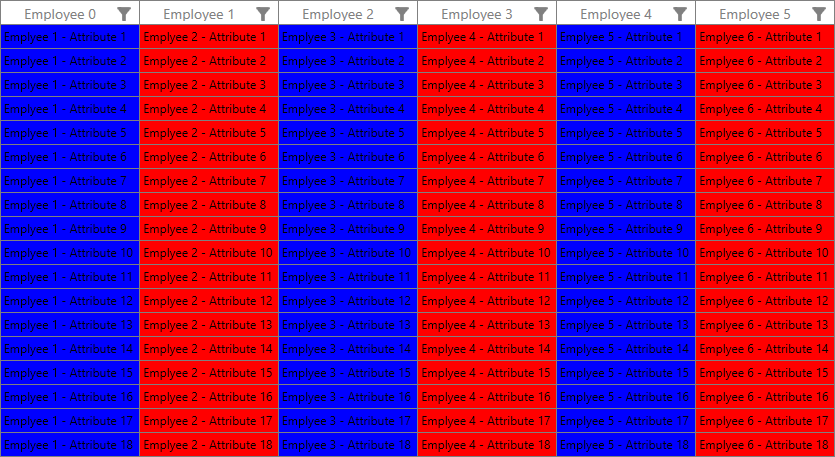
The following screenshot shows the applied alternate column style based on Enum value in DataGrid,
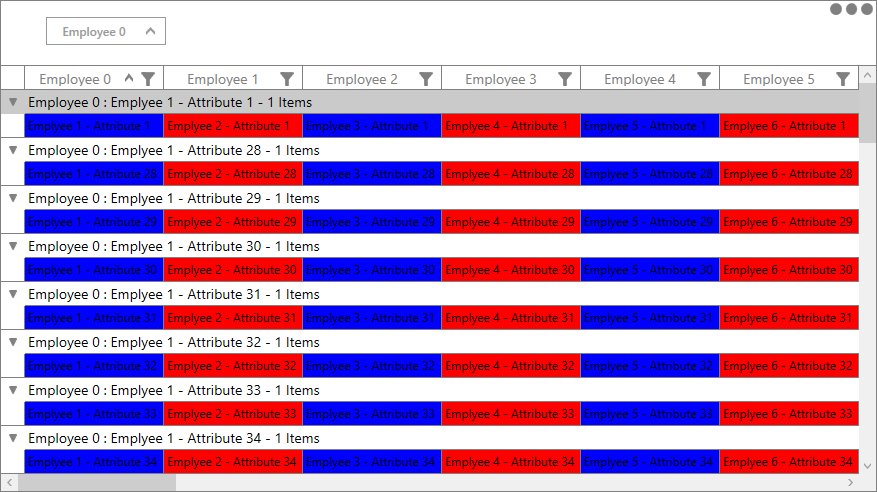
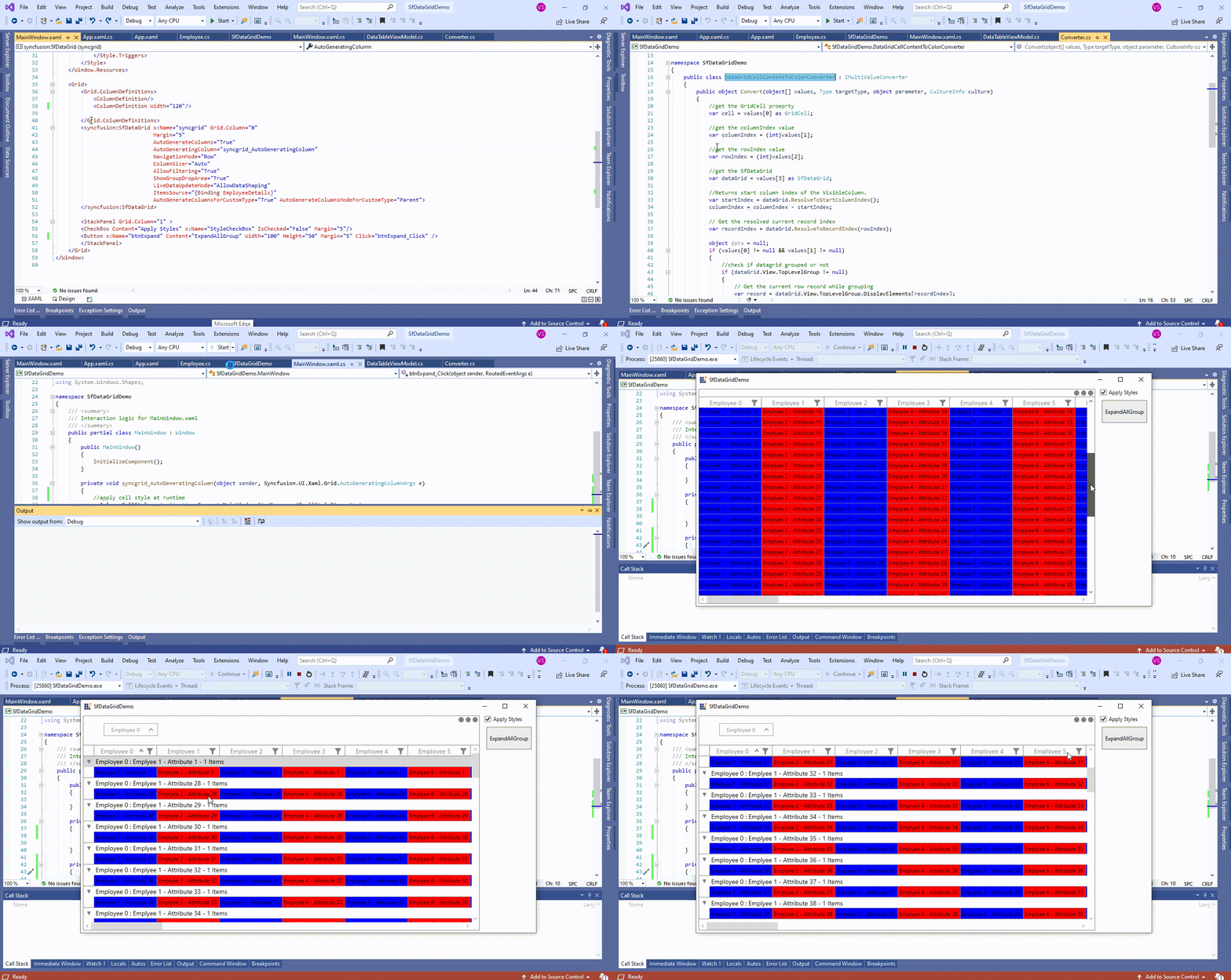
The following screenshot shows the alternate column style applied while grouping in DataGrid,
Take a moment to peruse the WPF DataGrid - Conditional Styling documentation, where you can find about Styling with code examples.
Requirements to run the demo
Visual Studio 2015 and above versions

