
How To Apply A Highlight Style To Selected Cells Within A Captionsummaryrow In A WPF Sfdatagrid


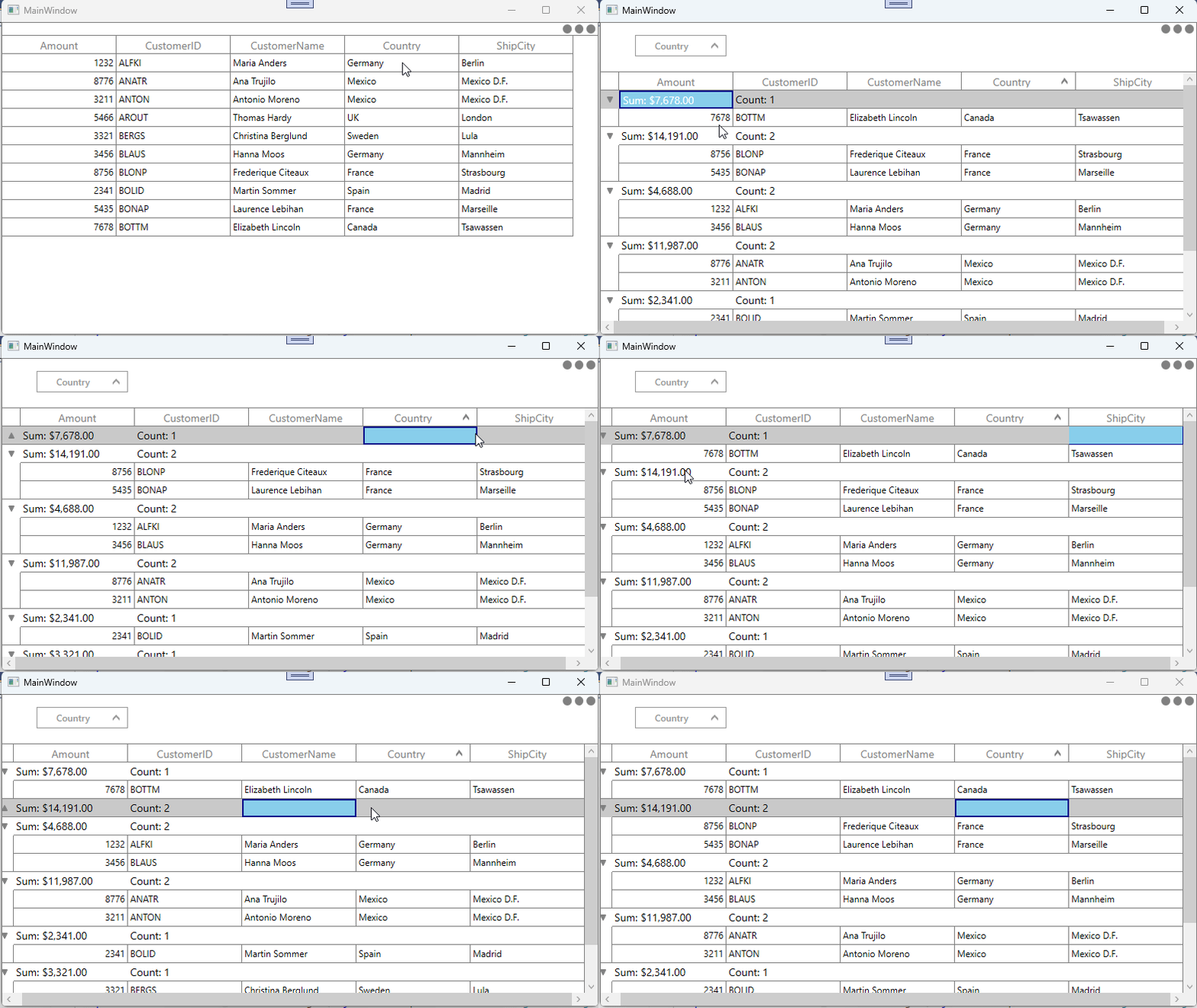
In WPF DataGrid (SfDataGrid), highlighting the selected cells in the CaptionSummaryRow can be achieved using a StyleSelector. Within the selector, you can retrieve the pressed GridCellInfo by using the GetGridCellInfo method by passing the PressedRowColumnIndex, then compare its MappingName with the CaptionSummaryCell to apply the appropriate style to the selected cell.
C#
public class CaptionSummaryCellStyleSelector : StyleSelector
{
    SfDataGrid dataGrid = (Application.Current.MainWindow as MainWindow).dataGrid;
    GridCellInfo cell = null;

    public override Style SelectStyle(object item, DependencyObject container)
    {
        if ((dataGrid.SelectionController as GridCellSelectionController) != null)
        {
            var pressedRowColumnIndex = (dataGrid.SelectionController as GridCellSelectionController).GetType().GetProperty("PressedRowColumnIndex", BindingFlags.Instance | BindingFlags.NonPublic).GetValue((dataGrid.SelectionController as GridCellSelectionController));

            if (pressedRowColumnIndex != null)
                cell = dataGrid.GetGridCellInfo((RowColumnIndex)pressedRowColumnIndex);
            var nodeEntry = cell.GetType().GetProperty("NodeEntry", BindingFlags.Instance | BindingFlags.NonPublic).GetValue(cell);

            if (nodeEntry != null && item == nodeEntry && (cell as GridCellInfo).Column.MappingName == (container as GridCaptionSummaryCell).ColumnBase.GridColumn.MappingName)
                return Application.Current.Resources["SelectedCaptionSummaryCellStyle"] as Style;
        }
        return base.SelectStyle(item, container);
    }
}
To update the style at runtime, use the UpdateDataRow method to refresh the CaptionSummaryRow in the SelectionChanged event when the cell is selected.
C#
 private void DataGrid_SelectionChanged(object sender, GridSelectionChangedEventArgs e)
 {
     if (e.AddedItems != null)
     {
         foreach (var item in e.AddedItems)
         {
             GridCellInfo gridCellInfo = item as GridCellInfo;
             if (gridCellInfo == null)
                 continue;
             var nodeEntry = gridCellInfo.GetType().GetProperty("NodeEntry", BindingFlags.Instance | BindingFlags.NonPublic).GetValue(gridCellInfo);
             if (nodeEntry != null && nodeEntry is Group group)
             {
                 var index = dataGrid.ResolveStartIndexOfGroup(group);
                 this.dataGrid.UpdateDataRow(index);
             }
         }
     }

     if (e.RemovedItems != null)
     {
         foreach (var item in e.RemovedItems)
         {
             GridCellInfo gridCellInfo = item as GridCellInfo;
             if (gridCellInfo == null)
                 continue;
             var nodeEntry = gridCellInfo.GetType().GetProperty("NodeEntry", BindingFlags.Instance | BindingFlags.NonPublic).GetValue(gridCellInfo);
             if (nodeEntry != null && nodeEntry is Group group)
             {
                 var index = dataGrid.ResolveStartIndexOfGroup(group);
                 this.dataGrid.UpdateDataRow(index);
             }
         }
     }
 }
Note: Multiple cell selection within the same CaptionSummaryRow is not feasible because the CaptionSummaryRow is treated internally as a single GridCellInfo. Therefore, when multiple selection is enabled, selecting one CaptionSummaryCell and then clicking another within the same row will clear the selection. So, it cannot be achieved.
Take a moment to peruse the WPF DataGrid - Summaries documentation, to learn more about summaries with examples.

