
How To Achieve Excel Like Fill Selection In WPF Datagrid (Sfdatagrid)?


datagrid
excel-like-selection
excellikefillselection
fill-selection
selection
wpf
In WPF SfDataGrid, Excel-like fill selection can be achieved by customizing the GridCellSelectionController class. You need to retrieve the value of the first selected cell and apply that value to all the dragged cells within the ProcessPointerReleased method. Additionally, to enable cell selection, ensure that the SelectionUnit property is set to Cell.
C#
//You can assign GridCellSelectionController here for cell selection.
this.datagrid.SelectionController = new GridCellSelectionControlExt(this.datagrid);

// Custom selection controller for cell selection
public class GridCellSelectionControlExt : GridCellSelectionController
{
    private bool isDragged;
    private List<GridCellInfo> selectedCells;
    public GridCellSelectionControlExt(SfDataGrid dataGrid)
        : base(dataGrid)
    {
    }

    protected override void ProcessDragSelection(MouseEventArgs args, Syncfusion.UI.Xaml.ScrollAxis.RowColumnIndex rowColumnIndex)
    {
        isDragged = true;
        base.ProcessDragSelection(args, rowColumnIndex);
    }

    protected override void ProcessPointerReleased(MouseButtonEventArgs args, Syncfusion.UI.Xaml.ScrollAxis.RowColumnIndex rowColumnIndex)
    {
        base.ProcessPointerReleased(args, rowColumnIndex);

        if (!isDragged)
            return;

        selectedCells = this.GetSelectedCells()
                                .OfType<GridCellInfo>()
                                .ToList();

        if (selectedCells.Count <= 1)
        {
            Reset();
            return;
        }

        // Get the first selected cell
        var firstCell = selectedCells.First();
        var mappingName = firstCell.Column.MappingName;

        var firstRowData = firstCell.RowData;
        var propertyInfo = firstRowData.GetType().GetProperty(mappingName);

        if (propertyInfo == null)
        {
            Reset();
            return;
        }

        var firstValue = propertyInfo.GetValue(firstRowData);

        // Apply value only to cells in same column
        foreach (var cell in selectedCells)
        {
            if (cell.Column.MappingName != mappingName)
                continue;

            var rowData = cell.RowData;
            var prop = rowData.GetType().GetProperty(mappingName);

            if (prop != null)
            {
                prop.SetValue(rowData, firstValue);
            }
        }

      Reset();
    }

    private void Reset()
    {
        isDragged = false;
        selectedCells.Clear();
        this.SelectedCells.Clear();
    }
}
Note: For row selection, set the SelectionUnit to Row and customize the GridSelectionController class.
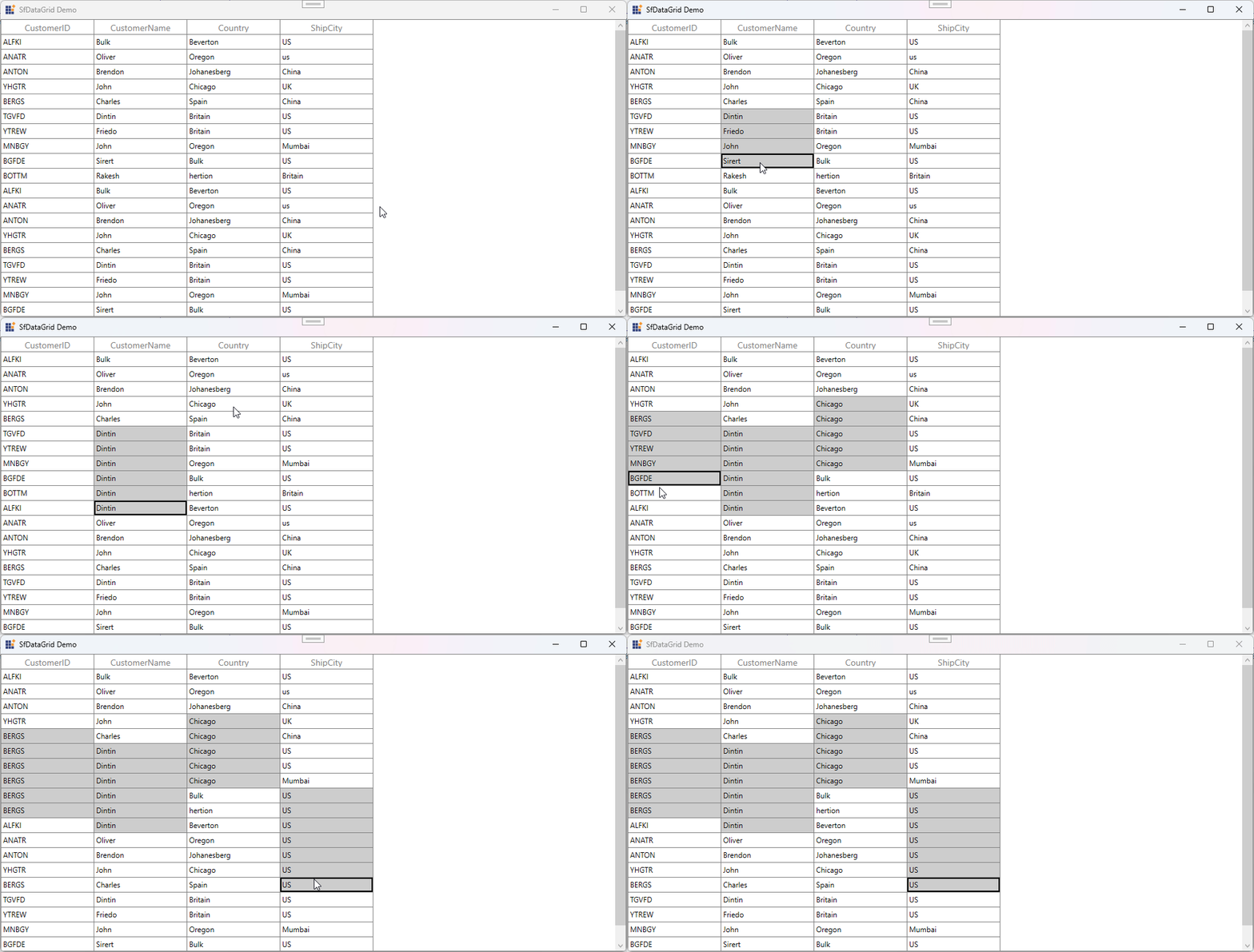
Take a moment to peruse the WPF DataGrid - Selection documentation, to learn more about selection with examples.

