
How To Integrate Blazor Scheduler With Microsoft Graph Using Azure AD


blazor-scheduler
microsoft-azure
microsoft-graph
scheduler
syncfusion
syncfusion-blazor-scheduler
syncfusion-scheduler
This repository contains a sample full-stack application demonstrating how to synchronize events between Microsoft Outlook and the Blazor Scheduler Component with Microsoft Graph API using Azure AD.
Prerequisites
- dotnet (= 10.0)
- Need to have a personal Microsoft account
Setup
Cloning the repository
- Clone the repository to your local machine
Change key configuration in the appsettings.json file.
- Replace Domain , TenantId , ClientId and ClientSecret in the appsettings.json with your generated in AzureAD to integrate your outlook calender events to the Blazor scheduler.
Running the Application
- Navigate to
BlazorSchedulerAppproject foldercd BlazorSchedulerApp - Rebuild the solution to restore Packages:
dotnet build - Start the application:
dotnet run Navigate to
http://localhost:5050in your browser.Log in with the Microsoft account to display outlook calender events on the scheduler.
You can perform CRUD operation on the scheduler that will be reflected in the Outlook Calender
Output Preview
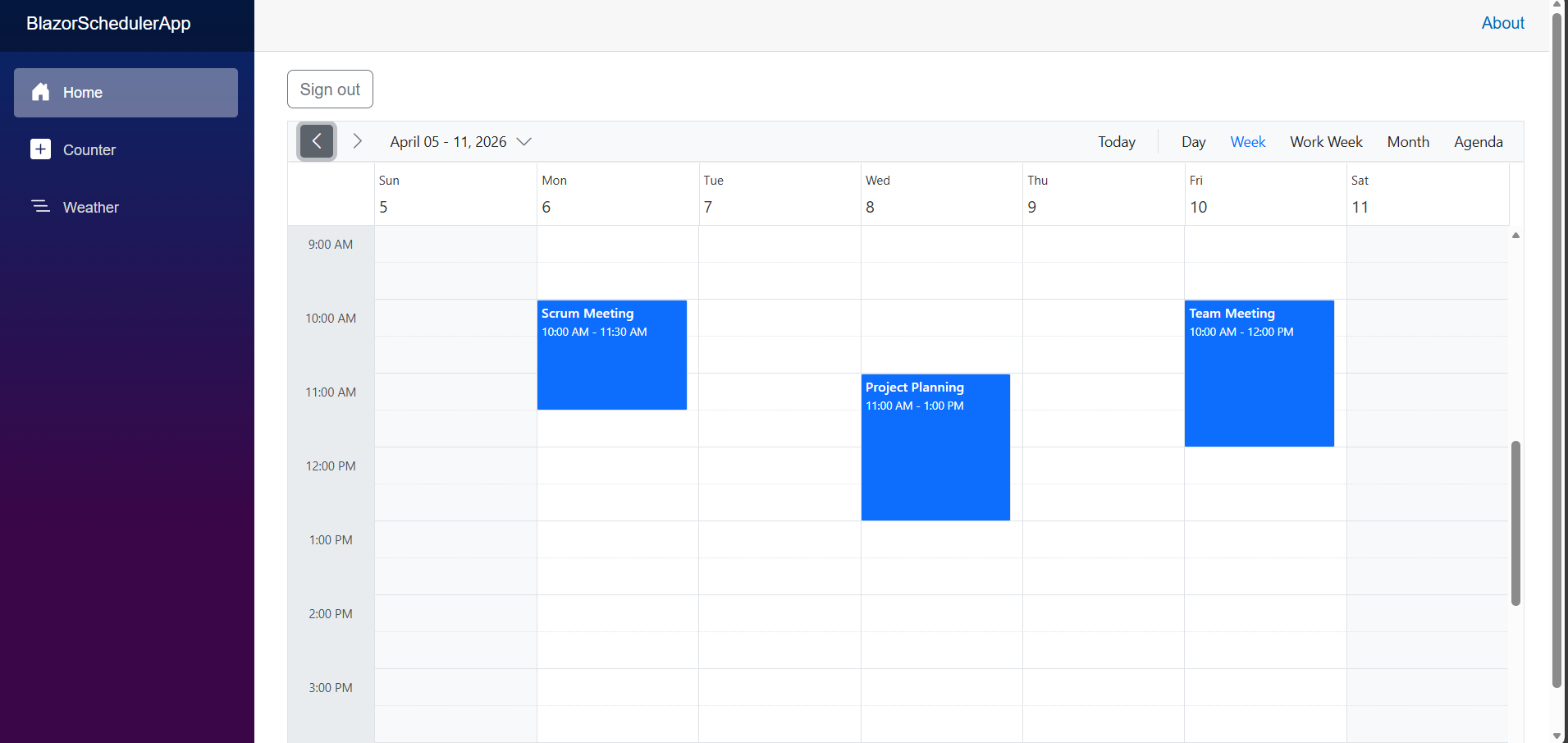 Image illustrating the Syncfusion Blazor Scheduler
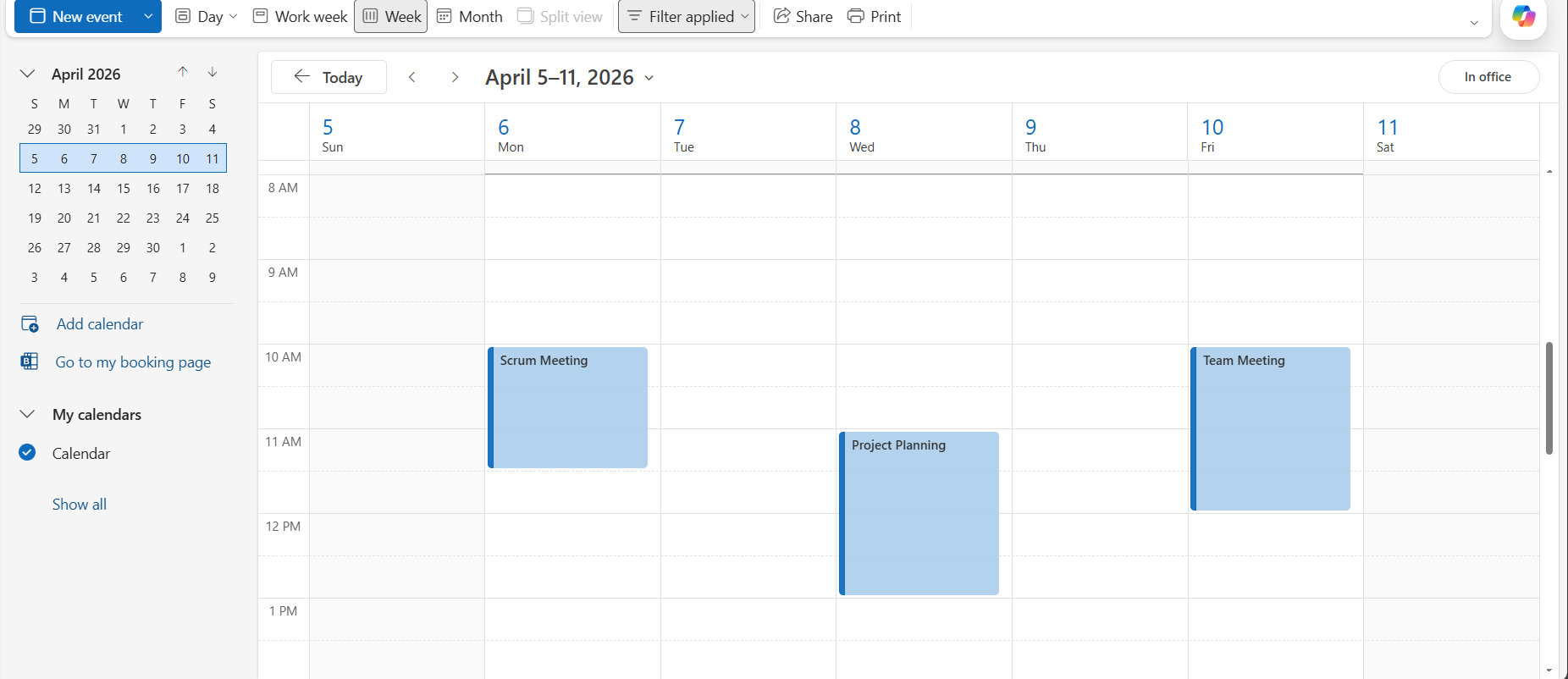 Image illustrating Outlook calendar events displayed in the Syncfusion Blazor Scheduler and synced through Microsoft Graph.
Troubleshooting
- 401 Unauthorized: Check Domain, TenantId, CliendId and ClientSecret in appsettings.json.
- Page Not Found: Ensure to Enter the correct credentials to avoid bad request.

