We recently upgraded from
31.1.23 to
32.1.22, and after that we've started having issues with pagination in the Grid when auto generating columns. If we explicitly use GridColumn the dropdown works as it should, but not for auto generated columns.
Previously the PageSizes dropdown (the one that lets you choose how many items to see per page) worked as it should:

However, after the update it looks like this:
Clicking on it also causes the element counter in the Grid to break, so it looks like this:
If we click on the three dots or one of the arrows the counter and the page selectors goes back to normal, but the dropdown is still broken.
We've tried setting PageSizes to true in stead of passing in a string array, but it doesn't make a difference.
For testing purposes I manually set GridPageSettings to 7 and set PageSizes according to
this example, but I changed the values to something slightly different from the standard setting.
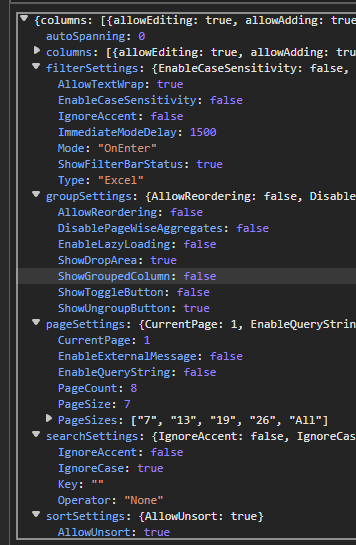
Here is the grid state from localstorage, and PageSizes are correctly set.
If I click the dropdown the grid loads for quite a while, and when it's done loading the CurrentPage value is changed to -2147483648, and PageSize is changed to 12.


 Bold BI
 Bold Reports
 BoldDesk