Welcome to the Angular feedback portal. We’re happy you’re here! If you have feedback on how to improve the Angular, we’d love to hear it!
Thanks for joining our community and helping improve Syncfusion products!
Description:
Enhance the copy-paste functionality in the Spreadsheet component to ensure that when content with bullet formatting is copied from external sources (such as PowerPoint), the following are preserved:
Currently, when a table or text with bullet points is pasted from PowerPoint into the Spreadsheet, the bullet points and certain styles are lost. In contrast, MS Excel retains these styles correctly during the same operation.
Please refer to the screenshots below for comparison:
MS Excel: Displays bullet points and
styles correctly.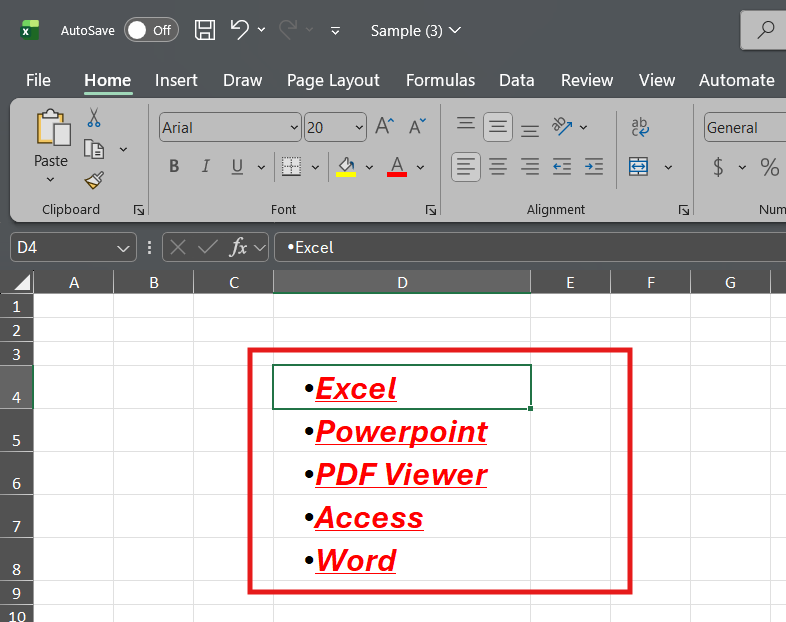
Spreadsheet: Bullet points and some styles
are missing.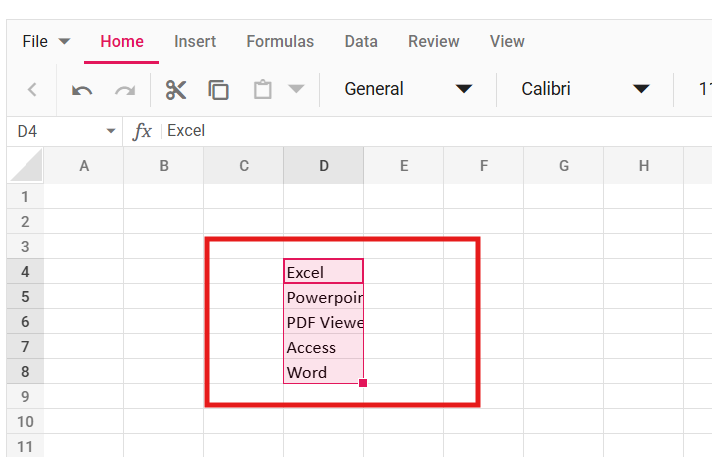
Expected Behavior:
When pasting content from external sources like PowerPoint, the Spreadsheet should preserve bullet formatting and all relevant text styles (font size, font style, color, and decoration).
 Bold BI
 Bold Reports
 BoldDesk