Welcome to the React feedback portal. We’re happy you’re here! If you have feedback on how to improve the React, we’d love to hear it!
Thanks for joining our community and helping improve Syncfusion products!
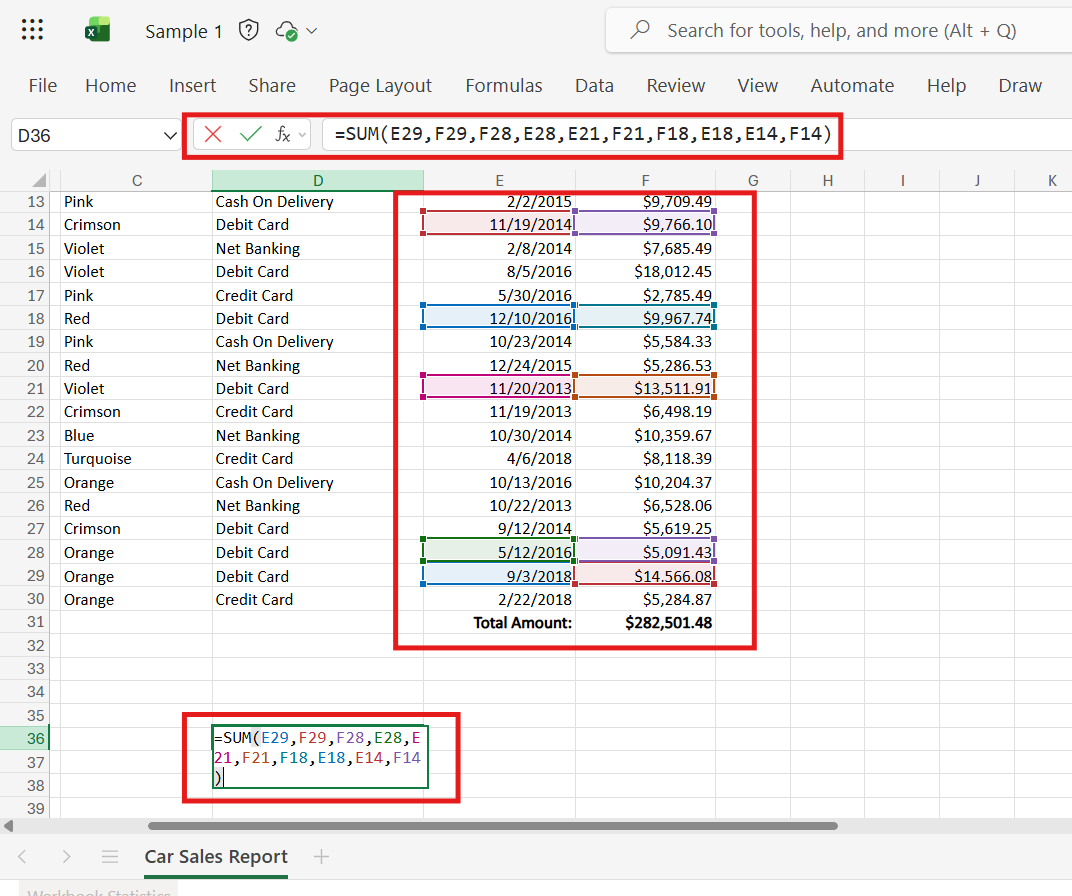
Need to implement support for highlighting cell references within a formula when editing through either the formula bar or the cell editor element.
In Excel Online and Excel Desktop, cell references are highlighted only in the element that currently has focus (either the cell editor or the formula bar). When one element is active, the other does not maintain the highlight.
Additionally,
Screenshots illustrating this behavior are attached for reference.
Expected Behavior
The behavior should align with Microsoft Excel (Desktop) and Excel Online, where:
Competitor Behavior
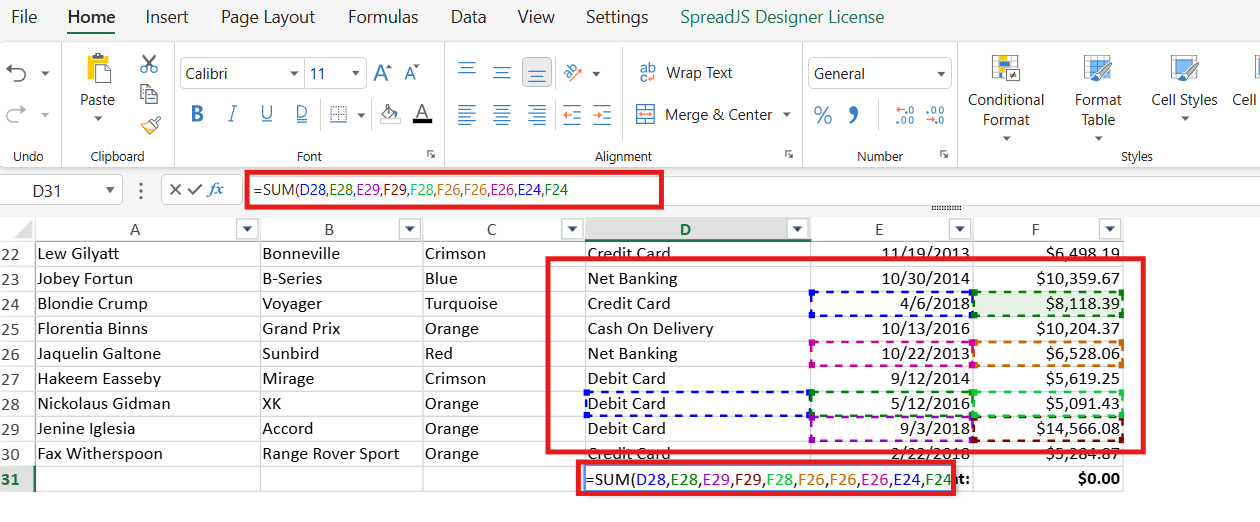
Applications such as Zoho Sheets, Google Sheets, and SpreadJS always maintain highlighting of cell references in both the formula bar and the cell editor. Even when the formula bar is not focused, highlights remain visible, and editing cell references does not remove the highlight from either element.
Screenshots of competitor implementations are attached for reference.
 Bold BI
 Bold Reports
 BoldDesk