Welcome to the Angular feedback portal. We’re happy you’re here! If you have feedback on how to improve the Angular, we’d love to hear it!
Thanks for joining our community and helping improve Syncfusion products!
In Microsoft Excel, the AutoSum feature allows users to quickly insert and calculate formulas such as SUM, AVERAGE, MIN, MAX, and COUNT based on the selected range of cells. This functionality is accessible via a single button and is illustrated in the screenshot below:
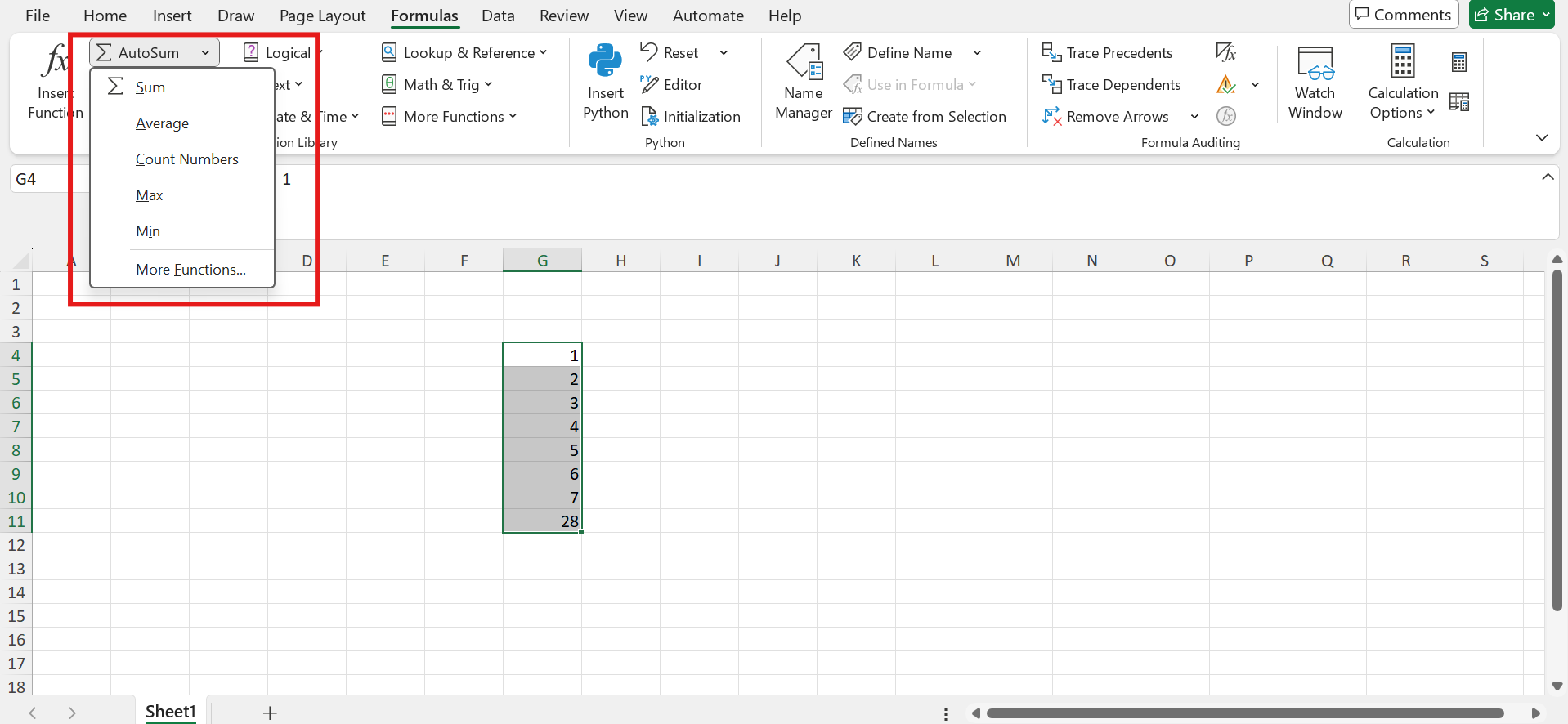
Currently, our Syncfusion Spreadsheet component supports individual formulas like SUM, AVERAGE, MIN, MAX, and COUNT. However, it does not provide a built-in AutoSum feature similar to Excel’s one-click functionality.
To enhance usability and align with standard spreadsheet behavior, we propose adding an inbuilt AutoSum option to the Spreadsheet component. This feature would allow users to apply common formulas to selected ranges with a single click, improving productivity and user experience.
For more details on how AutoSum works in Excel, please refer to the official documentation:
 Bold BI
 Bold Reports
 BoldDesk