The below reported issue only using the Numpad enter key
When attempting to add the first row in a grid with paging enabled, the validation messages are not displayed when using the Enter or Tab key to save the grid record. However, the validation messages do appear when using the update button or when adding subsequent rows.
now when I do try to add first row, validation messages are not getting visible.
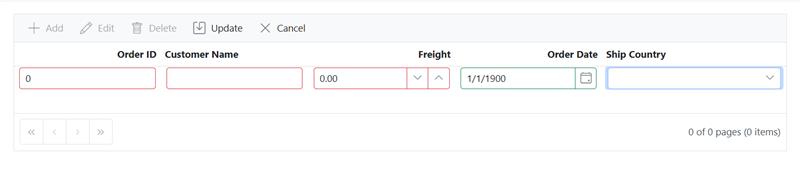
but second row it works,
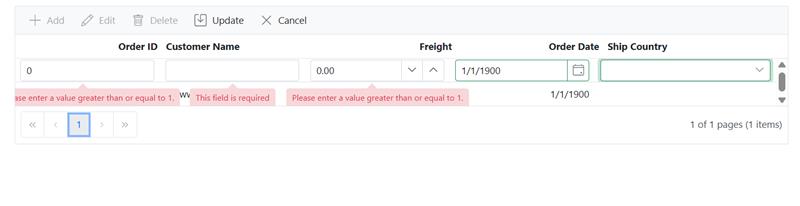
Replication steps:
Enable paging on the Syncfusion grid component.Attempt to add the first row in the grid by inputting data into editable fields.Use the Enter or Tab key to attempt to save the new row.
-->Observe that validation messages are not displayed. when click Numpad enter key Add a second row using the same method.
Observe that validation messages appear normally on the second row addition.
 Bold BI
 Bold Reports
 BoldDesk