Welcome to the Blazor feedback portal. We’re happy you’re here! If you have feedback on how to improve the Blazor, we’d love to hear it!

  • Check out the features or bugs others have reported and vote on your favorites. Feedback will be prioritized based on popularity.
  • If you have feedback that’s not listed yet, submit your own.

Thanks for joining our community and helping improve Syncfusion products!

0
Votes


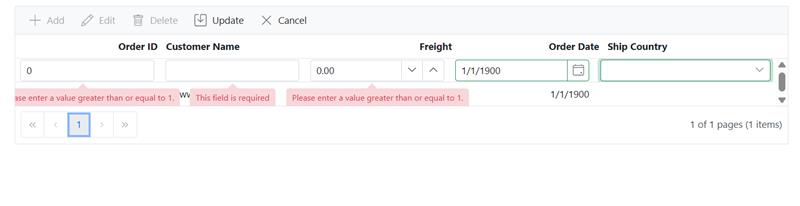
When attempting to add the first row in a grid with paging enabled, the validation messages are not displayed when using the Enter or Tab key to save the grid record. However, the validation messages do appear when using the update button or when adding subsequent rows.

now when I do try to add first row, validation messages are not getting visible.
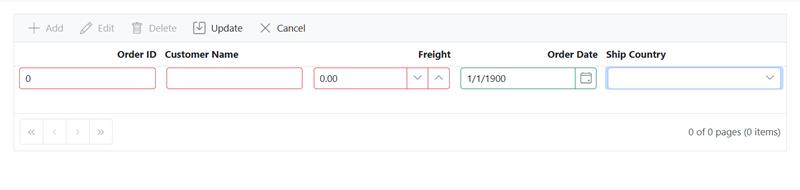
image

but second row it works,


image


Replication Steps:
Run the attached sample Then add the first row in the grid by inputting data into editable fields. Use the Enter or Tab key to attempt to save the new row.


-->Observe that validation messages are not displayed. Add a second row using the same method.
Observe that validation messages appear normally on the second row addition.

-->Alternatively, add the first row again and this time use the update button to save.
Observe that validation messages are displayed when using the update button.