Welcome to the Blazor feedback portal. We’re happy you’re here! If you have feedback on how to improve the Blazor, we’d love to hear it!
Thanks for joining our community and helping improve Syncfusion products!
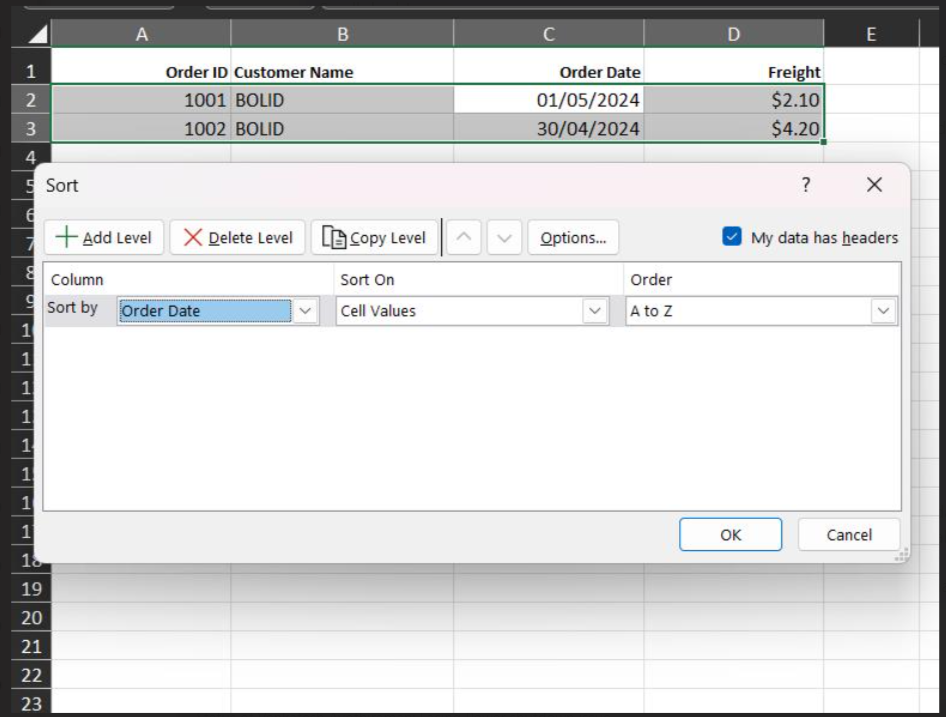
When sorting a date-time column in an Excel exported file, it displays values as "Sort A to Z" or "Sort Z to A" instead of "Oldest to Newest" or "Newest to Oldest".
However, when we set the column type as "Number", the sort values are displayed correctly.
 Bold BI
 Bold Reports
 BoldDesk