Welcome to the Blazor feedback portal. We’re happy you’re here! If you have feedback on how to improve the Blazor, we’d love to hear it!
Thanks for joining our community and helping improve Syncfusion products!
I am trying to implement row-wise color schemes for my gantt chart based upon level. I have previously implemented it using QueryCellInfo and QueryChartRowInfo, but I thought that it might be better to do it at the row level, rather than cell level to minimise calculations.
I changed my implementation to RowDataBound and it works for the Grid side of the control, but if I have any frozen columns, the added style is not applied to the frozen columns.
My question is in two parts:

The following image shows chart with no frozen columns, with the conditional green formatting on the full grid row.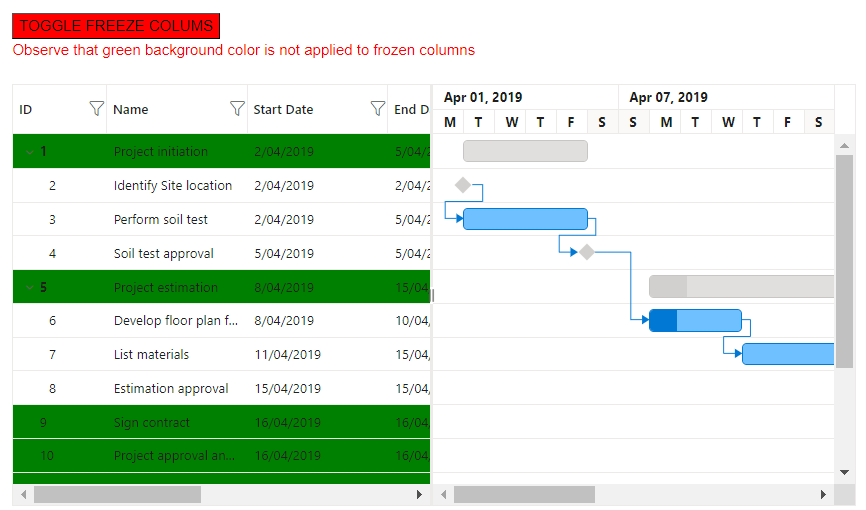
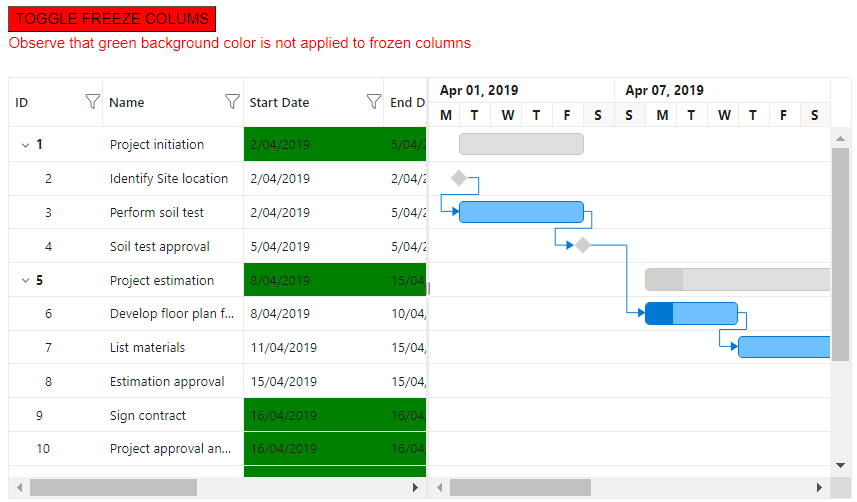
The following chart shows with 2 frozen columns. The conditional formatting is not applied to the frozen columns.
 Bold BI
 Bold Reports
 BoldDesk