Welcome to the WPF feedback portal. We’re happy you’re here! If you have feedback on how to improve the WPF, we’d love to hear it!
Thanks for joining our community and helping improve Syncfusion products!
When I drop a new control from the Tool Box on an SF tab control, it is placed below all the existing tab items rather than within a selected tab item. For example, in this case, I had the second tab item, "Output Pins," selected and dropped a SdDataGrid on it. Instead of going to the selected tab item, as I expected, the control was placed below all other items. Here is the result:
        <syncfusion:TabControlExt
            Grid.Row="1"
            HorizontalAlignment="Stretch"
            VerticalAlignment="Stretch"
            CloseButtonType="Hide"
            ShowTabItemContextMenu="False">
            <syncfusion:TabItemExt CanClose="False" Header="Input Pins" />
            <syncfusion:TabItemExt CanClose="False" Header="Output Pins" />
            <syncfusion:TabItemExt CanClose="False" Header="Parts" />
            <syncfusion:TabItemExt CanClose="False" Header="Header Text" />
            <syncfusion:TabItemExt CanClose="False" Header="API Text" />
            <syncfusion:TabItemExt CanClose="False" Header="Description Text" />
            <syncfusion:TabItemExt CanClose="False" Header="File View" />
            <syncfusion:SfDataGrid/>
        </syncfusion:TabControlExt>
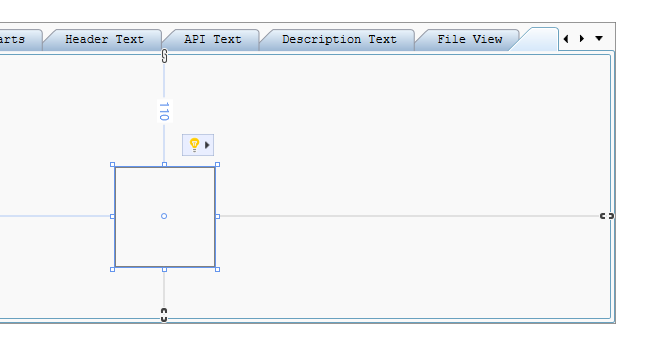
The grid appears within the GUI view as a new tab item without a header. Here's a screenshot:
This isn't a real problem because I usually type in controls down in the XAML view, but I noticed this while looking at the SF controls. It might be something someone wishes to address.
 Bold BI
 Bold Reports
 BoldDesk