Welcome to the Blazor feedback portal. We’re happy you’re here! If you have feedback on how to improve the Blazor, we’d love to hear it!
Thanks for joining our community and helping improve Syncfusion products!
Greetings,
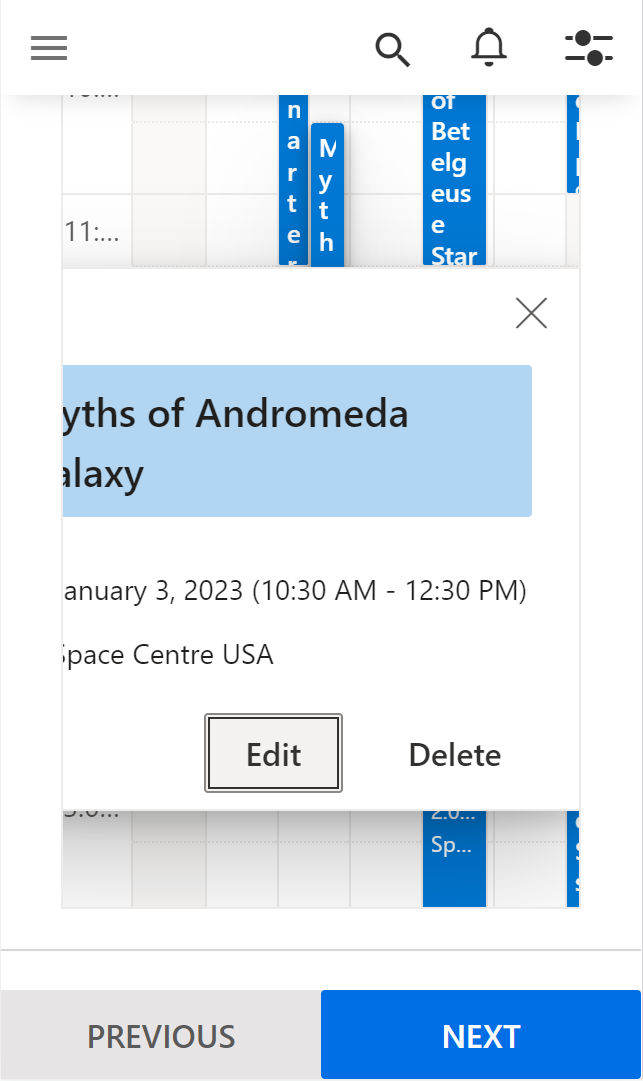
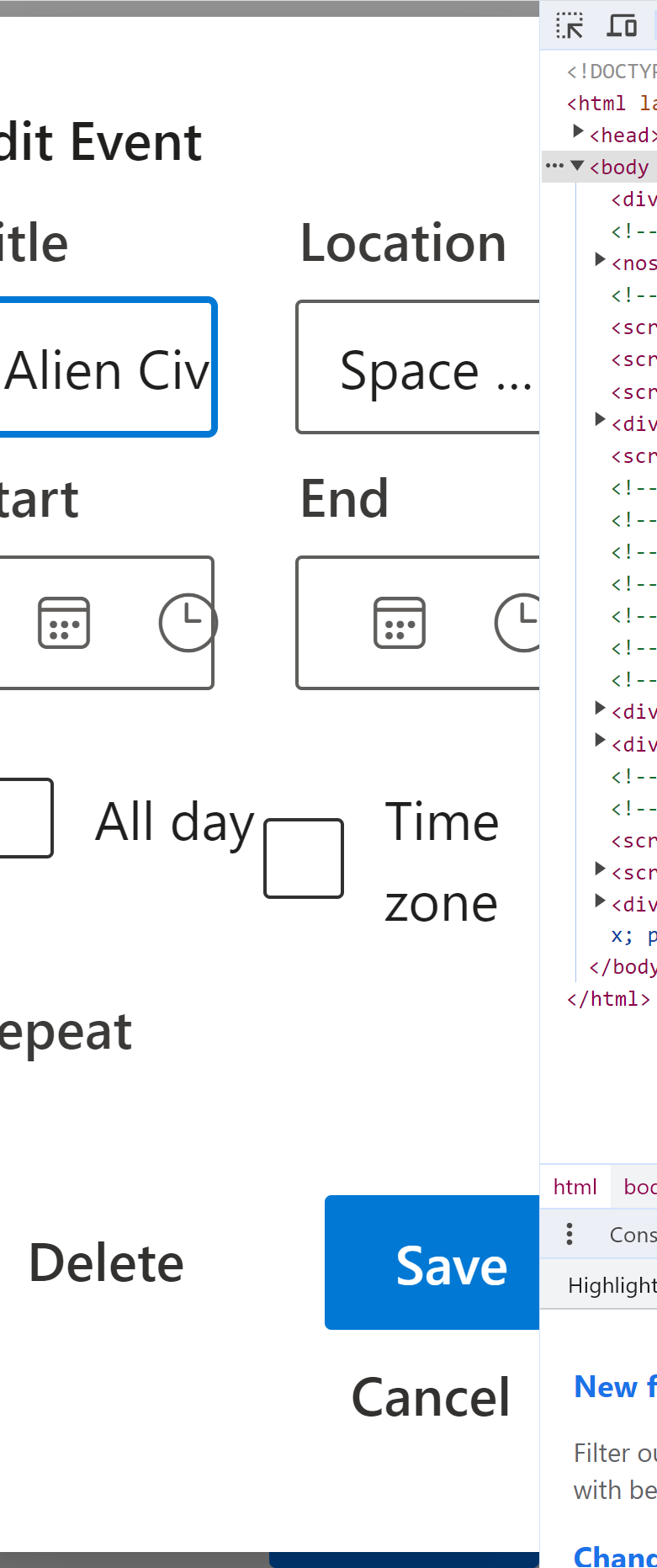
I was testing your Default Functionalities demo page for the Scheduler component on a small screen size for desktop browsers and noticed the following issues with dialogs:
1. The quick popup dialog content can get cut off when it opens. In other words, I cannot read some of the text of the words.
2. The edit dialog content can get cut off when it opens. I can not read some of the text or input fields.
For the edit dialog, I noticed the issue at 160px viewport width. To get to 160px I set the viewport to 320px width and then zoomed the browser to 200% to resize the text. Since many components used fixed font sizes, I chose browser zoom to resize text.
To clarify, I tested the demo page at a screen viewport width of 320px and 160px (320px with zoom at 200%). While this means the Scheduler component itself is an even smaller size than the WCAG criterion, I believe it is reasonable to argue that it is still an issue because the component can be used in many different situations. Different situations and web designs may require padding/spacing around the scheduler itself, like how it is on the demo page. I believe this is a reasonable argument to make. You may disagree.
 Bold BI
 Bold Reports
 BoldDesk