Welcome to the React feedback portal. We’re happy you’re here! If you have feedback on how to improve the React, we’d love to hear it!

  • Check out the features or bugs others have reported and vote on your favorites. Feedback will be prioritized based on popularity.
  • If you have feedback that’s not listed yet, submit your own.

Thanks for joining our community and helping improve Syncfusion products!

1
Vote

When  navigate cells in the scheduler using the down arrow key in keyboard, the selected cell hides when we click down arrow after 3 to 4 times.

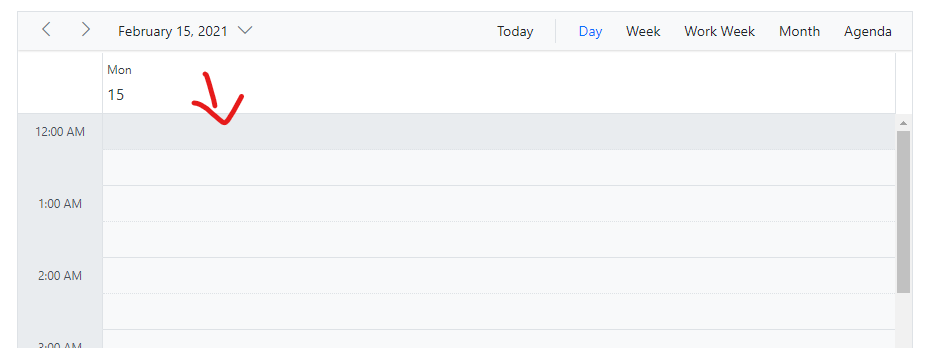
1) Start in the top cell

Empty


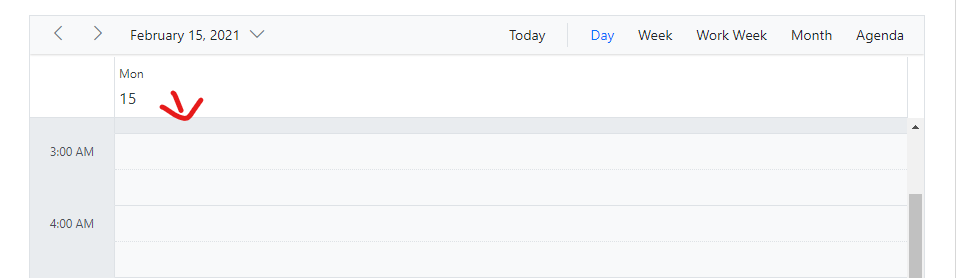
2) Press "Down" on keyboard 2 to 3 times. Now the selected cell is half visible.
Empty


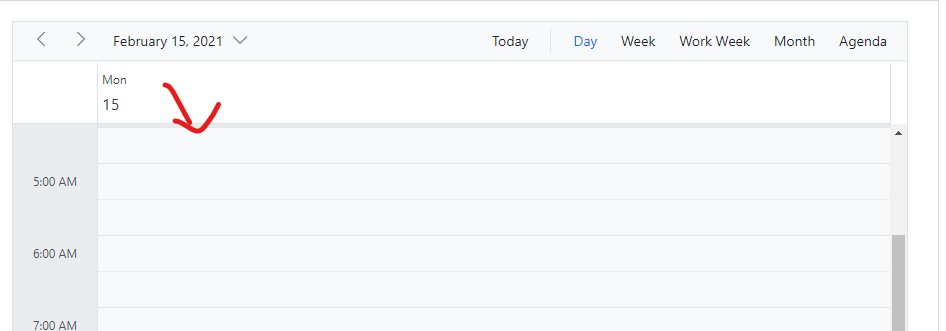
3) Press "Down" on keyboard again. After 4 to 6 times of click the selected cell is not visible at all.

Empty


Replication procedure:

1) Run the sample.

2) Navigate to day view and press home key in keyboard.

3) Now, 1st cell will be selected. then press down arrow gradually. You will see the selected cell hidden after the 4 to 6 times of down arrow click.