Welcome to the Blazor feedback portal. We’re happy you’re here! If you have feedback on how to improve the Blazor, we’d love to hear it!
Thanks for joining our community and helping improve Syncfusion products!
Hi,
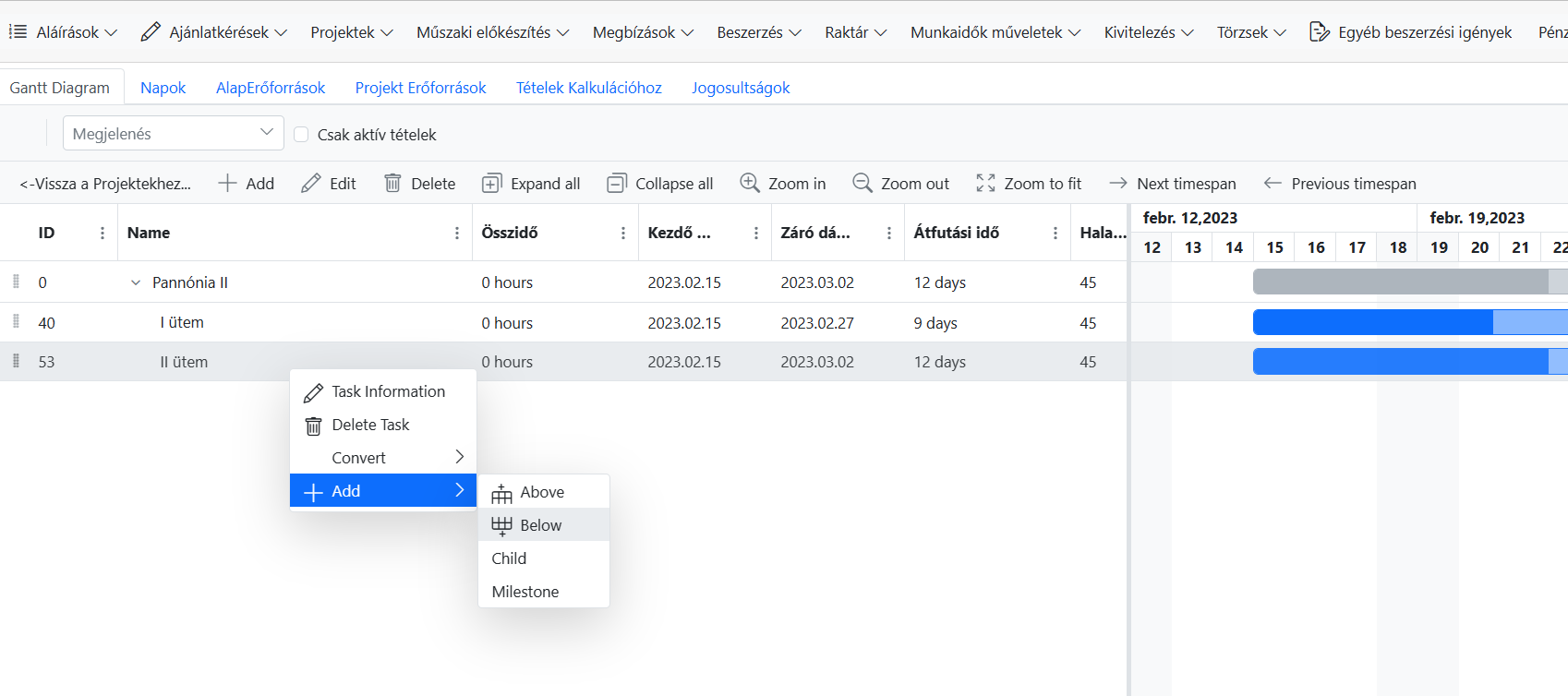
Error: System.NullReferenceException: Object reference not set to an instance of an object.
at Syncfusion.Blazor.Gantt.Internal.EditBase`1.AddNewRecord(IDictionary`2 record, RowPosition rowPosition, Nullable`1 index)
at Syncfusion.Blazor.Gantt.Internal.ContextMenu`1.ContextMenuClickHandler(String item)
at Syncfusion.Blazor.Gantt.Internal.ContextMenu`1.ChartContextMenuClickHandler(MenuEventArgs`1 args)
at Syncfusion.Blazor.Gantt.Internal.ChartContextMenuRenderer`1.ContextMenuItemClickHandler(MenuEventArgs`1 args)
at Microsoft.AspNetCore.Components.ComponentBase.CallStateHasChangedOnAsyncCompletion(Task task)
at Syncfusion.Blazor.Internal.SfBaseUtils.InvokeEvent[T](Object eventFn, T eventArgs)
at Syncfusion.Blazor.Navigations.Internal.SfMenuBase`1.ClickHandler[T](List`1 menuItems, T item, EventArgs e, Boolean isEnterKey, Boolean isUl, Boolean header, Boolean hamburgerMode)
at Syncfusion.Blazor.Navigations.SfContextMenu`1.ItemClickHandler(TValue item, MouseEventArgs e, Boolean isEnterKey, Boolean isUl, Boolean header)
at Syncfusion.Blazor.Navigations.SfContextMenu`1.<>c__DisplayClass71_2.<
b__7>d.MoveNext() --- End of stack trace from previous location ---
at Microsoft.AspNetCore.Components.ComponentBase.CallStateHasChangedOnAsyncCompletion(Task task)
at Microsoft.AspNetCore.Components.RenderTree.Renderer.GetErrorHandledTask(Task taskToHandle, ComponentState owningComponentState)
With keyboad (press insert key )->performs the operation!!?
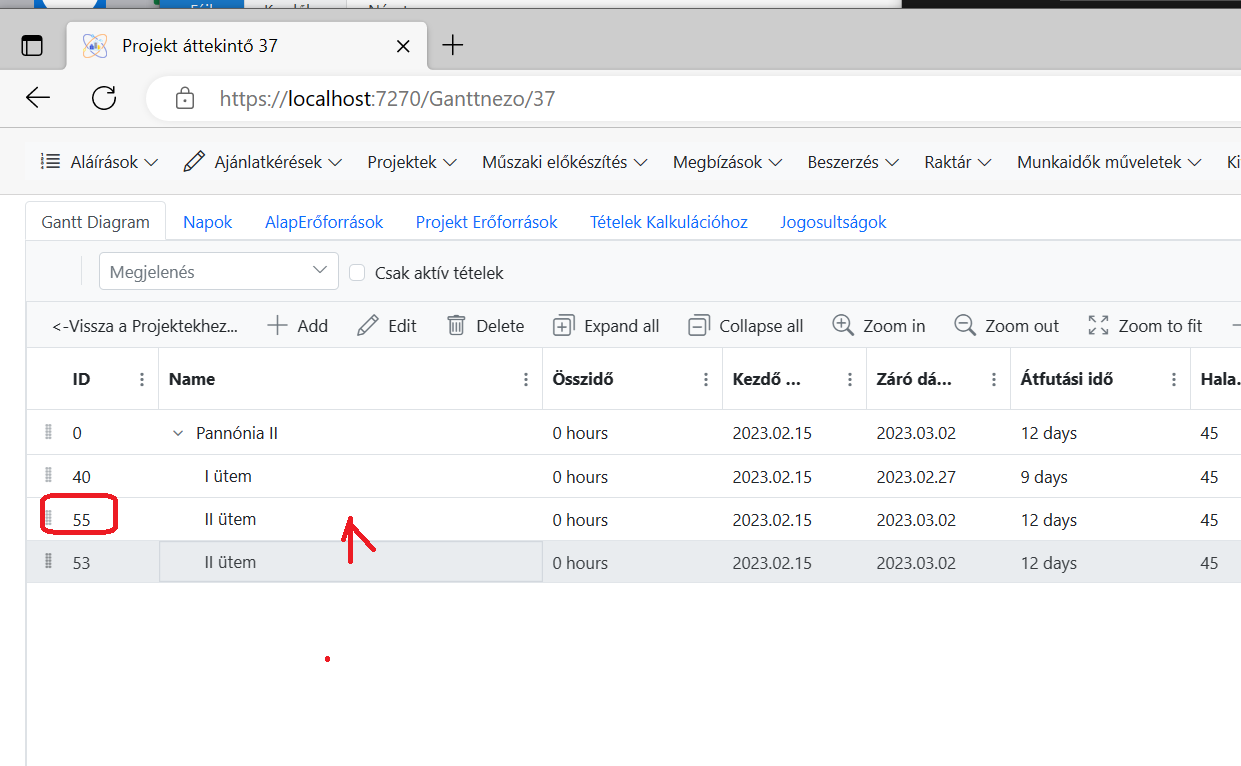
Interestingly, when it is successfully executed, the new task created by the add below command appears above the original one.
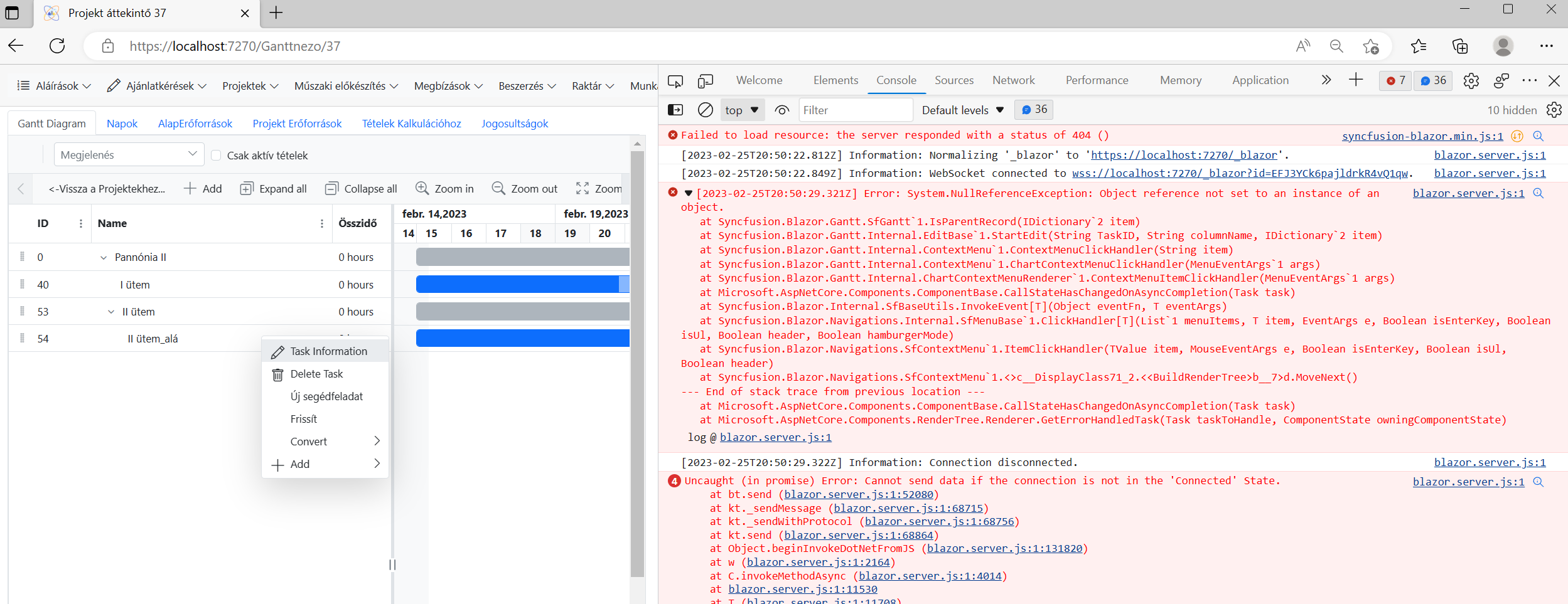
2. The same way : On the Task Information menu item, we receive the following error:
Please help me where the error could be!
Thanks in advance !
 Bold BI
 Bold Reports
 BoldDesk