Welcome to the Blazor feedback portal. We’re happy you’re here! If you have feedback on how to improve the Blazor, we’d love to hear it!
Thanks for joining our community and helping improve Syncfusion products!
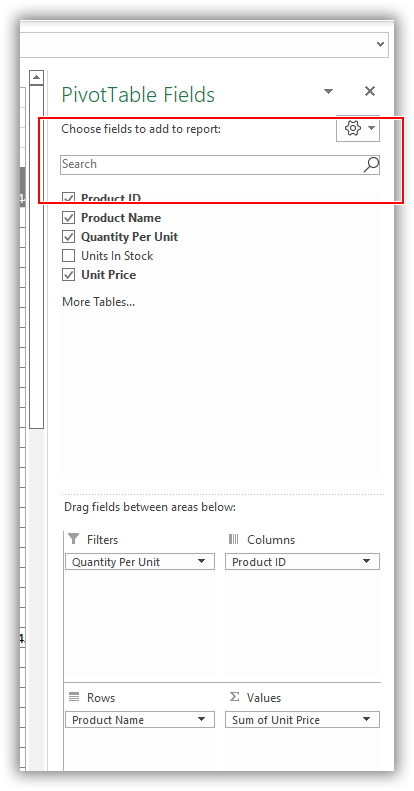
The pivot table provides a built-in Field List like Microsoft Excel. It shows the fields that are bound to the data source. It allows to add or remove fields and rearrange them between different axes, including column, row, value, and filter along with sort and filter options dynamically at runtime. To know more about field list options in pivot table, refer to the UG link below.
UG Document: https://blazor.syncfusion.com/documentation/pivot-table/field-list
So, to search specific field from the list, we need to provide search option in field list UI. Please refer the Excel screenshot for your reference.
 Bold BI
 Bold Reports
 BoldDesk