Welcome to the Blazor feedback portal. We’re happy you’re here! If you have feedback on how to improve the Blazor, we’d love to hear it!
Thanks for joining our community and helping improve Syncfusion products!
Hi Support,
I have a DataGrid which I want to make responsive, both in terms of the number of rows shown as well as in terms of the columns visible.
For the first part (number of rows shown), I followed the procedure described in
However, in my grid, one of the columns has its HideAtMedia attribute set.
It would be nice if, when screen is rotated, this column be shown or hidden according to current screen width.
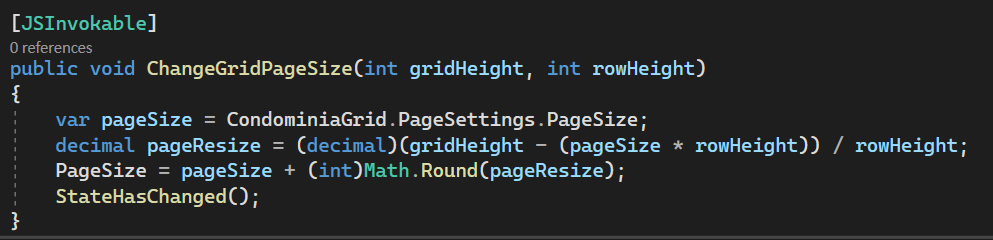
Note that, according to the procedure suggested in the link above, when screen is rotated, method
ChangeGridPageSize is called by javascript and, inside this method, there is a
StateHasChanged() function call. And, even so, grid columns are not changed to reflect HideAtMedia settings.
Is it possible to refresh grid rendering, to reflect this setting, when StateHasChanged() is called?
Best regards,
Marco.
 Bold BI
 Bold Reports
 BoldDesk