Welcome to the Blazor feedback portal. We’re happy you’re here! If you have feedback on how to improve the Blazor, we’d love to hear it!
Thanks for joining our community and helping improve Syncfusion products!
Hello Syncfusion team,
Steps to reproduce:
Issues:
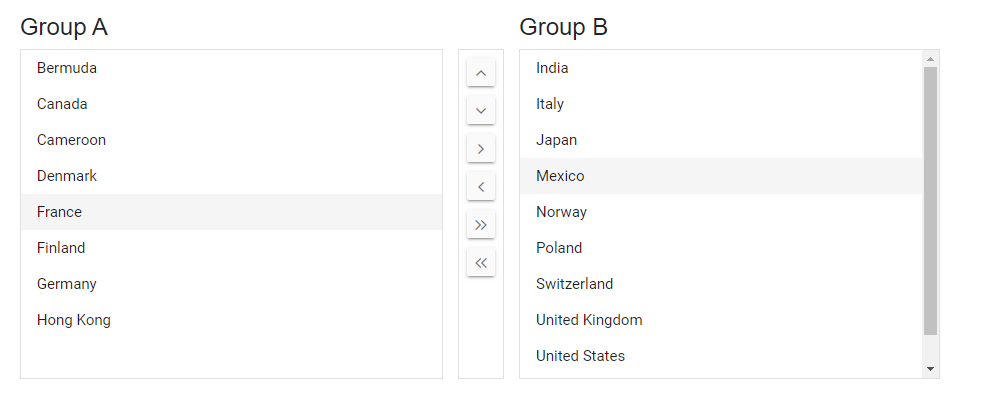
The focus on the list item in the listboxes are persisting even when the user is interacting with a different listbox in the dual listbox component. This is confusing from a usability point of view as the only item that should have the light grey background should be the last one being interacted with.
Expected result:
In this example per the repro instructions above it would be expected that only "Mexico" in "Group B" would have the light grey background once selected....and that "France" in "Group A" would no longer be in focus with the light grey background.
Example:
 Bold BI
 Bold Reports
 BoldDesk