Welcome to the ASP.NET MVC feedback portal. We’re happy you’re here! If you have feedback on how to improve the ASP.NET MVC, we’d love to hear it!
Thanks for joining our community and helping improve Syncfusion products!
Hello support,
We have a SAAS solution running within IIS, in which we use the HtmlToPdfConverter library to convert html to pdf. On our local development machines and a development server everything works fine.
However, on our acceptance environment the converter fails to do it's job and reports the exception "Failed to convert the webpage".
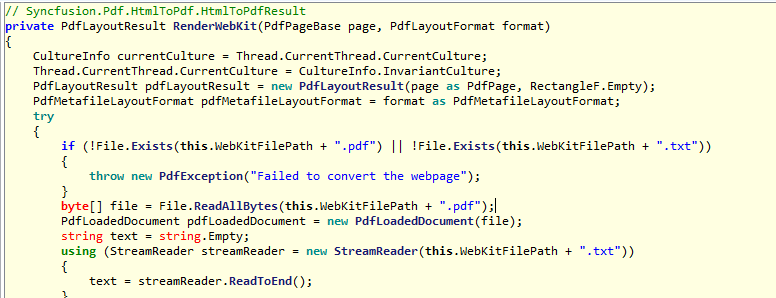
The difference between our local development machine(s) / development server and the acceptance environment is that within the acceptance environment we use a network share within IIS for all of the site files, including the binaries. From code, we specifically specify the network share (e.g. "
" but then with a complete/valid IP address) as WebKitPath within the WebKitConverterSettings. On our local machines, it's just a specific location on a local drive.
Any idea why the converter is failing once we specify a network share as WebKitPath? Is using a network share as location for the QtBinaries supported?
Btw, as a test, we've changed the configuration on the development server as well and moved the site files to a network share and specified that share within IIS. The same exception occurs then on the development server as well.
Kind regards,
Mike Perquin
 Bold BI
 Bold Reports
 BoldDesk