Welcome to the Blazor feedback portal. We’re happy you’re here! If you have feedback on how to improve the Blazor, we’d love to hear it!
Thanks for joining our community and helping improve Syncfusion products!
Case 1: If we open the popup of the DateTimePicker component in the mobile mode, the script error is occurred. Due to this, popup does not open.
|
<SfDateTimePicker TValue="DateTime?"></SfDateTimePicker> |
Issue reproducing sample: https://www.syncfusion.com/downloads/support/directtrac/general/ze/Mobile_mode_issue1216431000
Replication procedure:
1. Run the attached sample
2. Change the desktop mode to mobile mode in the emulator.
3. Now, open the DateTimePicker popup.
4. We can see the console error in the screenshot.
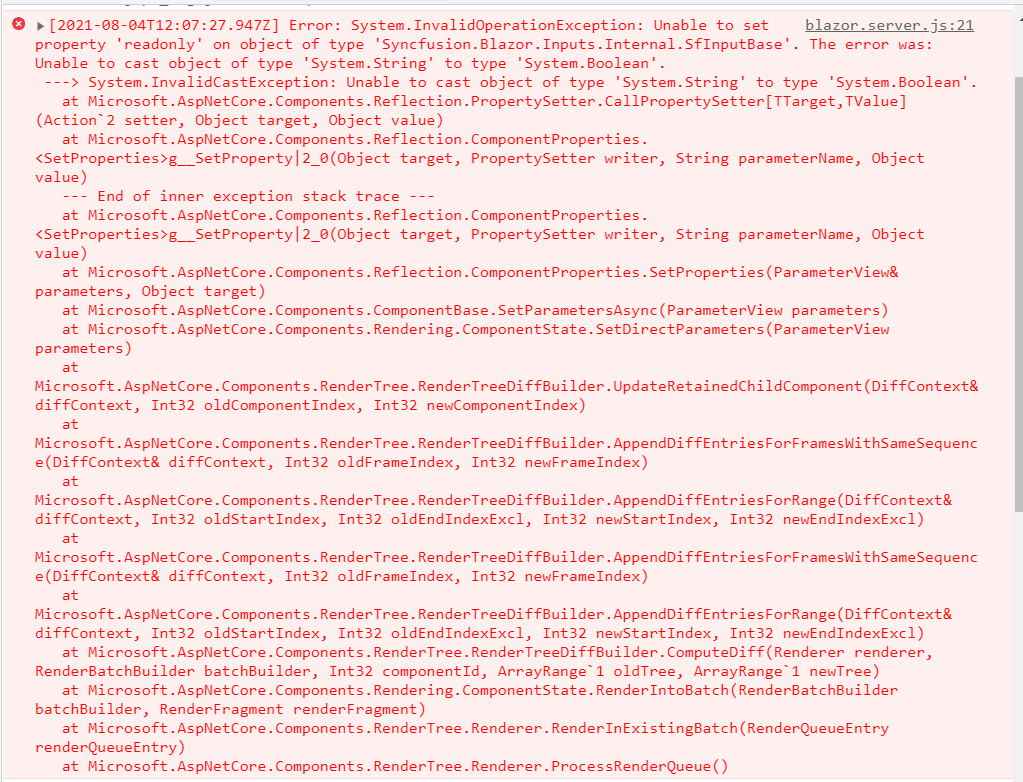
If we render the DateTimePicker component with AllowEdit property as false, the exception thrown in the Desktop mode.
|
<SfDateTimePicker TValue="DateTime?" AllowEdit="false"></SfDateTimePicker> |
 Bold BI
 Bold Reports
 BoldDesk