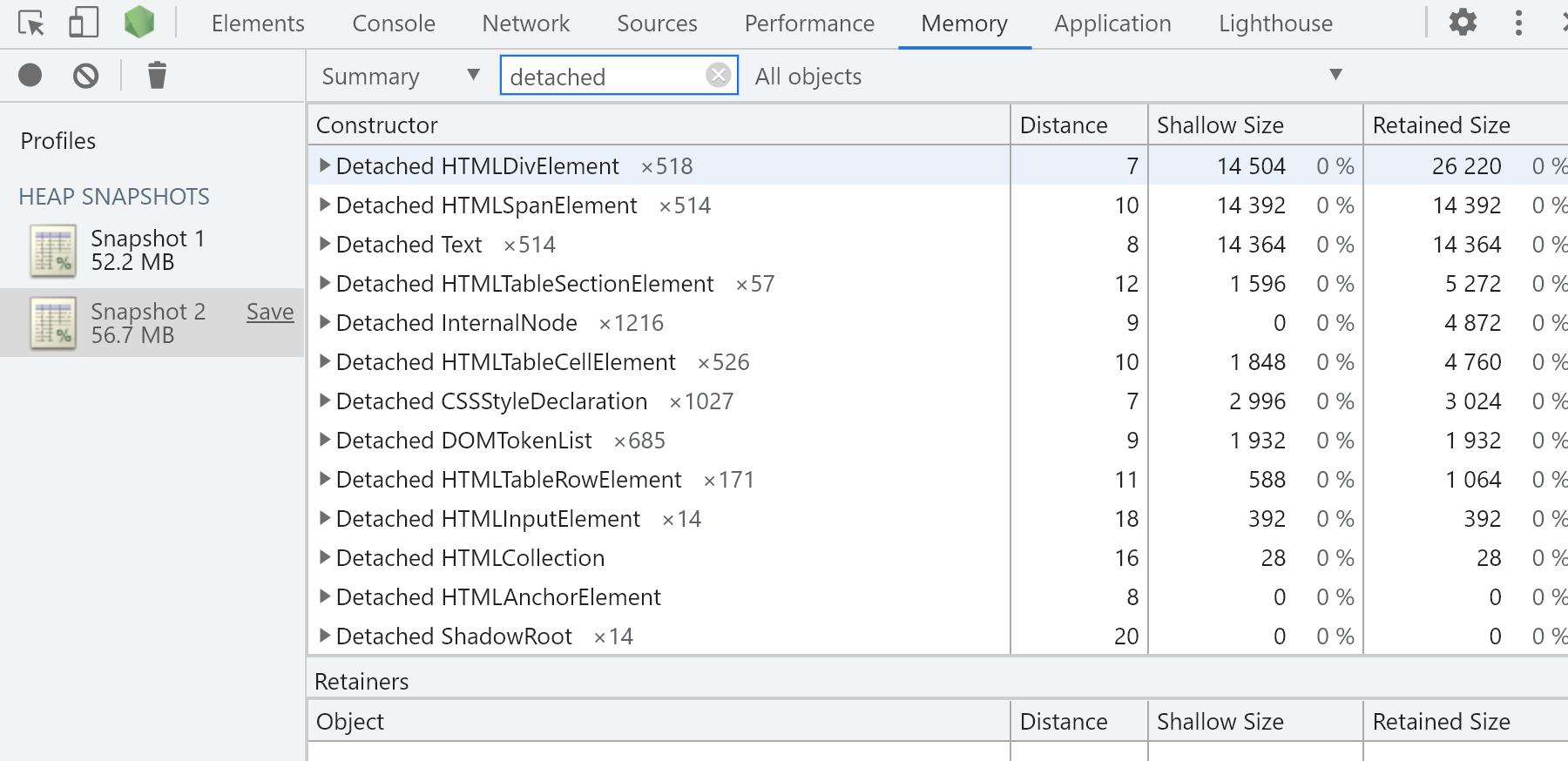
When i use template cloumn,I just do that click refresh button many times, the detached elements will be
increase.

<template>
<div class="col-lg-12 control-section">
<div>
<button @click="loadData">refresh</button>
<button @click="destroy">destroyTemplate</button>
<ejs-grid ref="ejsGrid" :dataSource="data" locale="en-US" height="365">
<e-columns>
<e-column headerText="c1" width="150" textAlign="Center" :template="cTemplate"></e-column>
<e-column headerText="c2" width="150" textAlign="Center" :template="cTemplate"></e-column>
<e-column headerText="c3" width="150" textAlign="Center" :template="cTemplate"></e-column>
</e-columns>
</ejs-grid>
</div>
</div>
</template>
<script lang="ts">
import Vue from 'vue'
import { GridPlugin, Page } from '@syncfusion/ej2-vue-grids'
Vue.use(GridPlugin)
export default {
data() {
return {
data: [],
cTemplate: function (row) {
return {
template: Vue.component('columnTemplate', {
template: `<div class='columnTemplate' style="width: 100%">
<span>{{text}}</span>
</div>`,
data: function () {
return {
data: {},
}
},
created() {},
computed: {
text() {
return 'test'
},
},
}),
}
},
}
},
provide: {
grid: [Page],
},
mounted() {
this.loadData()
},
methods: {
actionComplete(arg) {
console.log(arg)
},
loadData() {
this.data = [
{
OrderID: 32,
CustomerName: 'test',
ShipCountry: 'test',
},
{
OrderID: 2213,
CustomerName: 'test',
ShipCountry: 'test',
},
{
OrderID: 3456,
CustomerName: 'test',
ShipCountry: 'test',
},
]
},
destroy() {
this.$refs.ejsGrid.ej2Instances.destroyTemplate(['columnTemplate'])
},
},
}
</script>
<style>
@import '../../node_modules/@syncfusion/ej2-vue-grids/styles/material.css';
</style>
 Bold BI
 Bold Reports
 BoldDesk