Welcome to the Angular feedback portal. We’re happy you’re here! If you have feedback on how to improve the Angular, we’d love to hear it!

  • Check out the features or bugs others have reported and vote on your favorites. Feedback will be prioritized based on popularity.
  • If you have feedback that’s not listed yet, submit your own.

Thanks for joining our community and helping improve Syncfusion products!

1
Vote

Hi, I have found some issues when pasting copied cells from Excel that were firstly merged there.

Scenario 1 repro steps:
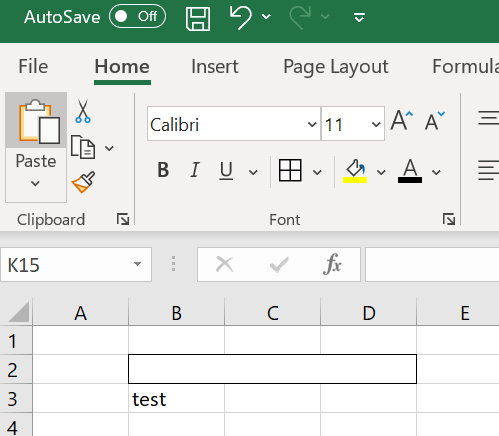
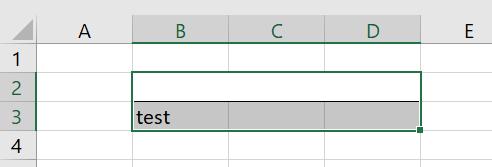
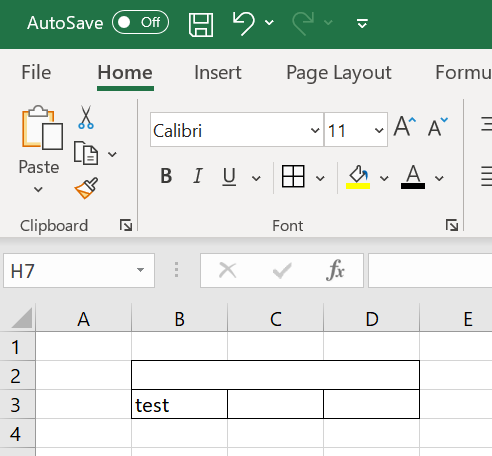
  1. Merge some cells in Excel and apply some border to the merged cell (for example "All Borders" or "Outside Borders" option). Insert some text to any adjacent cell.
    Empty
  2. Select these cells and copy.
    Empty
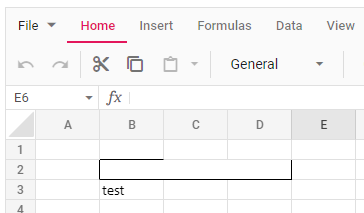
  3. Paste with "Ctrl + V" into SF Spreadsheet. The borders are pasted incorrectly (there are missing borders at the top).
    Empty

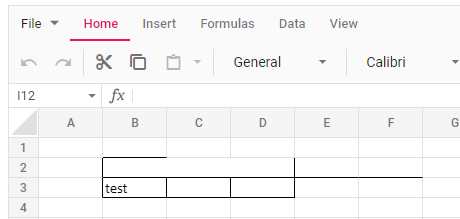
    If you apply in Excel some more borders to the adjacent cells, then there will be more noticable issues with pasted borders.
    In Excel:
    Empty
    After pasting into SF Spreadsheet:

    Empty


Scenario 2 repro steps:

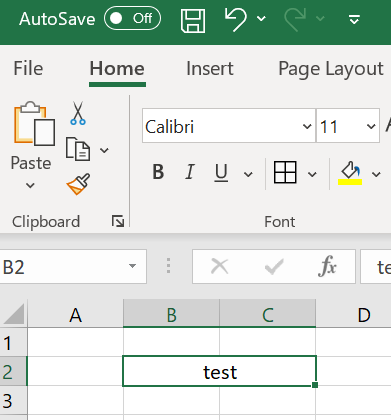
  1. In Excel copy any row of merged cells.
    Empty
  2. Now paste it anywhere in SF Spreadsheet. It should be pasted correctly for now.

    Empty
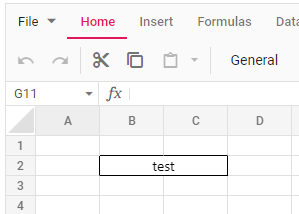
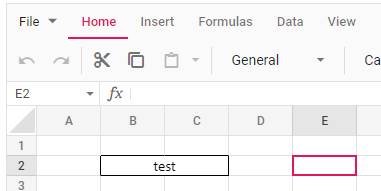
  3. Now paste it again in the same row (it has to be the same row) but select some cell further to the right.
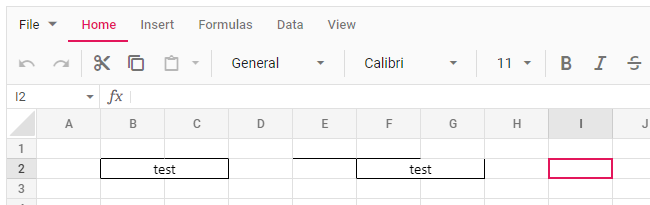
    Before pasting:
    Empty

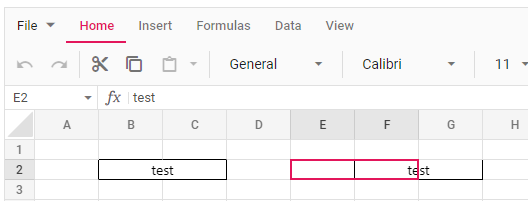
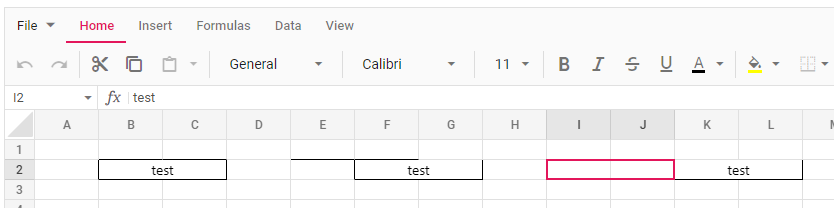
    After pasting:

    Empty

    As you can see in the screen, it is pasted 1 cell to far to the right and there are some missing borders.
  4. Select some cell further to the right again and paste.
    Before pasting:
    Empty
    After pasting:
    Empty


    Cells are pasted even further now than supposed to. If you repeat the process it is pasted further to the right every time.