Welcome to the Vue feedback portal. We’re happy you’re here! If you have feedback on how to improve the Vue, we’d love to hear it!
Thanks for joining our community and helping improve Syncfusion products!
Hi
I referred to the issue already resolved on this link
var pivotViewObj = document.getElementById('pivotView').ej2_instances[0];pivotViewObj.gridSettings.columnRender = this.setPivotGridColumnWidth;
In the setPivotGridColumnWidth function I update the args.Columns (as explained int the link above) which updates the args.Columns object but not the actual width on the UI. Below I have posted the state of args.Columns before and after update (column name hidden due to confidentiality issues), so as you see the event is successfully registered and called and object is also updated.
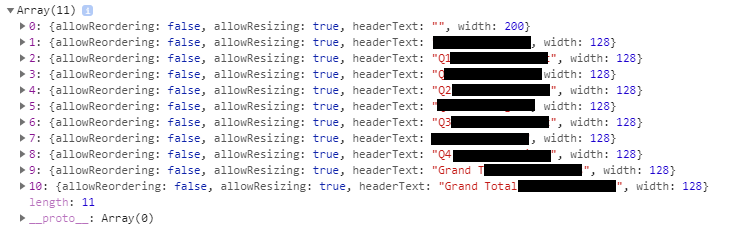
args.Columns after update
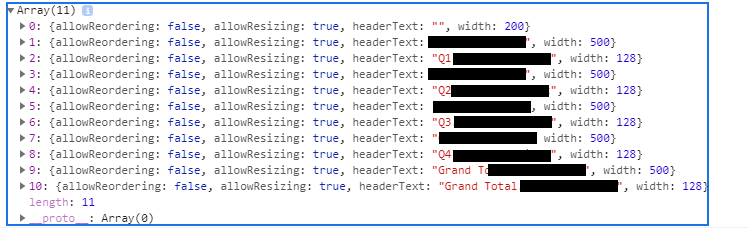
Can you please suggest what should be the workaround, please let me know if i can provide more information.
Thanks
 Bold BI
 Bold Reports
 BoldDesk