---
title: "Syncfusion’s First Control for Uno Platform: Charts"
published_at: "2020-08-05T12:57:59+00:00"
modified_at: "2025-03-20T07:29:07+00:00"
url: "https://www.syncfusion.com/blogs/post/syncfusions-first-control-for-uno-platform-charts"
excerpt: "Syncfusion is happy to reveal the availability of its very first control for the Uno Platform, the Charts control. In this blog, we will provide a brief introduction to the Uno Platform, the key features of our Charts control, followed..."
taxonomy_category:
- "Chart"
- "Desktop"
- "Syncfusion"
- "Uno Platform"
- "User interface"
- "UWP"
- "What's new"
taxonomy_post_tag:
- "Chart"
- "productivity"
- "Syncfusion"
- "UWP"
- "What's New"
---
# Syncfusion’s First Control for Uno Platform: Charts
[Karthikeyan V](https://www.syncfusion.com/blogs/author/karthikeyanv)

Syncfusion is happy to reveal the availability of its very first control for the Uno Platform, the Charts control.
In this blog, we will provide a brief introduction to the Uno Platform, the key features of our Charts control, followed by the steps to integrate our Charts control in an Uno Platform application.
Let’s get started.
## What is the Uno Platform and how does it work?
The [Uno Platform](https://platform.uno)
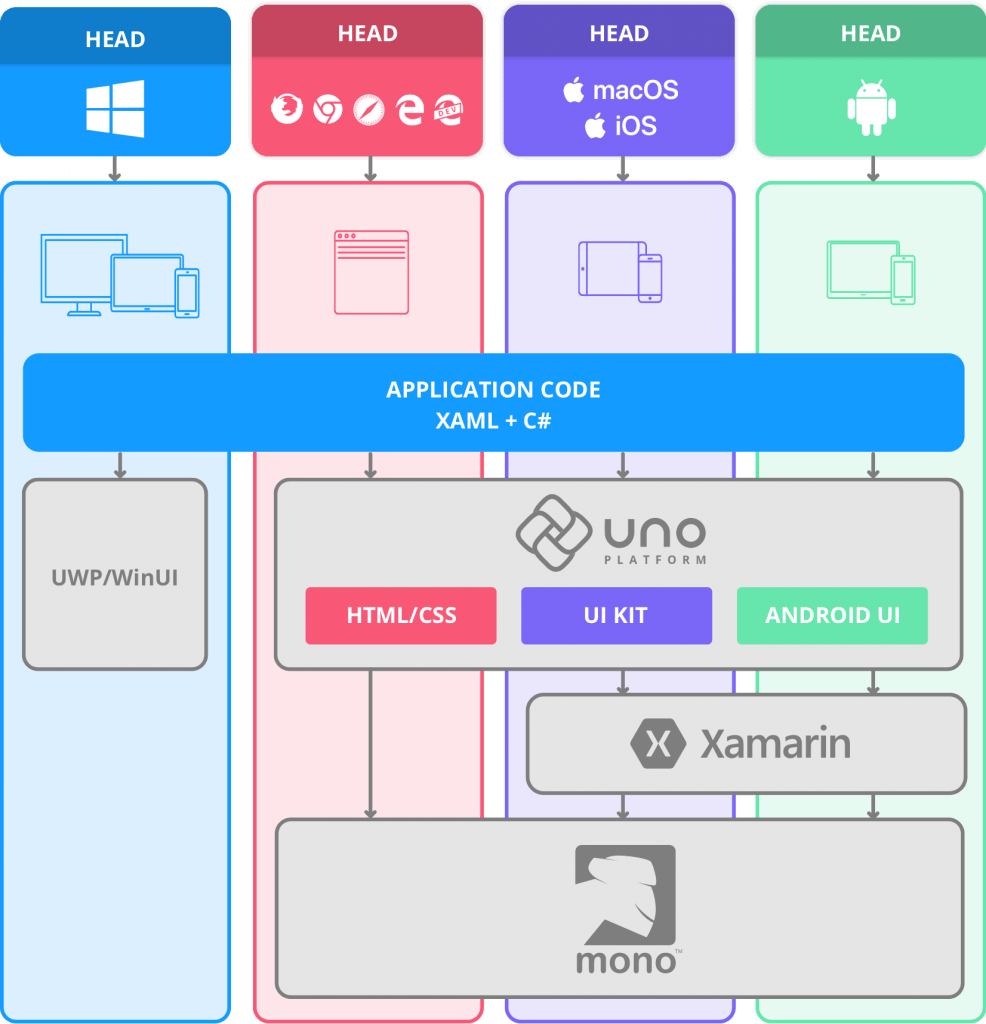
is a Universal Windows Platform bridge that allows UWP-based code to run on iOS, macOS, Android, and WebAssembly. According to the Uno Platform website:
- On iOS, macOS and Android, the Uno Platform relies extensively on the Xamarin Native stack.
- On WebAssembly, the Uno Platform relies directly on the Mono-Wasm runtime.
In the end, the Uno Platform gives you the ability to run WinUI/UWP apps and a single C# and XAML codebase that enables C# on all these platforms.
Refer to the following screenshot.
Source: [Uno Platform](https://platform.uno/how-it-works/)
## Benefits of the Uno Platform
The Uno Platform is a great choice for .NET developers to develop modern application in various platforms. The following are some of the benefits of the Uno Platform:
- **Build for WebAssembly.**
- **Single codebase: web, mobile, desktop.**
- **XAML examples everywhere.**
To learn more about the benefits of Uno Platform, please refer [here](https://platform.uno/benefits/)
.
## Syncfusion Charts (beta) for Uno
Now is the time to venture into the main topic of this blog post!
As we said in an [earlier blog post](https://www.syncfusion.com/blogs/post/collaboration-syncfusion-uno-platform.aspx)
, we are pleased to announce our new product, Syncfusion Charts for Uno Platform. This beta version is available for free and you can download it from [here](https://github.com/syncfusion/Uno.SfChart/tree/master/Src)
.
The following is the list of features available in our Uno Platform Charts for the initial release:
- Visualize and analyze data with an ever-expanding collection of 10+ charts and graphs, ranging from line to pie charts.
- Interact with and explore charts with features such as zoom and pan, tooltip, and data labels.
Syncfusion Uno Charts
### Charts types
The Uno Platform Charts control includes functionality for plotting more than 10 chart types. Each chart type is easily configured with built-in support for creating stunning visual effects.
- Basic charts
- Column chart
- Bar chart
- Line chart
- Spline chart
- Area chart
- SplineArea chart
- Correlation charts
- Scatter chart
- Bubble chart
- Circular charts
- Pie chart
- Doughnut chart
- Semi pie chart
- Semi doughnut chart
- Stacked doughnut chart
### **Chart axis**
The Uno Chart control supports three different types of axes:
- Numerical,
- Categorical, and
- Date-time.
The appearance of all chart axis elements can be customized with built-in properties.
### Data labels
Data points can be easily annotated with the data labels feature. It helps to improve the readability of the data.
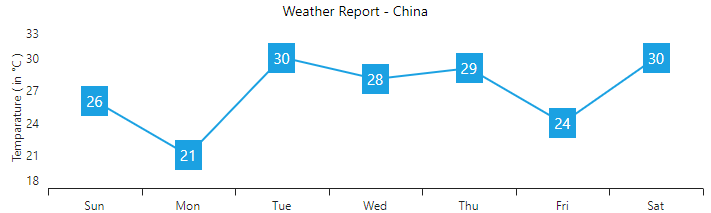
Data Labels in Syncfusion Uno Platform Chart
### Legends
Legends provide additional information that is helpful in identifying individual series in a chart. They can be docked to the left, right, top, or bottom positions around the chart area.
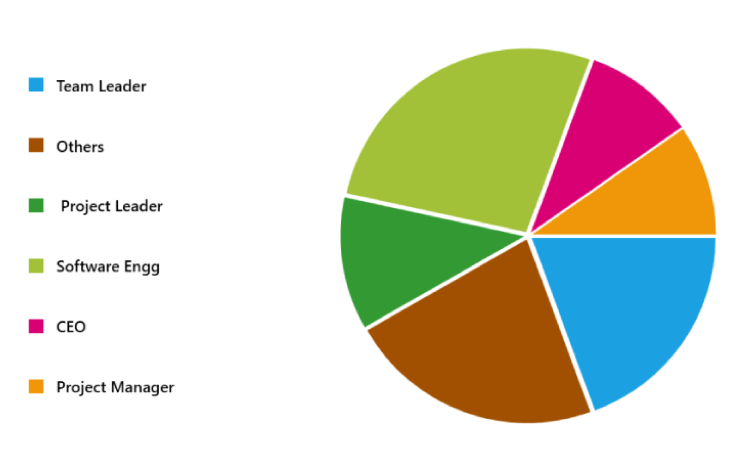
Legends in Syncfusion Uno Platform Chart
### Interactive features
The end-user experience is greatly enhanced by a set of user interaction features such as zooming, panning, and tooltip.
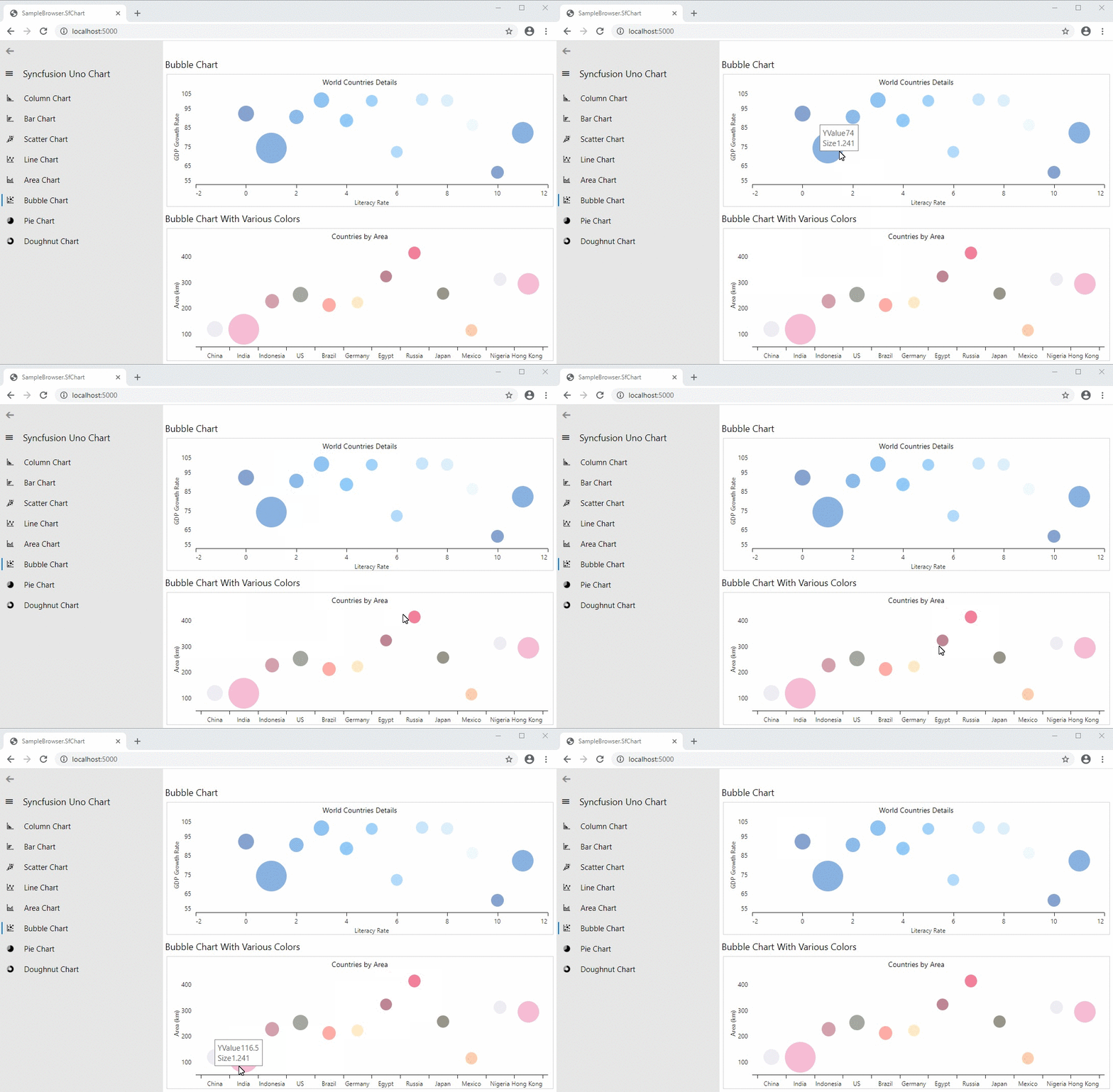
Tooltip in Syncfusion Uno Platform Charts
## Adding Uno Platform Charts to your application
Before getting started to add Charts, setup the Uno development environment by following this [guideline](https://platform.uno/docs/articles/get-started.html)
. Now, follow the below steps to add Syncfusion Uno Platform Charts to your application and use its basic features:
1. Download the source of Syncfusion Uno Platform Charts from [here](https://github.com/syncfusion/Uno.SfChart/tree/master/Src) .
2. Add **Syncfusion.SfChat.Uno** source to your application.
3. Reference the source in the projects of all the platforms.
4. Import the namespace SfChart, as shown in the code example, in your pages.``` xmlns:syncfusion="using:Syncfusion.UI.Xaml.Charts" ```
5. Then, initialize an empty chart with two axes, as shown in the following code example.``` ```
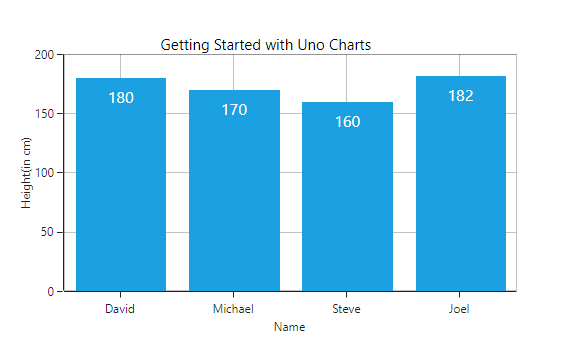
6. **Populate chart with data**: As we are going to visualize the comparison of heights in the data model, add the ** ColumnSeries**to the ** Series** property.
7. Then, bind the Data property of the ViewModel to the **ColumnSeries.ItemsSource** property. You need to set the value for the ** XBindingPath** and ** YBindingPath** properties, so that the Chart will fetch values from the right properties in the data model to plot the series. Refer to the following code example.``` ```
A chart similar to the following screenshot will be created as a result of the execution of this project.
## Example applications
A Visual Studio solution with the Syncfusion **SampleBrowser.SfChart** application is available in this [GitHub repository](https://github.com/syncfusion/Uno.SfChart/tree/master/SampleBrowser)
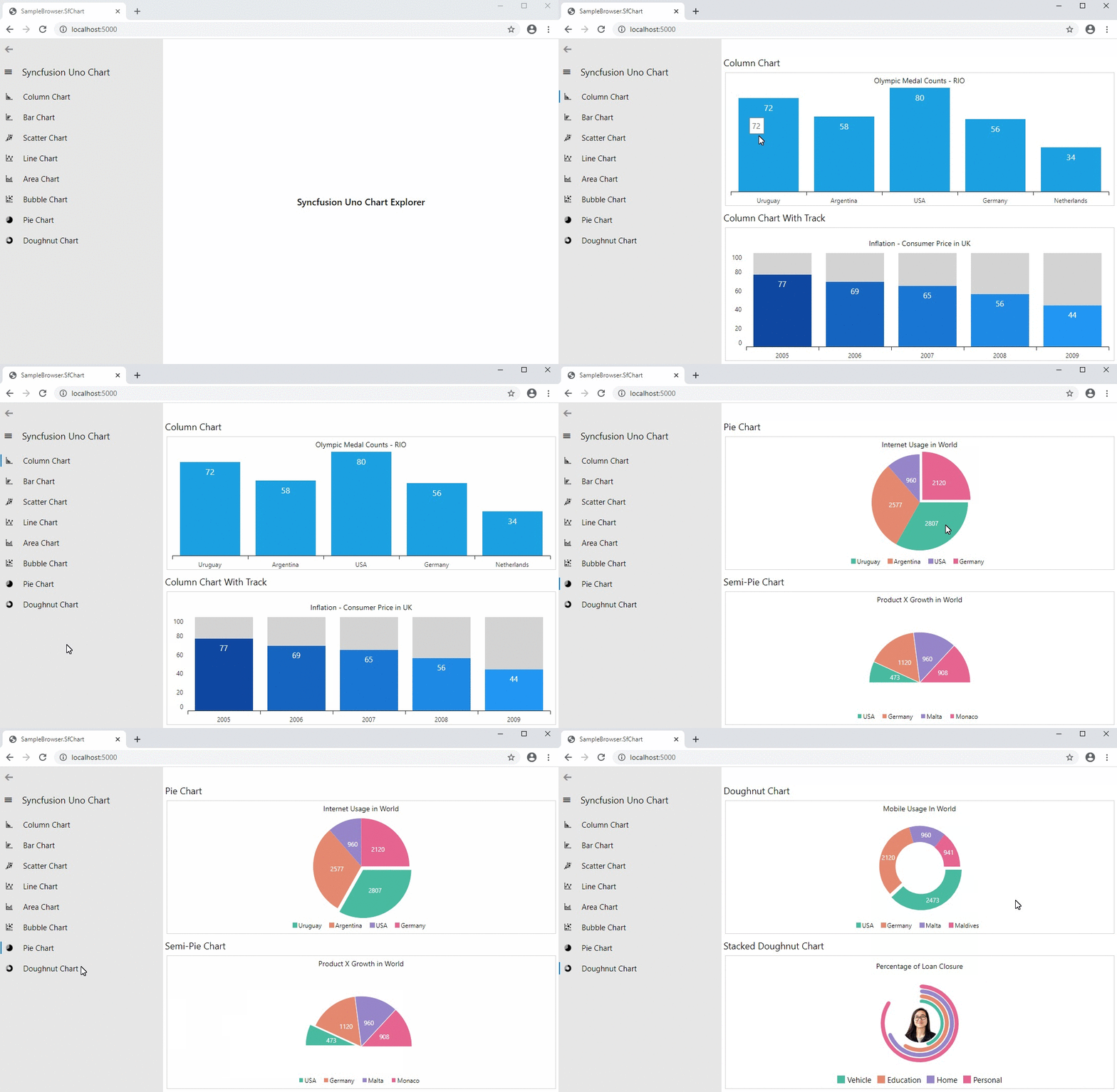
. It demonstrates some basic Charts features. The following image has the output of this application.
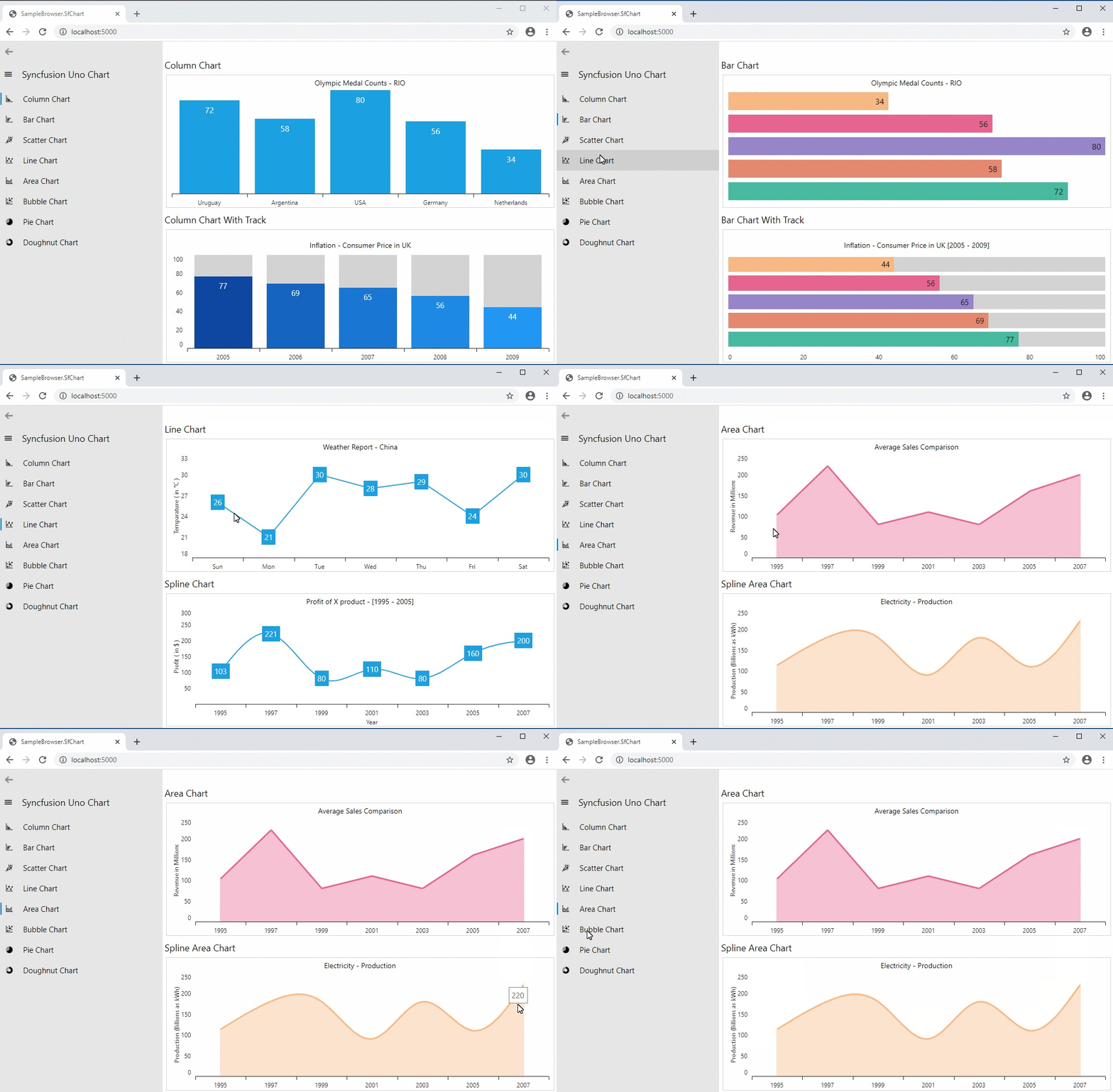
Syncfusion Uno Platform Chart Examples
## **Conclusion**
I hope you have a clear idea of the features and benefits of Uno Platform and the Syncfusion Charts control for it. This Uno Platform and our Charts control will definitely increase your productivity by reducing a lot of workforce and development time.
So, try it and leave your feedback in the comments section below!
You can also contact us through our [support forum](https://www.syncfusion.com/forums)
, [Direct-Trac](https://www.syncfusion.com/support/directtrac/incidents)
, or [feedback portal](https://www.syncfusion.com/feedback/)
. As always, we are happy to assist you!