---
title: "Introducing the New WinUI Rating Control"
published_at: "2022-10-13T10:00:20+00:00"
modified_at: "2025-03-24T06:55:05+00:00"
url: "https://www.syncfusion.com/blogs/post/introducing-the-new-winui-rating-control"
excerpt: "We are glad to introduce the new WinUI Rating control in the 2022 Volume 3 release. It is used to provide or view ratings on a numeric scale for any service provided, such as movies, applications, and products. The key..."
taxonomy_category:
- "Desktop"
- "Syncfusion"
- "UI"
- "What's new"
- "WinUI"
taxonomy_post_tag:
- "desktop"
- "Rating Control"
- "Syncfusion"
- "What's New"
- "WinUI"
---
# Introducing the New WinUI Rating Control
[Manivannan Elangovan](https://www.syncfusion.com/blogs/author/manivannan-elangovan)
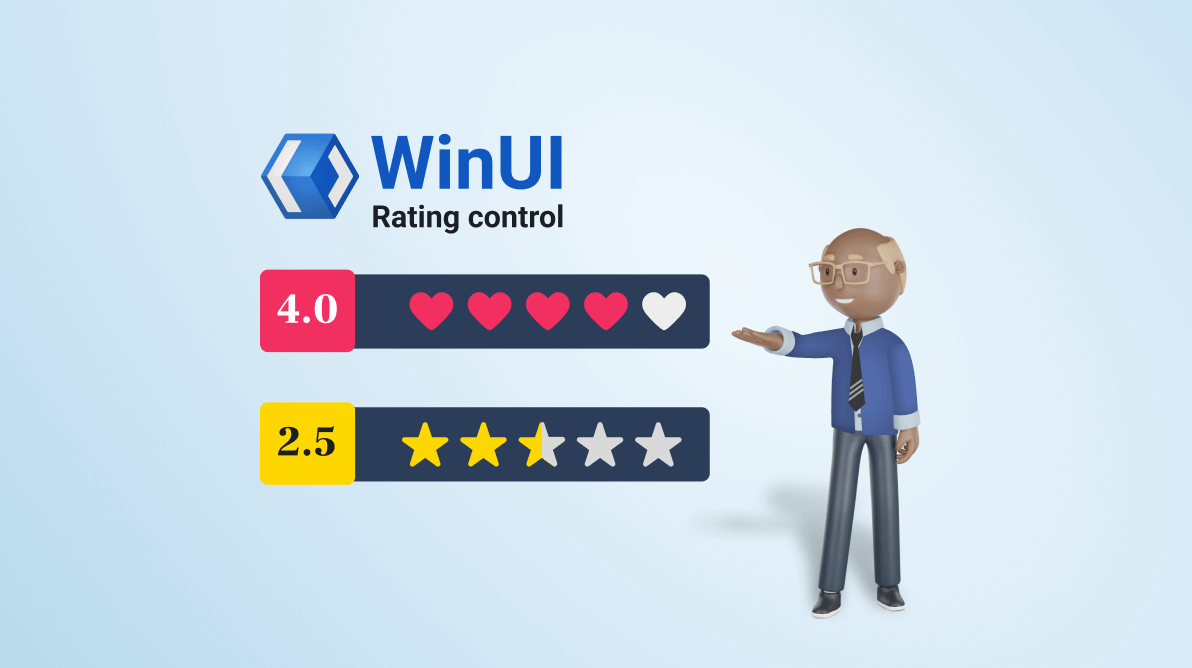
We are glad to introduce the new [WinUI Rating](https://www.syncfusion.com/winui-controls/rating)
control in the [2022 Volume 3](https://www.syncfusion.com/forums/177858/essential-studio-2022-volume-3-main-release-v20-3-0-47-is-available-for-download)
release. It is used to provide or view ratings on a numeric scale for any service provided, such as movies, applications, and products.
The key features of the WinUI Rating control are:
- [Precision](#precision)
- [Read-only](#read-only)
- [Tooltip](#tooltip)
- [Template](#template)
- [Customization](#customization)
Let’s look at these features and see how you can use the new WinUI Rating control in your app.
## Precision
The WinUI Rating control provides accuracy levels for ratings, with flexible precision to handle full, half, or exact values:
- **Full**—To round to the nearest value.
- **Half**—To set the nearest half-value for ratings.
- **Exact**—To set the exact value for ratings.
| | | |
| --- | --- | --- |
## Read-only
Design the Rating control in read-only mode to restrict the users from selecting the rating items. This mode allows users only to view the rating value.

Read-Only Mode in WinUI Rating Control
## Tooltip
You can show the exact rating value as a tooltip when the user hovers the mouse over any rating item.
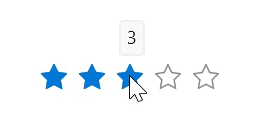
WinUI Rating Control with Tooltip
## Template
Our WinUI Rating control has template support to add rating items such as images, paths, font icons, and other elements.
| Rating Control with Heart Path Template | Rating Control with Image Template |
| --- | --- |
## Customization
You can easily customize the WinUI Rating control with different styles for rated and unrated items, custom item count, and size options.
### Style
Customize the styles of rated and unrated items in the control.

Customizing the Style of WinUI Rating Control
### ItemsCount
Specify the number of items to be displayed in the Rating control.

Customizing the Item Count in the WinUI Rating Control
### ItemSize
Customize the size of each rating item in the control.

Customizing the Size of the WinUI Rating Control
## Getting started with the WinUI Rating control
We have seen the marvelous features of the WinUI Rating control. Let’s see how to add it to your app and use these features.
### Step 1: Create a WinUI application.
First, create a simple WinUI project using the guidelines in the [Create app with Windows App SDK](https://docs.microsoft.com/en-us/windows/apps/winui/winui3/create-your-first-winui3-app?tabs=desktop-csharp)
documentation.
### Step 2: Add the Syncfusion.Editors.WinUI NuGet package.
Then, install the latest [Syncfusion.Editors.WinUI](https://www.nuget.org/packages/Syncfusion.Editors.WinUI/)
NuGet package in your project from the [NuGet Gallery](https://www.nuget.org/)
or installed location, **C:\Program Files (x86)\Syncfusion\Essential Studio®\WinUI\xx.x.x.xx\NuGetPackages**.
**Note:**** xx.x.x.xx** denotes the version of the installed Syncfusion WinUI Editors package.
### Step 3: Add the namespace.
Now, include the **Syncfusion.UI.Xaml.Editors** namespace in your XAML file with the following code.
```
xmlns:syncfusion="using:Syncfusion.UI.Xaml.Editors"
```
### Step 4: Initialize the WinUI Rating control.
Initialize the WinUI Rating control by adding the rating items, as shown in the following code example.
```
```
You can also initialize the Rating control using the **ItemsCount** property like in the following code example.
```
…
…
```
After executing these code examples, we will get a rating control like in the following image.
****
**Note:** For more details, refer to the [WinUI Rating control getting started documentation](https://help.syncfusion.com/winui/rating/getting-started)
.
## **Conclusion**
Thanks for reading! We have seen the features of the new Syncfusion [WinUI Rating control](https://www.syncfusion.com/winui-controls/rating)
rolled out in the [2022 Volume 3](https://www.syncfusion.com/forums/177858/essential-studio-2022-volume-3-main-release-v20-3-0-47-is-available-for-download)
release. To see all the available new upgrades in this release, take a look at our [Release Notes](https://help.syncfusion.com/winui/release-notes/v20.3.0.47?type=all)
and [What’s New](https://www.syncfusion.com/products/whatsnew)
pages. Try the new features out and share your thoughts in the comments section below.
You can also download and check out our WinUI demo app in the [Microsoft Store](https://install.appcenter.ms/orgs/syncfusion-demos/apps/winui-demos/distribution_groups/release)
.
For current customers, the new version is available for download from the [License and Downloads](https://www.syncfusion.com/account/downloads)
page. If you are not yet a Syncfusion customer, you can try our 30-day [free trial](https://www.syncfusion.com/downloads)
to check out our newest features.
For questions, you can contact us through our [support forums](https://www.syncfusion.com/forums)
, [support portal](https://support.syncfusion.com/)
, or [feedback portal](https://www.syncfusion.com/feedback/winui)
. We are always happy to assist you!
## Related blogs
- [Syncfusion Essential Studio® 2022 Volume 3 Is Here!](https://www.syncfusion.com/blogs/post/syncfusion-essential-studio-2022-volume-3-is-here.aspx)
- [What’s New in 2022 Volume 3: WinUI and WPF](https://www.syncfusion.com/blogs/post/whats-new-in-2022-volume-3-winui-and-wpf.aspx)
- [Design a Car Dashboard Like a Pro Using the WinUI Radial Gauge](https://www.syncfusion.com/blogs/post/design-a-car-dashboard-like-a-pro-using-the-winui-radial-gauge.aspx)
- [Designing a Heat Map Calendar Using WinUI Scheduler](https://www.syncfusion.com/blogs/post/designing-a-heat-map-calendar-using-winui-scheduler.aspx)