---
title: "Introducing ASP.NET Core Blazor / Razor Components"
published_at: "2019-04-10T12:57:23+00:00"
modified_at: "2025-04-11T09:26:13+00:00"
url: "https://www.syncfusion.com/blogs/post/introducing-syncfusions-asp-net-core-blazor-razor-components"
excerpt: "Like everyone else, we are excited about the upcoming Microsoft ASP.Net Core 3.0 framework. We are particularly eager to try Blazor /Razor Components, which have the potential to turn web development more towards strongly-typed C# and WebAssembly. Syncfusion is thrilled..."
taxonomy_category:
- ".NET"
- "ASP.NET"
- "ASP.NET Core"
- "Blazor"
- "C#"
- "JavaScript"
- "Microsoft"
- "Syncfusion"
taxonomy_post_tag:
- "ASP.NET Core Razor Components"
- "Blazor"
- "Blazor Application"
- "Razor Components"
- "wasm"
- "WebAssembly"
---
# Introducing ASP.NET Core Blazor / Razor Components
[Ajith R](https://www.syncfusion.com/blogs/author/ajith-r)

Like everyone else, we are excited about the upcoming `Microsoft ASP.Net Core 3.0 framework`. We are particularly eager to try [Blazor /Razor Components](https://docs.microsoft.com/en-us/aspnet/core/razor-components/?view=aspnetcore-3.0)
, which have the potential to turn web development more towards strongly-typed `C#` and `WebAssembly`. Syncfusion is thrilled to announce that a preview release of [UI controls for ASP.NET Core Blazor /Razor Components](https://www.syncfusion.com/blazor-components)
is now available. In this post, we will provide a brief introduction to `Blazor` /`Razor Components`.
#### Introduction to Blazor
Blazor is a next-generation single-page application (SPA) for building client-side web apps with .NET. It supports writing C# code instead of using JavaScript for a client-side web application. The [WebAssembly](http://webassembly.org/)
is used to build the .NET C# code in a web browser without any additional plugins.
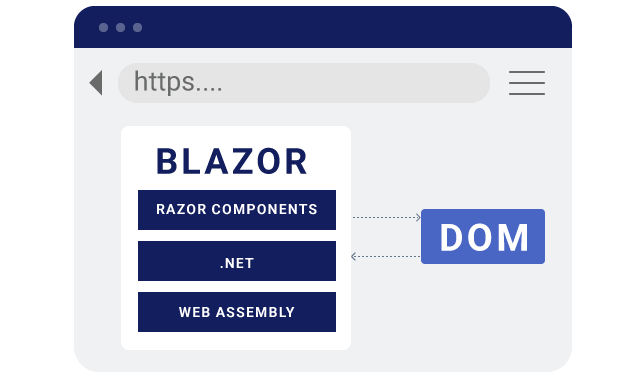
*`Blazor runs .NET code in the browser with WebAssembly.`*
A Blazor app processes the following functionalities when it is built and run in the web browser:
1. The Blazor application compiles the C# codes and Razor files into a .NET assembly.
2. The client-side web browser downloads the assembly files.
3. The WebAssembly will load the downloaded assembly files in the client-side.
4. Blazor handles the DOM manipulation and triggers the browser API.
Blazor is the experimental [client-side hosting model](https://docs.microsoft.com/en-us/aspnet/core/razor-components/hosting-models?view=aspnetcore-3.0#client-side-hosting-model)
for Razor Components.
#### Introduction to Razor Components (Server-side Blazor)
Razor Components is a new web framework to build interactive web UI with `.NET`. It is designed to run client-side in the web browser on a `Blazor` application.
Now, `.NET Core 3.0` provides support for hosting `Razor Components` from server-side by using an `ASP.NET Core` app. The `SignalR` connection handles UI updates from server to client and client to server.
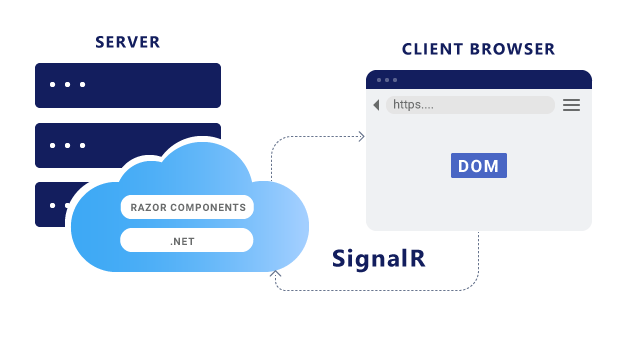
*`Razor Components runs .NET code on the server and interacts with the DOM in the client over a SignalR connection.`*
## Syncfusion ASP.NET Core Blazor / Razor Components
The [Syncfusion UI controls for ASP.NET Core Razor Components](https://www.syncfusion.com/blazor-components)
is a complete suite of over 60+ UI controls for the `Blazor` framework that has been built on top of our popular `Essential JS 2 JavaScript` framework. We have put in a great deal of effort to ensure that the wrapper components behave exactly like native `Razor Components` from an application developer’s perspective. Application developers will be able to write all their code in `C#` and will not have to write a single line of `JavaScript`.
We could have taken the approach of building native `Razor Components` from scratch using `C#,` but the end result would have been little different from what we have achieved by building on `Essential JS 2`. Our current approach has enabled us to ship over 60 components in the very first version, and the framework will only grow richer over time as `Essential JS 2` itself expands. We believe that the goal of the `Blazor` framework and `WebAssembly` itself is not to kill `JavaScript,` but rather to provide application developers the option to write all their application code in their favorite language, and our components help accomplish that.
## Rendering a Syncfusion UI control in ASP.NET Core Razor Components
Now, we’ve learned about `Blazor` /`Razor Components` with their basic behavior. Let’s try out the [Syncfusion DataGrid control](https://www.syncfusion.com/aspnet-core-ui-controls/grid)
with the server-side hosting model of `ASP.NET Core Razor Components` using the `.NET Core CLI` for practice:
- Install the required software, [.NET Core SDK 3.0 Preview](https://dotnet.microsoft.com/download/dotnet-core/3.0) , to start the implementation.
- Create a new `Razor Components` application by running the following command line from command prompt.
```
dotnet new razorcomponents -o EJ2Application
```
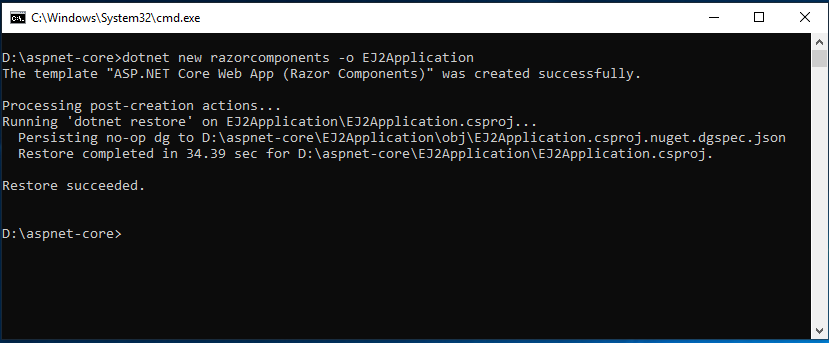
*`Creating a ASP.NET Core Razor Components application`*
- This creates a new `ASP.NET Core Razor Components` application in the **EJ2Application** folder. Navigate to the application from the command prompt and open the application in `Visual Studio Code` or any code editor.
```
cd EJ2Application
```
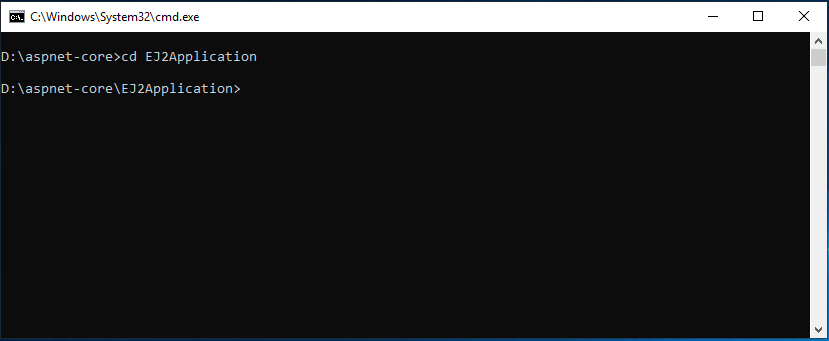
*`Navigate to the application folder`*
- Now, add the [Syncfusion.EJ2.AspNet.Core.RazorComponents](https://www.nuget.org/packages/Syncfusion.EJ2.AspNet.Core.RazorComponents/) `NuGet` package to the new application and use the following command line to restore the packages.
```
dotnet add package Syncfusion.EJ2.AspNet.Core.RazorComponents -v 17.1.0.34-*
```
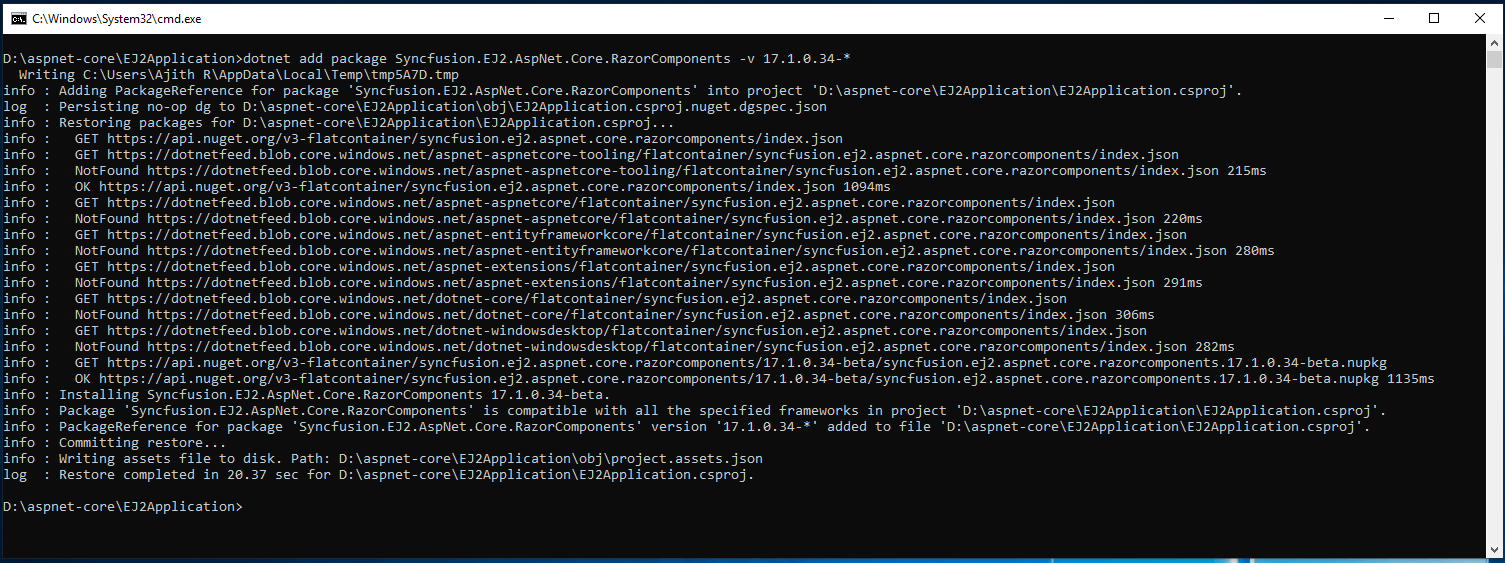
*`Installing Syncfusion ASP.NET Core Razor Components NuGet package`*
- Open the **~/Components/_ViewImports.cshtml** file and import the ** Syncfusion.EJ2.RazorComponents**at the end.
```
@addTagHelper *, Syncfusion.EJ2.RazorComponents
```
- Add the required client-side resources as `CDN` references in the `` element of the **~/Pages/index.cshtml** file.
```
.....
.....
```
- Create a folder named **Grid** inside **~/Components/Pages/** and add the ** Default.razor**file for rendering the DataGrid component.
- The `Razor Components` application itself has the **WeatherForecastService** for data binding. It can be validated in the link `/fetchdata` once the application is run in the web browser. We are using the same service to bind the data to the Syncfusion DataGrid component.
```
@page "/Grid/Default"
@using EJ2Application.Services
@inject WeatherForecastService ForecastService
@using Syncfusion.EJ2.RazorComponents.Grids
Syncfusion DataGrid in Razor Components
@functions {
WeatherForecast[] forecasts;
protected override async Task OnInitAsync()
{
forecasts = await ForecastService.GetForecastAsync(DateTime.Now);
}
}
```
- Now, use the following command line to run the application and it will run in a specific `` port. For example: `http://localhost:5000`.
```
dotnet run
```
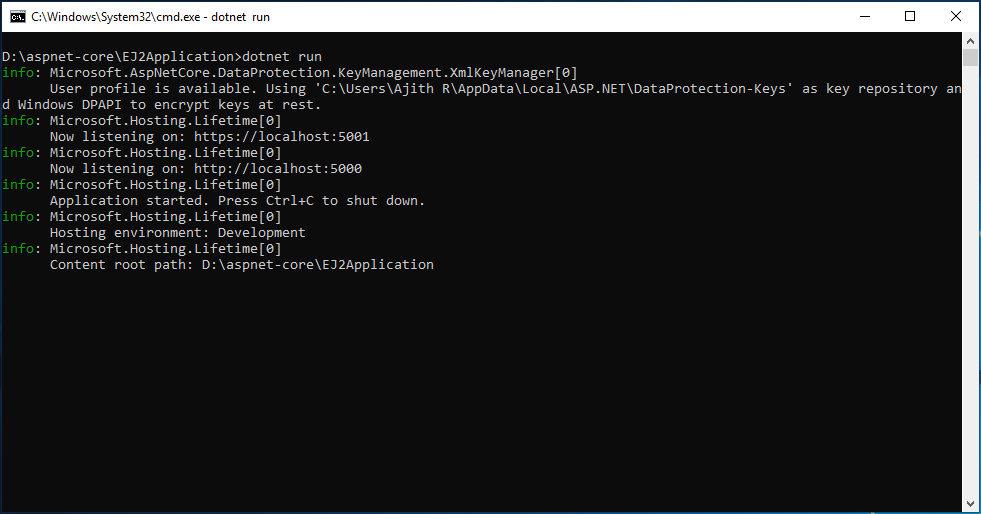
*`Running the application`*
- Finally, navigate to the link `/Grid/Default` and the final output of the Synfusion DataGrid in `Razor Components` will look like the following.
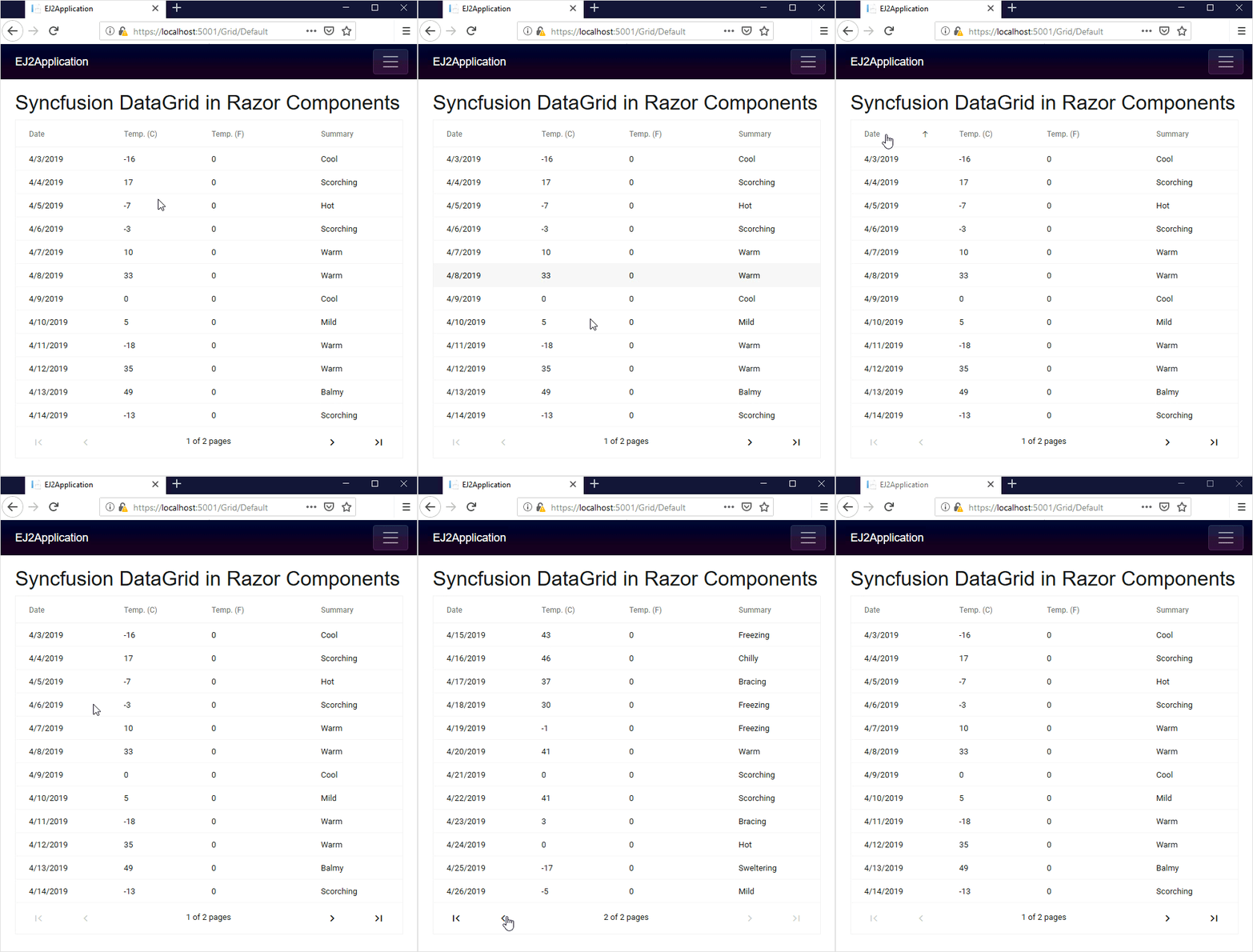
*`The Final output of Syncfusion DataGrid in Razor Components`*
This application is available in the [GitHub](https://github.com/SyncfusionExamples/EJ2-Grid-in-ASP.NET-Core-Razor-Components)
repository for reference.
## Summary
In this blog, we have learned about `Blazor /``Razor Components`, and rendering a Syncfusion UI control in `ASP.NET Core Razor Components`. Blazor is still an experimental project. So it is not yet ready for production. We are eagerly waiting to integrate the complete support of `Blazor / Razor Components` in the Syncfusion UI controls. Currently, we have provided most of the basic supports in our components. We will implement more features in our upcoming Volume 2, 2019, release. Feel free to [download](https://www.syncfusion.com/downloads/blazor/verify)
and test our preview version of Razor Components ([demos](https://blazor.syncfusion.com/)
, [documentation](https://blazor.syncfusion.com/documentation/introduction/)
, [GitHub](https://github.com/syncfusion/blazor-samples)
) and share your feedback in the [support incident](https://www.syncfusion.com/support/directtrac/incidents)
page or [feedback](https://www.syncfusion.com/feedback/blazor-components)
page.