---
title: "Easily Track the Progress of Any Process Using Syncfusion Blazor ProgressBar"
published_at: "2020-06-11T11:29:25+00:00"
modified_at: "2026-02-10T12:15:35+00:00"
url: "https://www.syncfusion.com/blogs/post/easily-track-the-progress-of-any-process-using-syncfusion-blazor-progressbar"
excerpt: "Syncfusion Blazor ProgressBar is a feature-rich notification component. It is used to visualize the changing status of an extended operation such as a download, file transfer, or installation. It includes the following functionalities: Determinate and indeterminate states Buffering Segmented progress..."
taxonomy_category:
- "Blazor"
- "Web"
taxonomy_post_tag:
- "Blazor"
- "Progress Bar Control"
- "Web Development"
---
# Easily Track the Progress of Any Process Using Syncfusion Blazor ProgressBar
[Gowrimathi S](https://www.syncfusion.com/blogs/author/gowrimathis)

[Syncfusion Blazor ProgressBar](https://www.syncfusion.com/blazor-components/blazor-progressbar)
is a feature-rich notification component. It is used to visualize the changing status of an extended operation such as a download, file transfer, or installation. It includes the following functionalities:
- Determinate and indeterminate states
- Buffering
- Segmented progress
- Animation
- Custom content
- Right-to-left rendering
- Built-in themes
- Adaptive display

Syncfusion Blazor ProgressBar Control
With these versatile features, you can easily visualize the current status of a process with beautiful animation and custom effects.
In this blog, we will provide a walk-through on to how render the ProgressBar and use its custom features in your Blazor Server application. Let’s get started!
## Rendering a ProgressBar
First things first, create a Blazor server project in Visual Studio 2019. Follow these steps to render the ProgressBar component:
**Step 1:** Install the **Syncfusion.Blazor** NuGet package to your newly created application by using the ** NuGet Package Manager**. Right-click the ** Projec**t in the Solution Explorer and select ** Manage NuGet Packages**.
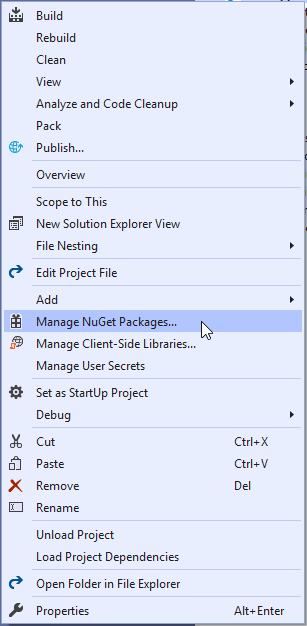
Open NuGet Package Manager
**Step 2:** Search for the **Syncfusion.Blazor** keyword in the ** Browse** tab and then install the ** Syncfusion.Blazor** NuGet package in your application.
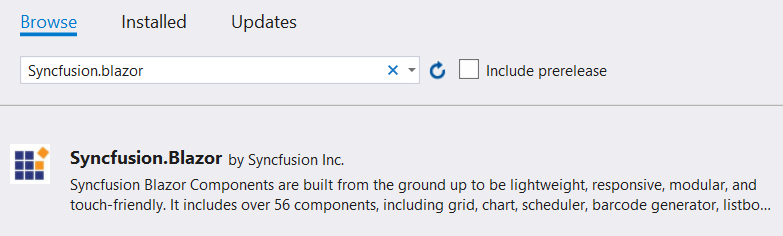
Syncfusion Blazor NuGet Package
**Step 3**: Open the **~/_Imports.razor** file and import the ** Syncfusion.Blazor** and ** Syncfusion.Blazor.ProgressBar** namespaces using the following command.
```
@using Syncfusion.Blazor
@using Syncfusion.Blazor.ProgressBar
```
**Step 4**: Open the **~/Startup.cs** file and register the Syncfusion Blazor Service with the following code.
```
using Syncfusion.Blazor;
namespace WebApplication1
{
public class Startup
{
public void ConfigureServices(IServiceCollection services)
{
....
....
services.AddSyncfusionBlazor();
}
}
}
```
**Step 5:** Now, you can add the Syncfusion Blazor ProgressBar component in the webpage (Razor) in the **~/Pages****/Index.razor** folder.
```
```
**Step 6:** Now, run the application. The Syncfusion Blazor ProgressBar component will be rendered in the default web browser as in the following screenshot.

ProgressBar Component
## Types of Blazor ProgressBar Component
You can visualize progress in different shapes—rectangle, circle, and semicircle—to give your app design a unique appearance. The following code example demonstrates how to set the progress bar shape type as circular.
```
```
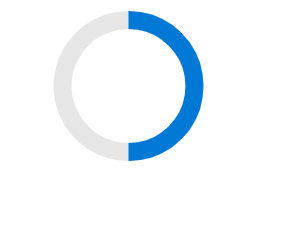
Circular Progress Bar
## States
You can visualize progress with the control in the following modes:
- **Determinate:** Use this when the progress completion can be estimated.
- **Indeterminate:** Use this when the progress completion can’t be estimated or calculated.
- **Buffer:** Use this where a secondary task must be completed before the primary task can be.
The following code example and figures illustrate how the different modes are implanted and displayed.
```
```
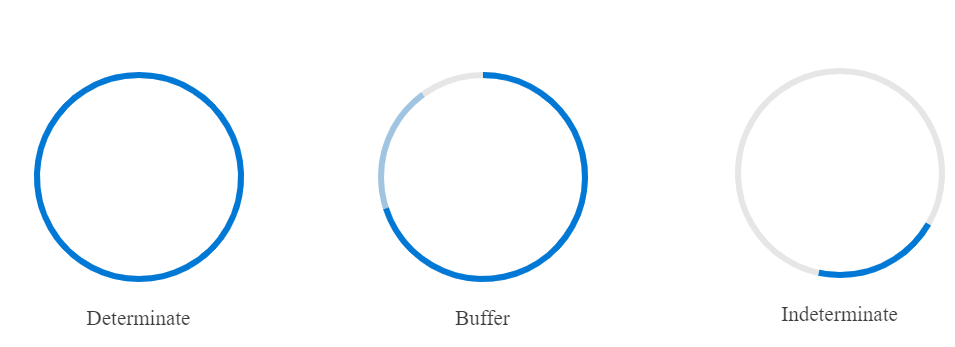
Progress Bar State Options
## Dynamic updates
You can also change the value of the Progress Bar component dynamically through an external button as shown in the following code example.
```
Change the value dynamically
@code {
public double Values {get; set;}
protected override void OnInitialized (){ this.Values = 50; }
public void Change() { this.Values = 70}
}
```
After executing this code, the value of the progress bar changes from 50 to 70, as shown in the following figure.

Progress Bar with Value 50
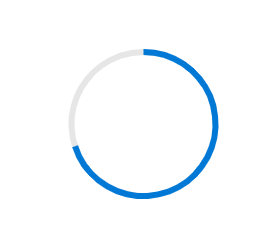
Progress Bar with Value 70
## Conclusion
I hope you are now eager to use the Syncfusion ProgressBar component in your Blazor application. The [ProgressBar](https://www.syncfusion.com/blazor-components/blazor-progressbar)
has much more to offer in addition to these features, such as the ability to add custom content and multiple ranges. You can check out ProgressBar samples from this [GitHub](https://github.com/syncfusion/blazor-samples/tree/master/Pages/ProgressBar)
repository. Please take a look at our live demos in our [sample browser](https://blazor.syncfusion.com/demos/progress-bar/linear/)
too.
For existing customers, the new version is available for download from the [License and Downloads](https://www.syncfusion.com/account/downloads)
page. If you are not yet a Syncfusion customer, you can try our 30-day [free trial](https://www.syncfusion.com/downloads)
to check out these new features.
The ProgressBar component is also available for the [React](https://ej2.syncfusion.com/react/demos/#/material/progress-bar/linear)
, [Angular](https://ej2.syncfusion.com/angular/demos/#/material/progress-bar/Linear)
, [Vue](https://ej2.syncfusion.com/beta/vue/demos/#/material/progress-bar/linear.html)
, [ASP.NET Core](https://www.syncfusion.com/aspnet-core-ui-controls/progressbar)
, [ASP.NET MVC](https://ej2.syncfusion.com/aspnetmvc/ProgressBar/Linear#/material)
, and [JavaScript](https://www.syncfusion.com/javascript-ui-controls/js-progressbar)
frameworks.
If you wish to send us feedback or would like to ask any questions, please feel free to post them in the comments section below, or contact us through our [support forum](https://www.syncfusion.com/forums)
, [Direct-Trac](https://www.syncfusion.com/support/directtrac/)
, or [feedback portal](https://www.syncfusion.com/feedback/)
. As always, we would like to learn from you!
*If you like this blog post, we think you’ll also like the following free ebooks!*- [JavaScript Succinctly](https://www.syncfusion.com/ebooks/javascript)
- [TypeScript Succinctly](https://www.syncfusion.com/ebooks/typescript)
- [Angular Succinctly](https://www.syncfusion.com/ebooks/angular-succinctly)
- [React Succinctly](https://www.syncfusion.com/ebooks/react-succinctly)