---
title: "Efficiently Plan Your Agile Sprints with the Blazor Sprint Management Application"
published_at: "2025-05-12T11:23:48+00:00"
modified_at: "2025-05-12T11:23:52+00:00"
url: "https://www.syncfusion.com/blogs/post/blazor-sprint-management"
excerpt: "Simplify agile projects with our Blazor Sprint Management App. Track tasks with Kanban, Gantt Chart, DataGrid, and Scheduler. Boost team productivity!"
taxonomy_category:
- "Blazor"
- "DataGrid"
- "Gantt"
- "Kanban"
- "Scheduler"
- "Web Development"
taxonomy_post_tag:
- "Agile"
- "Blazor"
- "Blazor Sprint Management"
- "DataGrid"
- "Gantt Chart"
- "Kanban"
- "Scheduler"
---
# Efficiently Plan Your Agile Sprints with the Blazor Sprint Management Application
[Jayakumar Duraisamy](https://www.syncfusion.com/blogs/author/jayakumar-duraisamy)

**TL;DR:** The Blazor Sprint Management Application, built with Syncfusion Blazor components, offers agile teams a comprehensive solution for effective sprint planning. It includes a Kanban Board for intuitive task tracking, a Gantt Chart to visualize timelines and dependencies, a DataGrid for task data management, and a Scheduler for time-based tasks. Enhanced with form controls, this app brings clarity and efficiency to every sprint.
## Introduction
Sprint management in agile teams can quickly spiral out of control. Missed deadlines, scattered tasks, unclear ownership, and limited visibility into progress can derail even the best-planned projects.
If you’re juggling spreadsheets or disconnected tools to keep your sprints on track, you’re wasting valuable time and increasing the risk of delivery delays.
That’s where the Blazor Sprint Management Application comes in.
Built with Syncfusion’s Blazor UI components, this comprehensive solution consolidates all aspects of sprint planning. Task boards, timelines, scheduling, and resource tracking are combined in a single, interactive dashboard. Whether you’re a project manager, developer, or scrum master, this tool empowers you to plan, execute, and deliver sprints with clarity and precision.
**Note:** For more details, refer to the [Blazor Sprint Management demo](https://blazor.syncfusion.com/showcase/sprint-management)
.
## Key components of sprint management
### Kanban: Visual workflow management
[Kanban](https://www.syncfusion.com/blazor-components/blazor-kanban-board)
organizes tasks into columns representing workflow stages such as **To Do, In Progress, and Done**. It helps teams track progress and manage tasks efficiently.
**Key features:**
- **Drag-and-drop**: Move tasks easily between columns.
- **Task labels**: Differentiate tasks by priority, category, or status.
- **Customization**: Modify columns, colors, and task statuses.
```
@code {
public List KanbanData { get; set; } = new() {
new TaskData { Id = 1, Subject = "Task 1", Status = "To Do" },
new TaskData { Id = 2, Subject = "Task 2", Status = "In Progress" }
};
}
```
### Gantt Chart: Visualize project timelines
The [Gantt Chart](https://www.syncfusion.com/blazor-components/blazor-gantt-chart)
is a timeline-based component that displays tasks, their dependencies, and progress over time, helping teams manage scheduling and resource allocation.
#### Key features:
- **Task scheduling**: View tasks along a timeline with start dates and durations.
- **Dependency tracking**: Visualize relationships between tasks.
- **Resource allocation**: Assign resources and track workloads.
```
```
### DataGrid: Manage task information
The [DataGrid](https://www.syncfusion.com/blazor-components/blazor-datagrid)
component displays and organizes task information in a table format. It supports sorting, filtering, and editing, making it easy to handle large datasets.
#### Key features:
- **Sorting and filtering**: Organize tasks by various criteria.
- **Inline editing**: Update task details directly within the grid.
- **Pagination**: Navigate through large datasets easily.
```
```
### Scheduler: Manage time-based tasks
The [Scheduler](https://www.syncfusion.com/blazor-components/blazor-scheduler)
component is ideal for managing deadlines, meetings, and other time-sensitive tasks. It provides multiple views for better task visualization.
#### Key features:
- **Event management**: Add, edit, and delete events or deadlines.
- **Multiple views**: Switch between daily, weekly, monthly, and agenda views.
- **Recurring events**: Set up recurring tasks or appointments.
```
```
## Integration of components for efficient sprint management
Each component of this sprint management solution enhances the overall functionality:
- **Kanban** provides real-time task status updates and workflow management.
- **Gantt Chart** visualizes timelines, dependencies, and resource allocations.
- **DataGrid** helps manage detailed task information efficiently.
- **Scheduler** assists with tracking deadlines and events.
Together, they offer a seamless and comprehensive approach to sprint management.
## Application features: A practical guide
### Adding a new task
Press the **New Task** button to add tasks, including task details, priority, and resources.
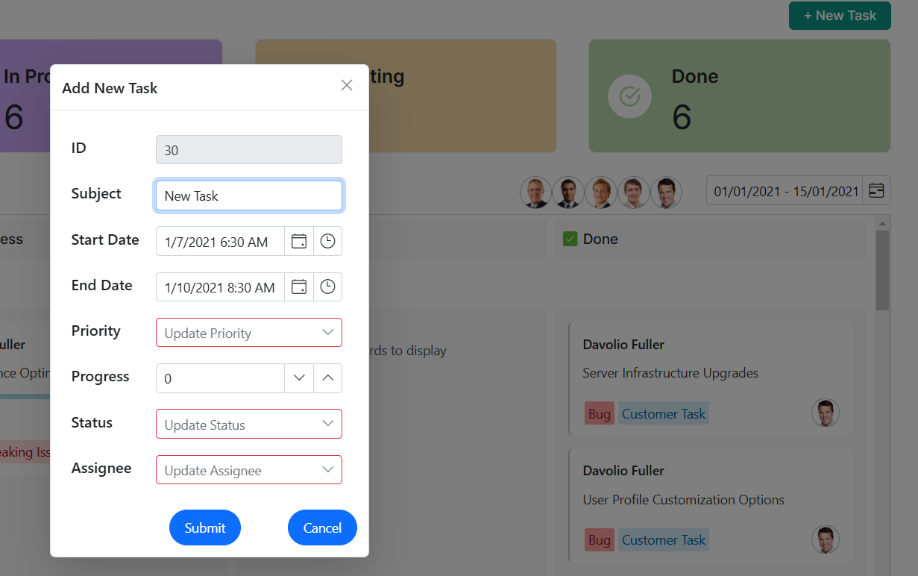
Adding a new task
### View resource-specific tasks
Click on a resource’s image in the Kanban to view the tasks assigned to that resource.
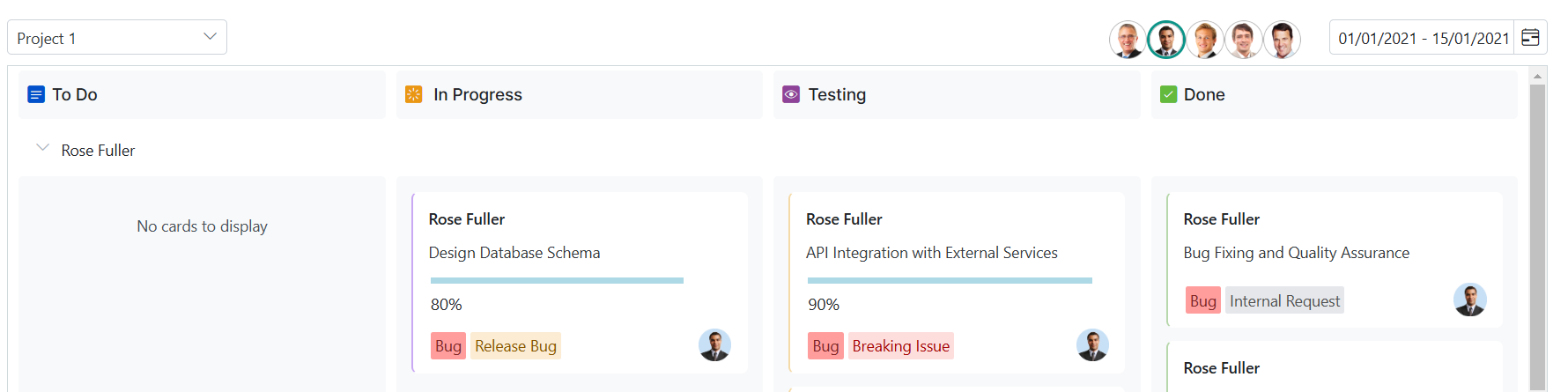
View resource-specific tasks
### Switch between projects
Use the dropdown to switch between different project task details.
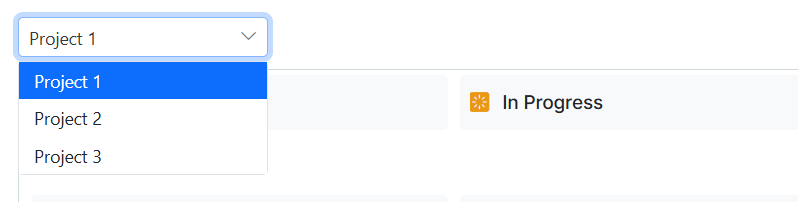
Switch between projects
### Task status overview
You can view the **To Do**, ** In Progress**, ** Testing**, and ** Done** task labels at the top of the screen.

Task status overview
### Drag and drop tasks
Move tasks easily between columns to manage progress in Kanban.
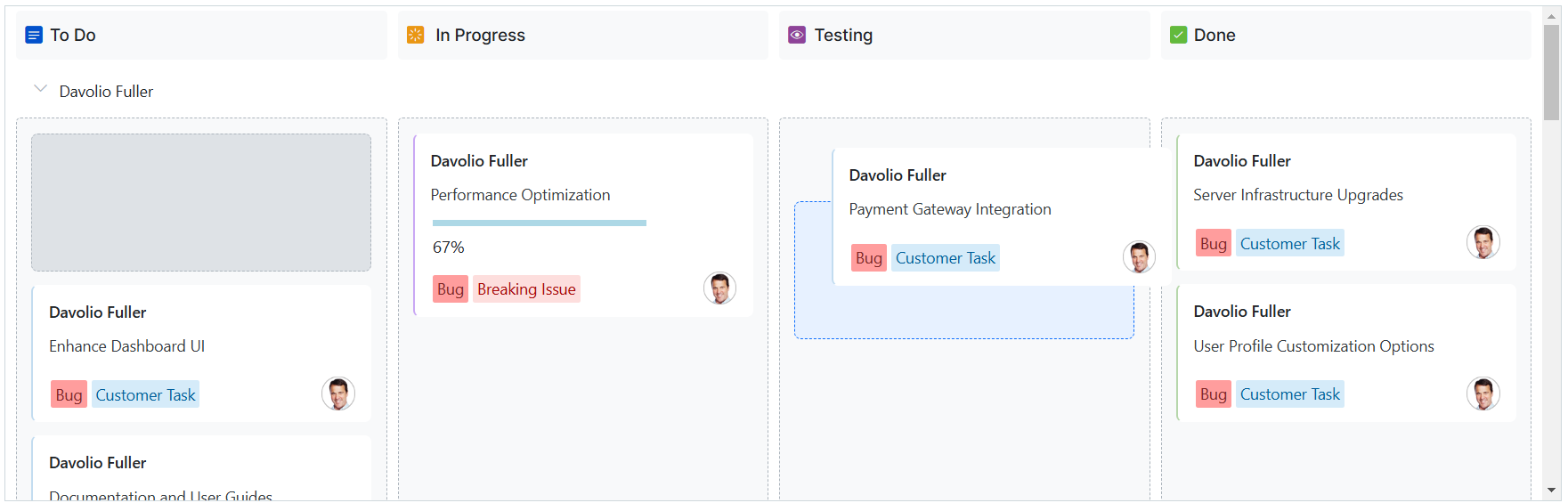
Drag and drop tasks
### Scheduler component for time management
Use the **Scheduler** to visualize tasks based on different timelines: day, week, month, etc.
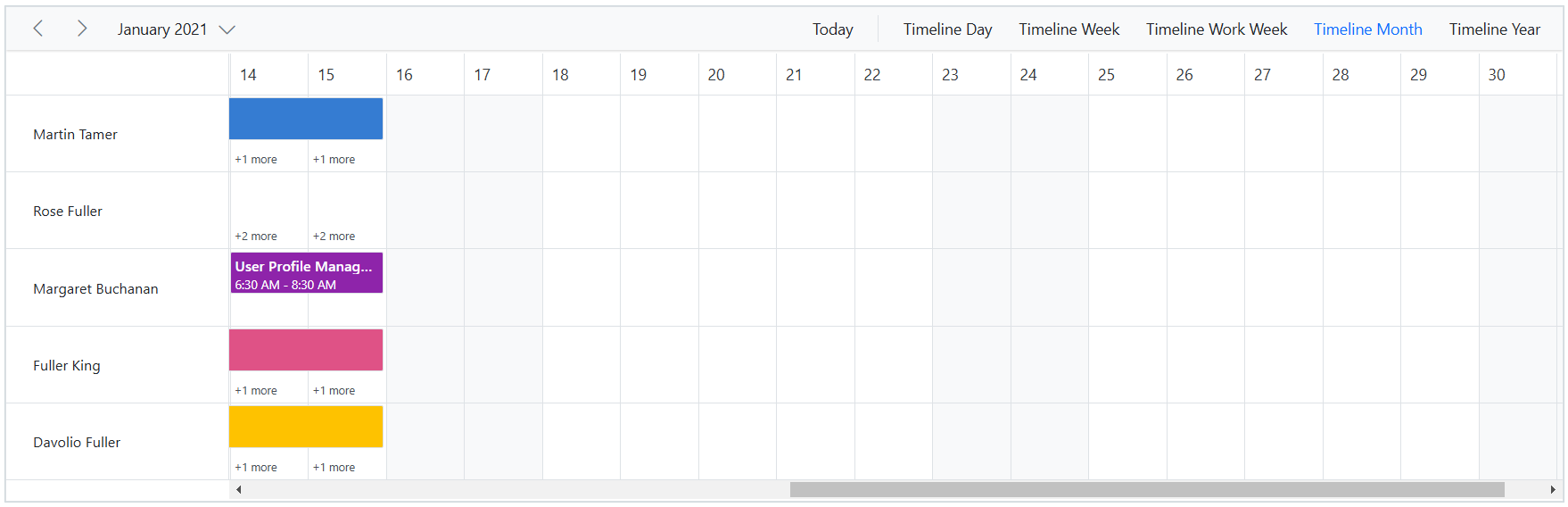
Scheduler component for time management
### Gantt Chart for task dependencies
The **Gantt Chart** helps visualize task dependencies and allows easy taskbar manipulation to adjust dates.
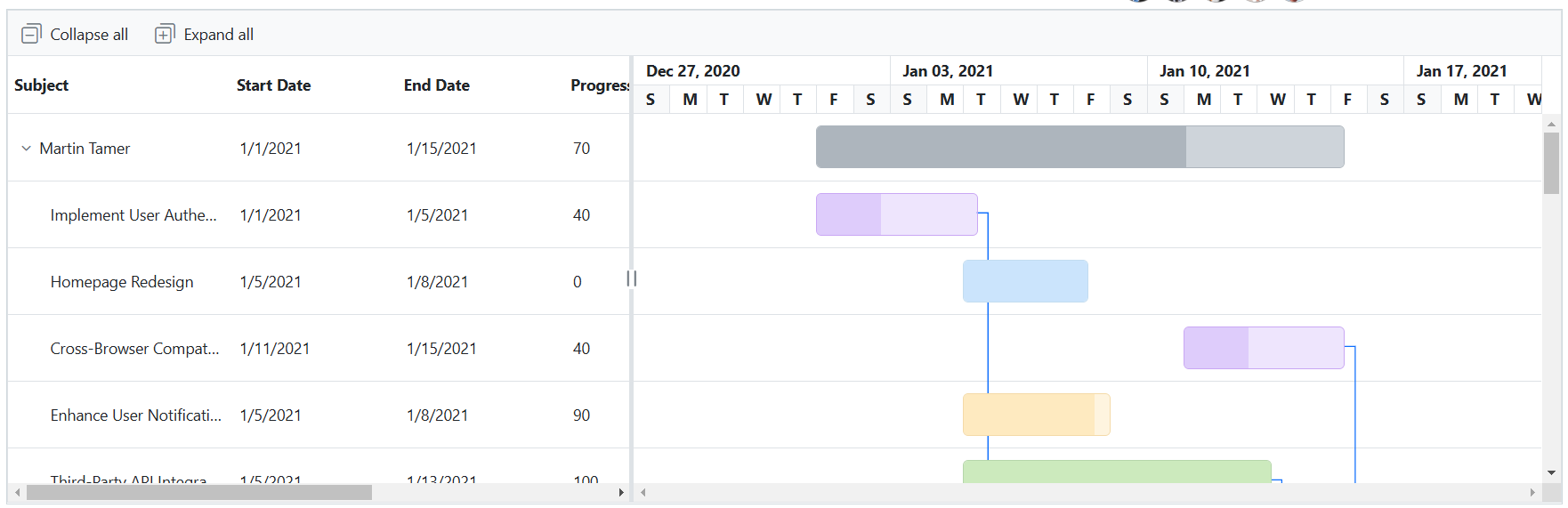
Gantt Chart for task dependencies
### DataGrid for task management
**DataGrid** displays tasks in tabular format, allowing for the sorting and management of records.
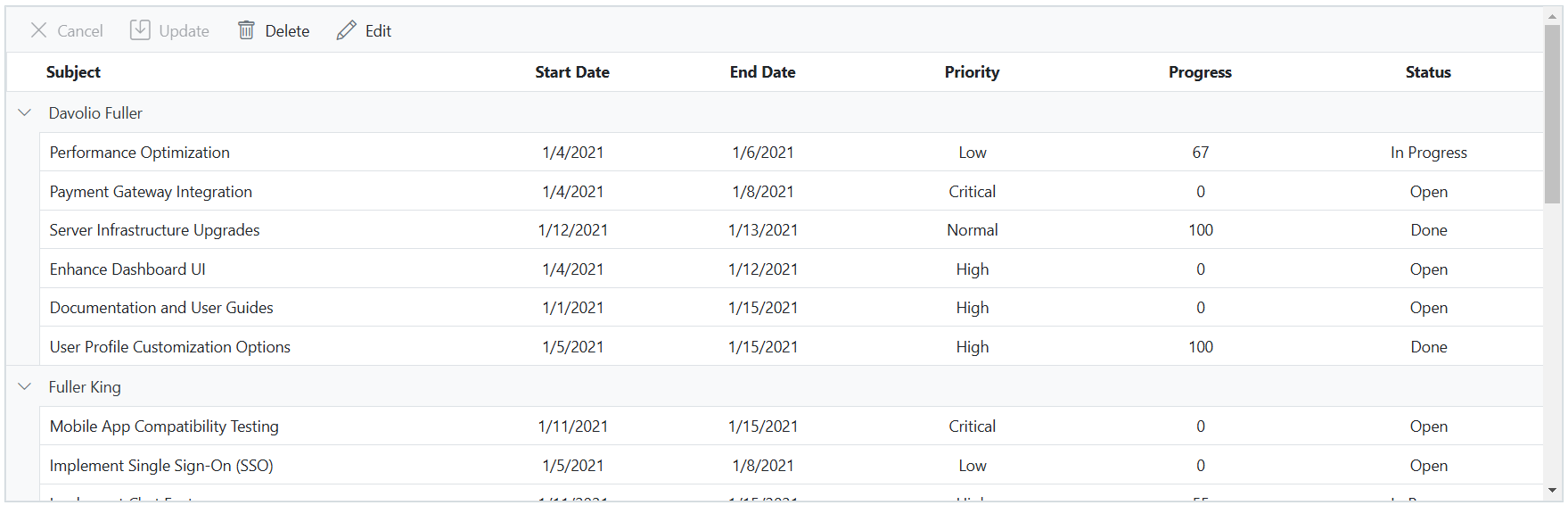
DataGrid for task management
### Edit task details
Edit task details directly in **Kanban**, ** Scheduler**, ** Gantt Chart**, and ** DataGrid** components using double-click functionality.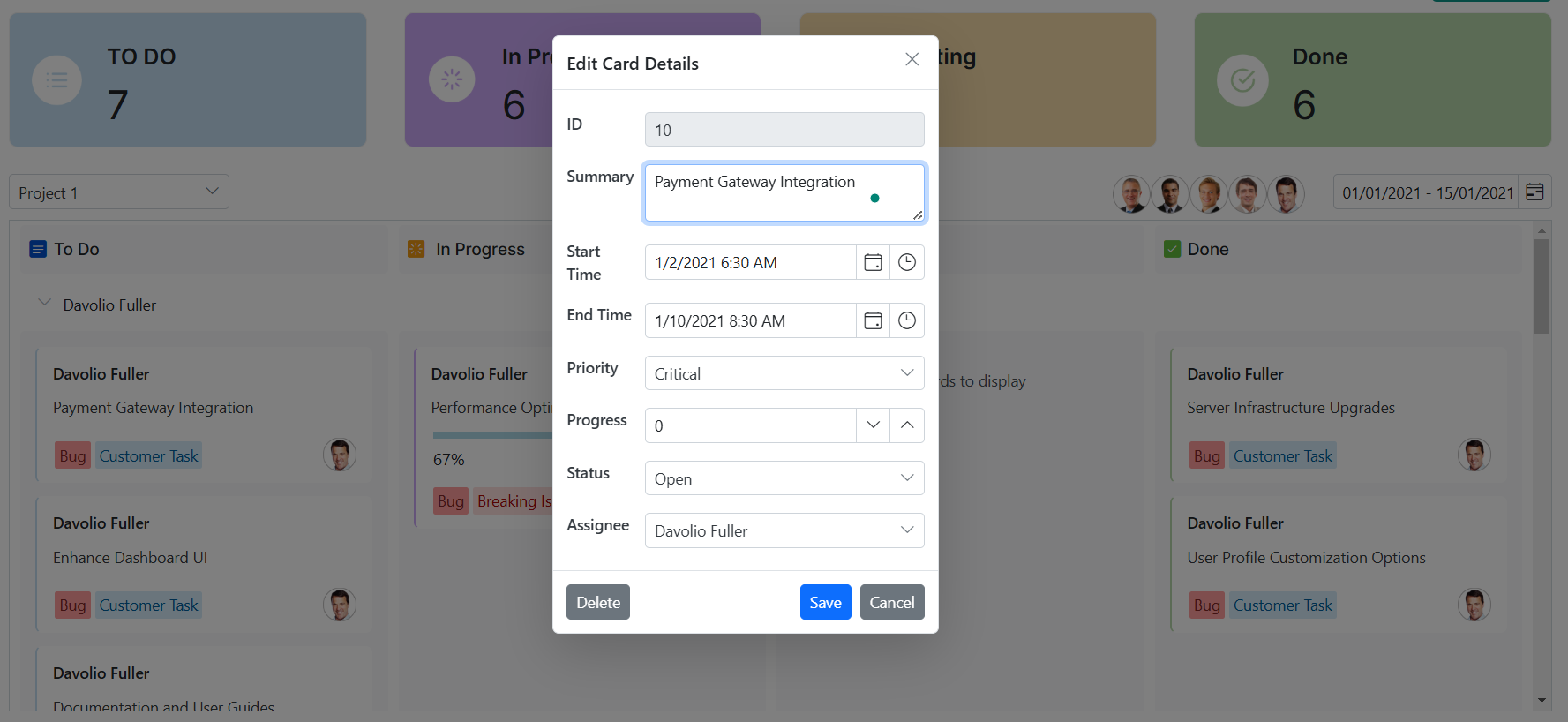
Edit task details
## GitHub repository
Check out the complete code example on the [GitHub demo](https://github.com/syncfusion/blazor-showcase-sprint-management)
**.**
## Conclusion
Effective sprint management requires more than just basic tools. Agile teams need a unified platform that supports visual planning, real-time collaboration, and detailed tracking. The **Blazor Sprint Management Application**, built with ** Syncfusion’s powerful Blazor UI components**, delivers exactly that.
With integrated features like Kanban, Gantt Chart, DataGrid, Scheduler, and rich form controls, this application helps teams stay organized, allocate resources efficiently, and meet sprint goals with confidence. Whether overseeing a single team or managing multiple projects, this solution provides the clarity and control needed to drive agile success.
Explore the [live demo](https://blazor.syncfusion.com/showcase/sprint-management)
and experience how Syncfusion empowers you to manage sprints smarter, not harder.
Our customers can access the latest version of Essential Studio for WPF from the [license and downloads](https://www.syncfusion.com/account/downloads)
page. If you are not a Syncfusion customer, you can download our [free evaluation](https://www.syncfusion.com/downloads)
to explore all our controls.
You can also contact us through our [support forum](https://www.syncfusion.com/forums)
, [support portal](https://support.syncfusion.com/)
, or [feedback portal](https://www.syncfusion.com/feedback)
. We are always happy to assist you!
## Related Blogs
[Fix Broken Charts Instantly: Handle Missing Data Like a Pro in Blazor!](https://www.syncfusion.com/blogs/post/handle-missing-data-blazor-charts)
[Explore Interactive Drill-Down Charts in Blazor for Deeper Data Insights](https://www.syncfusion.com/blogs/post/drill-down-charts-in-blazor)
[Effortless CRUD in Blazor: Build Forms Faster with the Data Form Component](https://www.syncfusion.com/blogs/post/blazor-dataform-crud)
[Boost MultiColumn ComboBox Performance with Virtual Scrolling and Paging](https://www.syncfusion.com/blogs/post/optimize-blazor-multicolumn-combobox)